Just 12

American photographer Ansel Adams once said,
“Twelve significant photographs in any one year is a good crop.”
How was your crop from this past year?
If you’re not familiar with Ansel Adams, he worked through the middle 60 years of the 20th century making spectacular black-and-white photographs of national parks and natural areas in California, mostly with large format cameras. His best-known works were very large black and white prints, handmade from negatives of 4”x5”, to 8”x10”. In his early days, he would trek through Yosemite National Park, summer and winter, carrying a dozen or so glass plates at a time. Even with the switch to sheet film, he still had to carry each pair of sheets in large film holder that was inserted into the camera back, one shot at a time.

Sold via Christie’s (14¾ x 19”) in 2016 for USD47,500. A larger 38×60”, hand-made black-and-white print once hung above the Adams’s fireplace.
This is all to say Adams never had the convenience of auto exposure, burst photography, bracketing, or HDR exposures. Nor did he have zooms. His three ’walkabout’ lenses, included a 90mm wide angle of (around 27mm equivalent), a 150mm ‘normal lens’ (50mm efov) and a 210mm short telephoto in the 65mm range or perhaps a 300mm (108mm efov). It was not only the camera, lenses and backs that were encumbering, his work also required a heavy wooden tripod and black-out cloth.
It is said that good art is the product of limitations—Ansel Adams is certainly a testament to that. For more on how constraints stimulate thinking, read this from verybigbrain.com. Even the great film-maker Orson Welles is known to have said:
“The enemy of art is the absence of limitations.”
Therefore, given the limitations Ansel Adams faced, making 12 significant photos in one year was an achievement, though he regularly made even more. For a moment, consider putting yourself in a similar situation, going out for a weekend of serious photography to an amazingly beautiful natural or wilderness area with only three lenses, a tripod and, say 24 exposures. The effort you put into each exposure would be significant and you sure wouldn’t waste any on bracketing!

This photo is the successful product of learning a new technique: hand held focus stacking with my telephoto zoom lens.
Olympus OM-1 w/ M.Zuiko 100-400mm at 227mm (554mm efov); ƒ6 @ 1/1600, ISO 800; stacked JPEG processed in Lightroom
So what’s my point here?
I encourage you to look back over the photographs you made in the past year and try to distill the best of your best down to 12 different images. Only 12. Not 13 or 15 or 20. Just 12.
When I take on this task, as I do each year, I break down the year into a series of ‘sessions’, ‘scenes’ or ‘subjects’. I may get two or three top-tier images from one particularly engaging moment or session, so in this exercise, I include only one image from any one scene or session. I just went through my 2024s and came up with 31 (see photo). Now the real work begins!

Looking back over the year in photographs is a healthy exercise for several reasons. First of all, you might be surprised by the number of really good photographs you’ve taken. Hopefully, you won’t be disappointed if they number less than 12—and, if so, ask yourself why? Was it one of those years when family and/or work commitments limited your time spent photographing. If that’s the case, consider building photography into more of a routine in the coming year.

Another image captured with handheld focus stacking, this time with a macro lens.
OM-1 w/ M.Zuiko 60mm ƒ2.8 Macro lens; ƒ5.6 @ 1/500, ISO 800; stacked JPEG processed in Lightroom
Do you golf, play hockey or attend a club once a week or take part in another weekly endeavour? Consider trading one of those sessions each month for a few hours out photographing. Try to make it a regular thing, by choosing a series of locations you’d like to visit and going out rain or shine.
Another alternative for increasing the number of photo sessions is to join a local photography club. While they have guest speakers throughout the year, which might provide inspiration, clubs often have field trips, workshops and hands-on learning sessions to broaden your photography. I’ve had people take my workshops for the sole purpose of getting out and photographing.
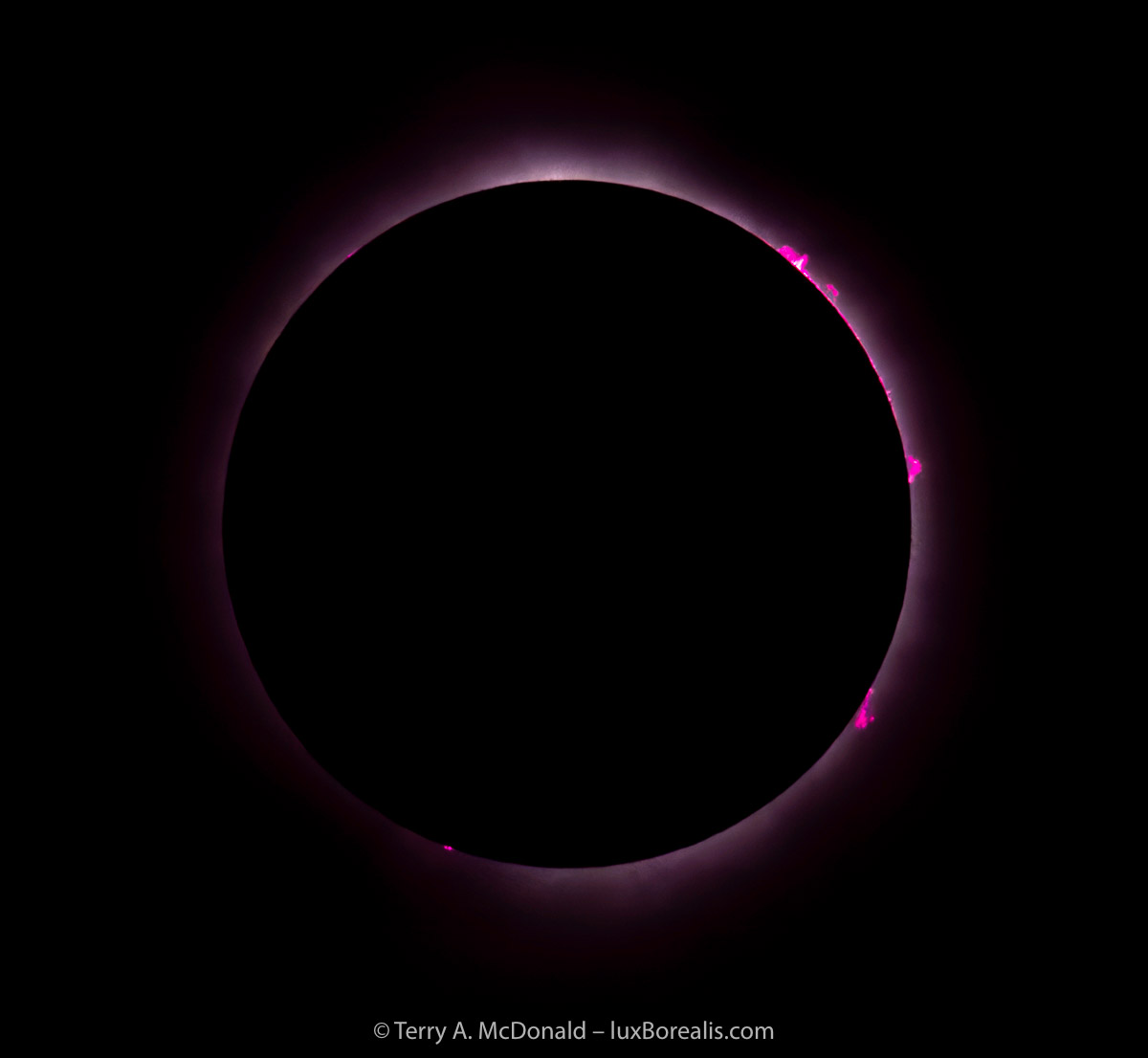
2024 was the year of the total eclipse here in southern Ontario!
OM-1 w/ 100-400 at 400mm (800mm efov); ƒ16 @ 1/4000, ISO 200 with ND500 + NDx8 filters; raw file processed in DxO RawPrime and Lightroom.
Secondly, looking at a retrospective of the year can give you a sense of where your strengths are, what techniques or styles you enjoy using and, more importantly, what is not working for you. You may have sessions out photographing for which you have no images to consider as your best. Why is that? Was the lighting flat and featureless? Or was there simply nothing compelling to shoot? Perhaps there was something you saw and photographed, but didn’t quite capture what caused you to stop in the first place? These are important developmental questions to consider and are part of the learning journey.
Decades ago, I read an article about Robert Gilka, a long-time Director of Photography at National Geographic. Something written has always stuck with me. He felt there is always a compelling photograph to be captured—it just takes a visionary photographer to see it. Apparently, his test of talent was to give a photographer a roll of black-and-white film, put them in a dark alley, and direct them to come back when they’ve finished the roll. Talk about limitations!

A pair of catbirds frequented the apple tree outside our family cottage, collecting caterpillars and other delicacies to feed their young in the nearby nest. It was just a matter of time before the lighting of early evening (7:20pm) and their perch location was ideal for a photograph.
OM-1 w/100-400mm @ 400mm (800mm efov); ƒ8 @ 1/200, ISO 3200; raw file processed in Lightroom.
Ansel Adams often wrote of the value of ’seeing photographs’ even when you’re not photographing. I often see photographs when I’m out driving, but that’s not an entirely safe endeavour. Looking out a window or when out walking, stop and look. Look carefully. In your mind, frame up an interesting pattern or scene. Move forwards, backwards, up and down to compose the photograph. Think through the steps of how you might precisely capture the photograph, what perspective to use, and which focal length would best match that view. It’s a helpful exercise and it doesn’t cost a thing except a moment of your time. In instances like these, once I’ve composed the image, I often take out my phone to make a quick snap.
Choosing photos
If you have plenty of great photographs to choose from, well then that’s a different problem. How do you edit down to just 12? It’s important to look at them, I mean really examine each photograph, closely, looking specifically for flaws. Look at them large, on your TV for example. Check the edges and corners, focus and exposure, horizons, subjects. How is the composition? Rule of Thirds? Foreground, mid-ground and background? An image that initially captures your imagination may in fact have flaws that you first missed because you were taken in by the impact of colours or design or the memory of that significant moment.
There is no right or wrong, and don’t rank them, just choose 12—and learn as you choose. Remember, you’re looking for your 12 best, not 12 perfect photographs. This is especially important if you are new to photography. It’s a learning journey.
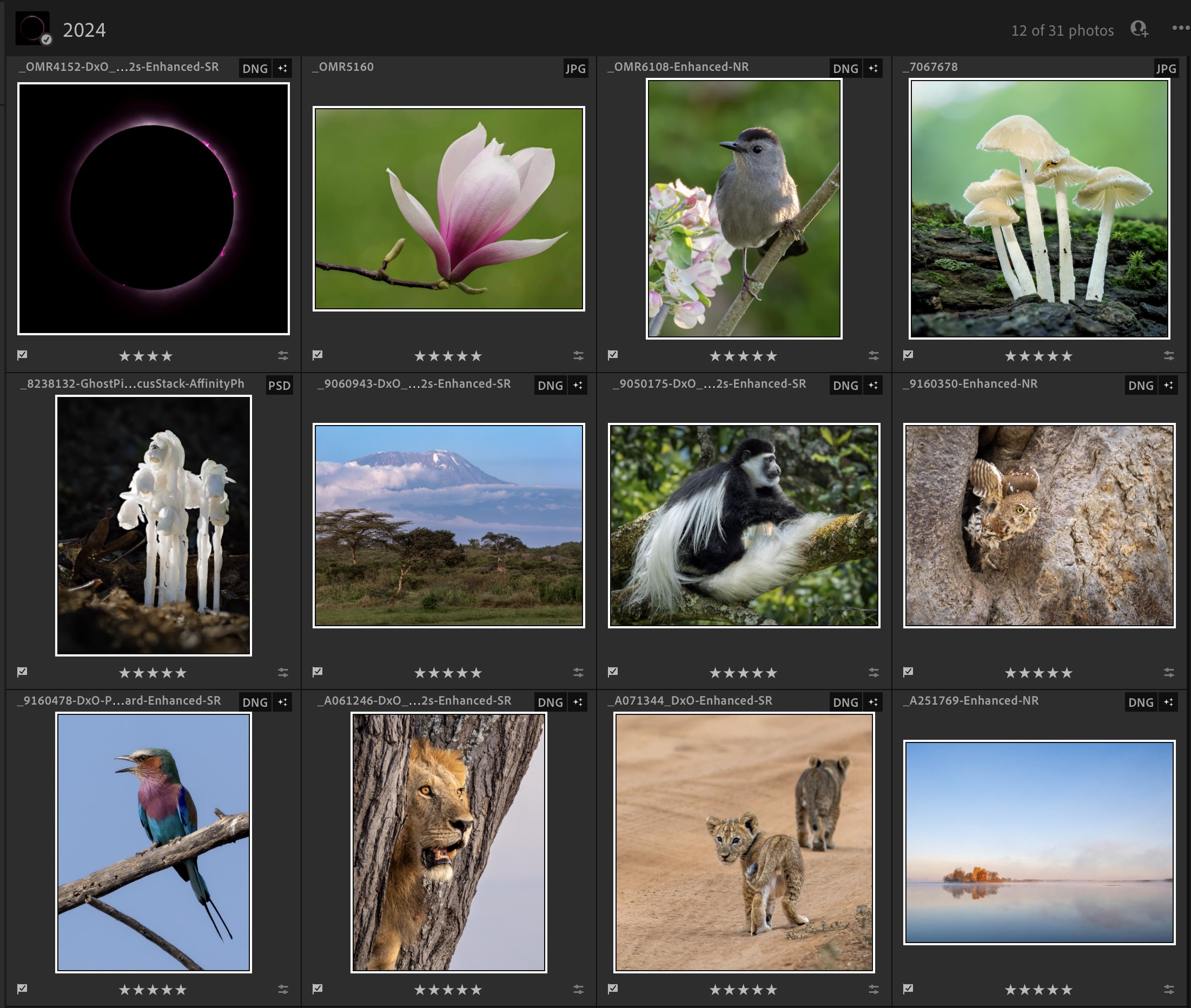
Pro Tip: If you are using an editing app like Lightroom, hopefully, throughout the year, you assigned star values to your photos. If not, do so now, at least for the best of the best. This makes selections weeks or months later much easier. Each time I go through a set of images from a photo session, I pick the best by giving them a flag. As I go through them again, I give one star to any worth pursuing with further editing. Once I’ve given a file its first edit, I give it 3 starts. From there, a photograph earns 4 or 5 stars depending on its overall quality and impact.
Once you have your 12 best, consider this—what makes those photographs so successful? To get to the root of your photography, try going beyond ‘location’ or ‘subject’. What ‘worked’ in the photographic sense? Was it the ambience of the time of day or time of year? What about the lighting? The composition? The style? Perhaps all the planets aligned to create a perfect photograph. Drill down to discover: Why? How? As you discover what works, then try to replicate that in future photo sessions.

An adult Pearl-spotted Owlet launches itself from its nest hole in a baobab tree. After seeing the owl with its young in a nearby acacia, and watching the two of them enter the nest, from there, it was a waiting game. Within five minutes, I could see slight movement in the hole, then out flew the adult.
OM-1 w/ 100-400 at 400mm (800mm efov); ƒ8 @ 1/800, ISO 1600; raw file processed in Lightroom.
The next 12
Now take a look at the next 12 or 24. Why didn’t they make ‘the cut’? It is just as important to discover what didn’t work, which can provide insights into how you need to improve. Again, don’t consider the location or subject; consider only the photographic elements of composition, lighting, perspective, and editing.

One of my ‘Next 12’. This took some very careful lining up—shifting forward and back, left and rightand finding the ideal focal length—as the sun rose quickly in the morning sky. Hazy smoke from local agricultural burning added the colour.
OM-1 w/ 100-400mm at 210mm (420mm efov); ƒ8 @ 1/800, ISO 200; raw file processed in Lightroom.
Take perspective, for example. Not enough is written about ‘where you’re standing and what focal length to use’. Should you have been closer with a wider angle lens to accentuate the foreground? Or should you have been further back with a longer focal length to compress the ‘layers’ of foreground, mid-ground and background?
Fred Picker, the east coast equivalent to Ansel Adams, always felt he had the perfect composition,
“when the scene was looking back at me”.
What an interesting way of looking at perspective and composition. Finding that sweet spot in three-dimensional space is perhaps the most difficult part of photography. Even Ansel Adams recognized,
“A good photograph is knowing where to stand”.

I really am a landscape photographer at heart, though with the addition of a long telephoto zoom, my focus has begun to include birds and wildlife.
OM-1 w/ M.Zuiko 12-100mm at 15mm (30mm efov); ƒ5.6 @ 1/800, ISO 800; Handheld High Resolution; raw file processed in Lightroom.
Whatever you do, DO NOT say or think, ‘If only I had better equipment!’ We all know the adage, ‘a poor carpenter blames his tools’. Just about any camera and lens combination manufactured today—from 1” sensors to Micro 4/3s, APS, and full-frame—will produce sharper photographs and consistently more accurate exposure than any large format equipment Ansel Adams was using.
We really are in the Golden Age of photography. Technology has progressed to provide us with unparalleled image quality, so don’t be too quick to blame your equipment. Learning how to use what you’ve got—camera, lenses, editing app—more effectively and efficiently may be the direction you are headed in this coming year. However, it may be helpful to recognize when you consistently find the need for a wider angle lens or a longer focal length than you have. Too often equipment purchases are based on the whim of ’want’. Looking back at your photos and analyzing them may lead to better insights as to what you would find useful.

At 6:26pm, as the sun set on what was an amazing day of lion-spotting in Tarangire, this male lion got up from its sleep on the sandy river bank to make his presence know to a female lion in the tree above him. Laura manoeuvred the safari truck into just the right position to capture him looking out over the plains.
OM-1 w/ 100-400mm at 300mm (600mm efov); ƒ8 @ 1/80, ISO 3200; raw file processed in DxO PureRaw and Lightroom; up-scaled 2x in Lightroom—more on that process in a future blog.
So, now that you have the best of your best photographs, it’s time to make something of them. Two options spring to mind: make a calendar of your 12 best or make a photo book of your 20 best. Most photo books come with 20 pages, so you may as well fill them—but only with your 20 best! Make them full page, with a ½” to 1” white border, so they look like matted photographs. Add a title to the bottom right, something that reminds you of what, where, and when. Don’t try to squeeze in 25 or 30 photos as that will detract from showing your best.
Each year going forward, do the same and watch how you and your photography grow and change. It sounds trite, like school pictures collected by your parents over the years, but it will all make sense and become a point of pride as each year you add another volume to your series.
Good luck, and all the best for a great 2025!
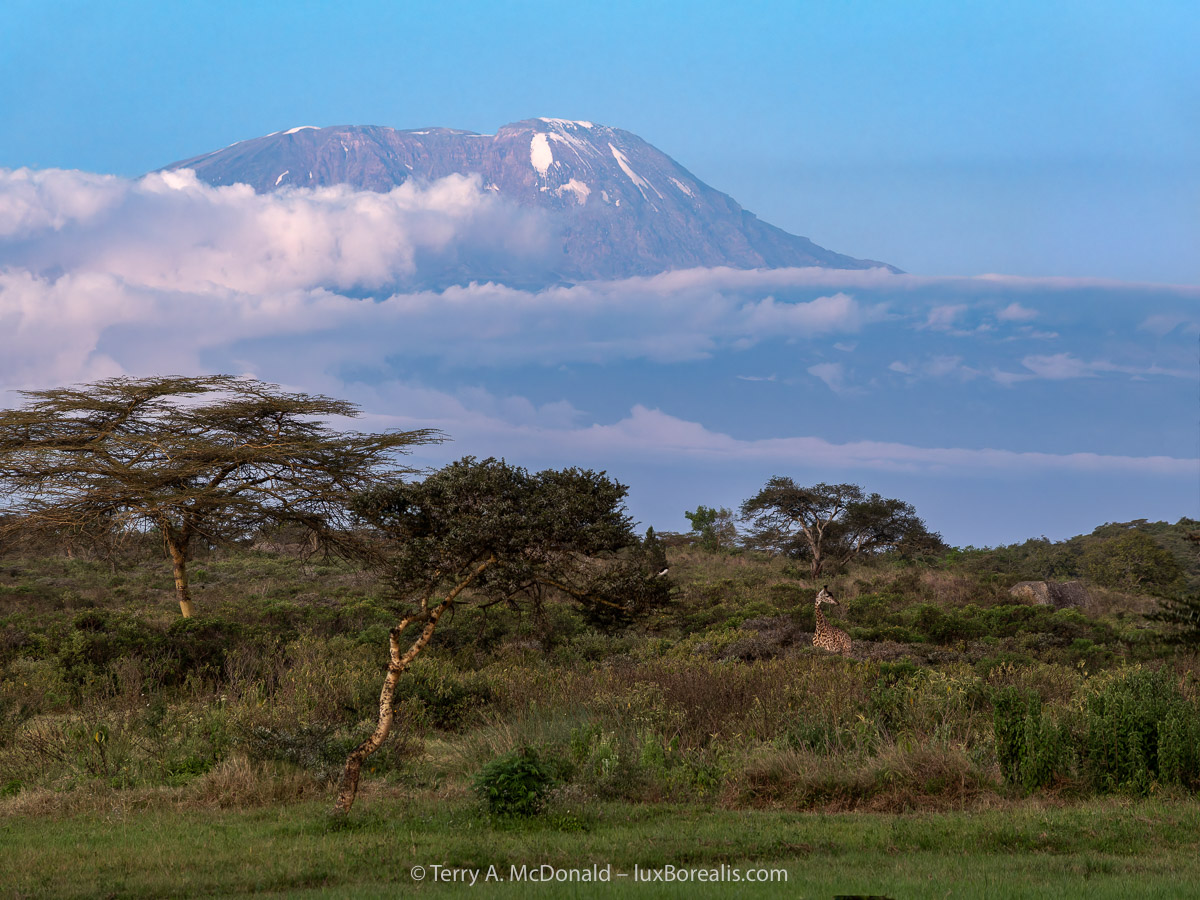
Twelve minutes after sunset—sunset at the Equator is consistently around 6:30pm and is almost instantaneous—and the blue zone is upon us, much faster than here in Canada. Who should show up, but a giraffe. How fortunate!
OM-1 w/ 12-100mm at 100mm (200mm evof); ƒ5.6 @ ⅓ sec., ISO 800; raw file processed in DxO RawPrime and Lightroom.
Note: in this case, Handheld High Res mode could not be used due to the movement of the giraffe. However, the file was successfully up-scaled to 10368×7776 pixels (80.6MP or 34.5” x 26” print) using Lightroom’s Enhanced Super Resolution of the DxO DNG file. More to come on that process in a future blog post!
Wildlife and Bird Photography—On Safari in Tanzania, Part I: Arusha National Park
Kilimanjaro. The very word is evocative.
I don’t know about you, but when I see an image of Mount Kilimanjaro, rising high above the surrounding plains, I begin imagining dramatic adventures, exotic cultures and exciting wildlife encounters in the far-off African savanna. (I also begin humming a tune from Toto, “I bless the rains down in Africa . . . “)
Africa never disappoints, and Tanzania is the gem.
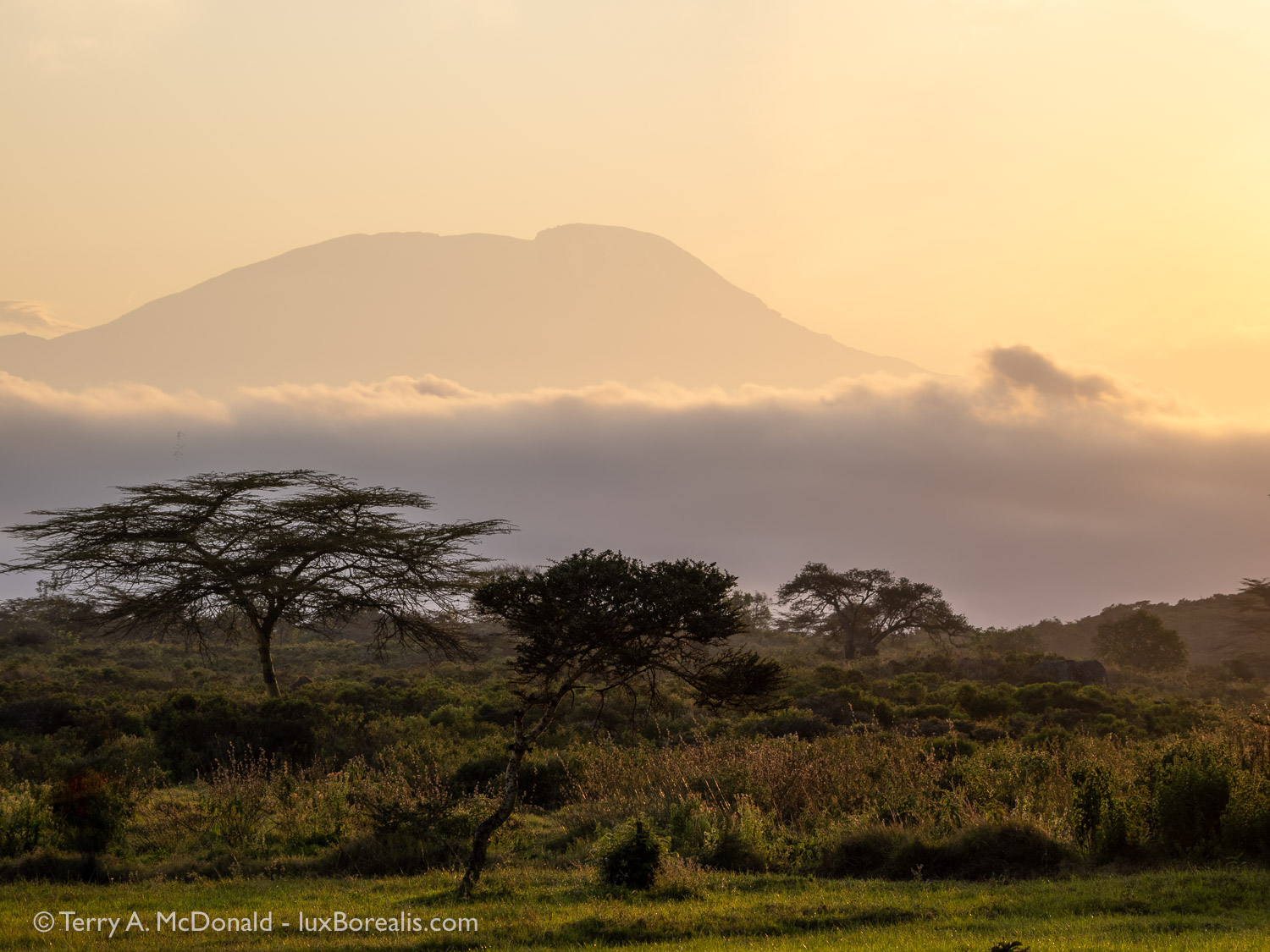
Day 3, 6:48am; M. Zuiko Digital ED 12-100mm ISP PRO @ 86mm (172mm efov); ƒ5.6 @ 1/200, ISO 200;
The wait was worth it. Seeing Kilimanjaro towering 5km above the surrounding landscape is a spectacular sight at any time of the day. The golden hours of sunrise make it that much sweeter.
Technical note about the photos: Unless otherwise noted, all photos were made with an Olympus OM-1 with an M.Zuiko Digital ED 100-400/5.0-6.3 IS zoom. Raw files were processed in Lightroom for iPad during the trip, with subsequent tweaking from there. Any alterations from this are stated in the captions.
Viewing photos: Click on a photo to view a larger version, then use the back button to return to the blog. The size of each photo is limited to 1500 pixels on the long size. If it appears full-screen, then the device may be upsizing it, which can lead to slight blurriness.
Background
Twenty-four years ago, my wife and I put our teaching careers in Ontario on hold and moved with our 4-year-old daughter to Arusha, Tanzania to teach in an independent school—St. Constantine’s. We chose SCIS because it was not the ‘high-priced expat school’, yet it offered an international educational experience based on the British system, catering to local Tanzanians and UN families from other parts of Africa. Those years are the most memorable of our lives with each and every day truly bringing one adventure after another.
To this day, we are in touch with former students, colleagues and friends, and they were our incentive to return after 20 years. Back in 2007, we had made a short jaunt from England, but this six-week trip would allow us to more fully immerse ourselves back into Tanzanian life and re-connect with the people who meant so much to us. Needless to say, it has been a wonderful homecoming. But I won’t bore you with the human stories and family pics (you can see them on Facebook)—this blog is meant to be about landscape and nature photography.
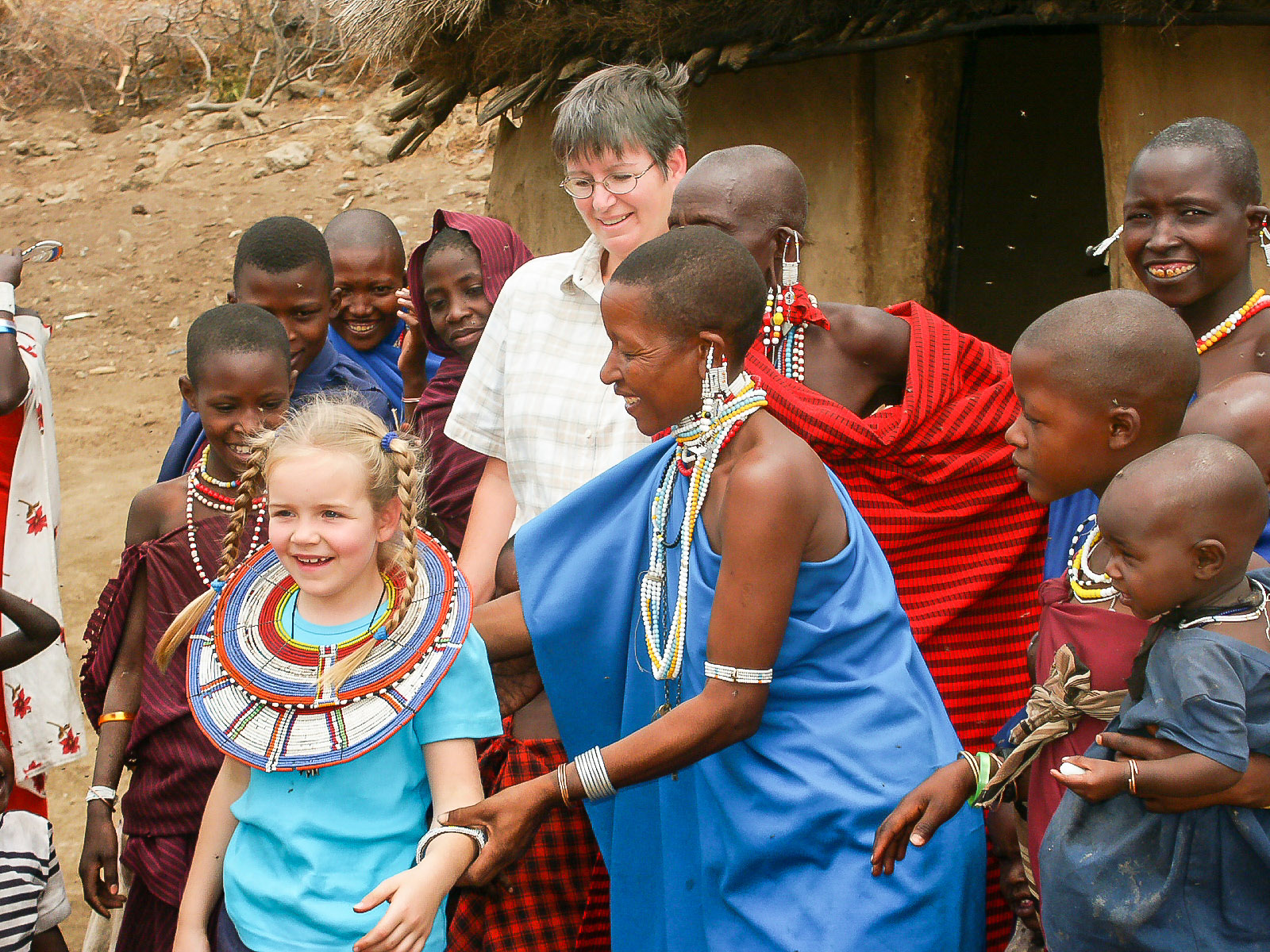
Minolta DiMage 7i, 80mm (efov), ƒ4 @ 1/1000; jpeg processed in Apple Photos. The Minolta was first digital camera. It offered a 28-200mm lens (efov) and produced excellent 5mp raw files!
Tanzanian National Parks
During our six weeks, we had three trips, ‘safaris’ if you will, to two of our favourite places, Arusha National Park and Tarangire National Park, both of which are close to Arusha. For a few reasons, we decided against going to Ngorongoro Crater and the Serengeti two of the world’s jewels. Having previously visited both, we knew that just about everything we wanted to see could be found in Arusha NP and Tarangire NP, with only one exception, rhinos, but we were okay with that. Furthermore, Ngorongoro Crater itself has a USD $295/day vehicle fee on top of the USD $70/person/day entry permit—over CAD$800 for ONE day! The Serengeti entry fee is USD $70/person/day PLUS the overnight hotel/lodge concession fee of USD $60/person/night, PLUS 18% VAT, PLUS the actual cost of accommodations. Safaris in Tanzania do not come cheaply!! As we were self-driving, our safaris were definitely much less expensive than with a company, but still costly.
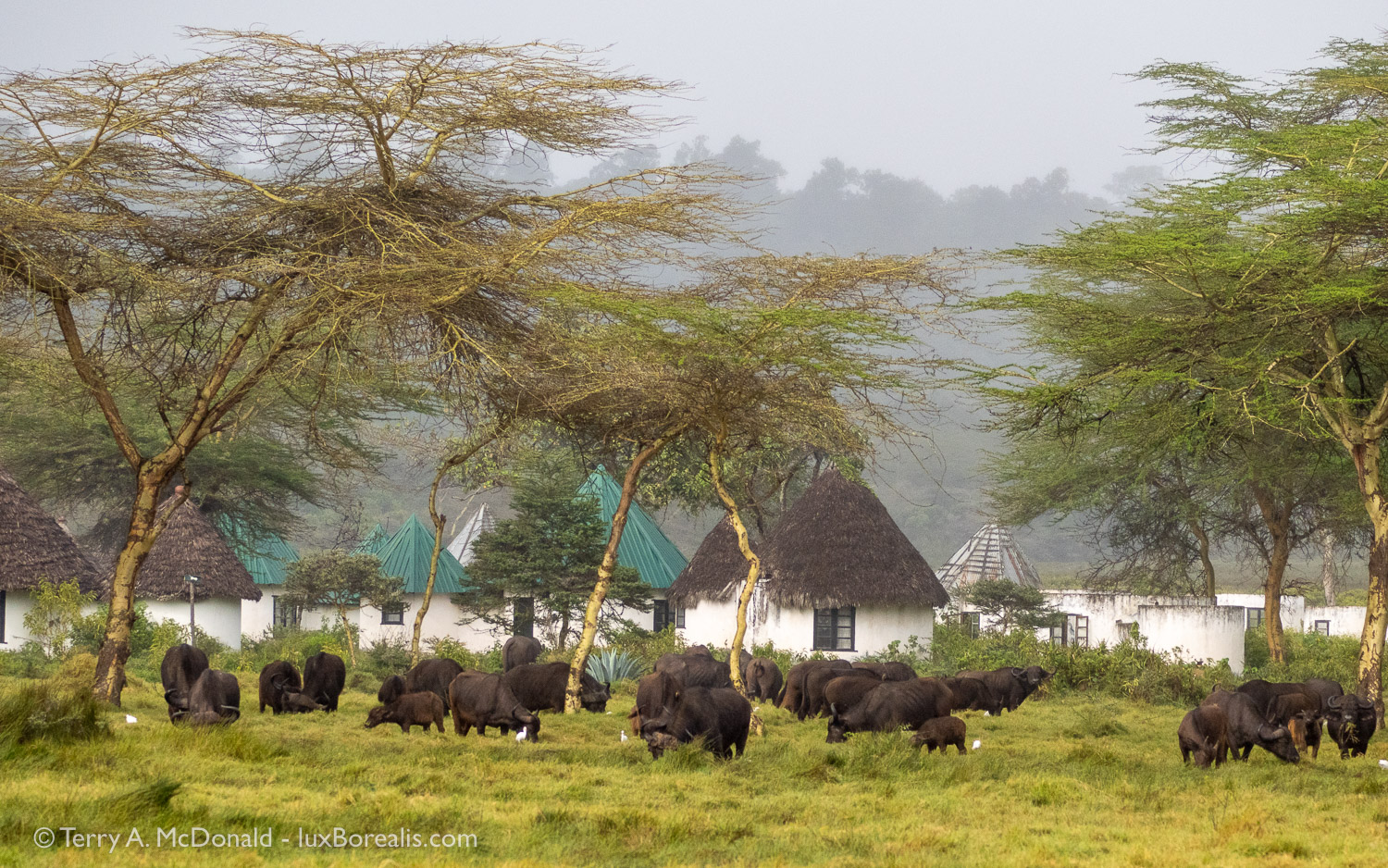
Day 2, 9:02am; 100mm (200mm efov); ƒ5.6 @ 1/5000, ISO 800.
As we returned to the lodge from our morning wildlife drive for breakfast, we were greeted by this herd of Cape buffalo. Needless to say, breakfast had to wait! It is these kinds of opportunities that compel us to stay at accommodations within the National Parks, rather than outside of them.
1/5000 you’re asking? My gear was still set up for birds and distant wildlife—I should have dialled down to ISO 200 as 1/5000 was overkill. Note: I prefer not to use Auto ISO.
BTW, if you’re looking for a safari experience, Tanzania is the destination with four of the world’s most outstanding destinations for landscapes and wildlife: Mt. Kilimanjaro, Ngorongoro Crater, Oldupai Gorge, and the Serengeti, all within a few hours of each other. I can highly recommend three companies:
All are well-run, professional outfits that cater to customized itineraries. If you’re feeling adventurous, Serengeti Select even has a ‘self-drive’ option as well as a beach option at Emayani Lodge on the untouched Indian Ocean coast south of Pangani. Each of the companies can also arrange for tours of the historical and culturally exotic island of Zanzibar and Stone Town. Flights arrive daily to Kilimanjaro International Airport via KLM, Ethiopian Air and Qatar Airways. We chose Ethiopian to reduce costs ($400 cheaper x 2), which was fine, but the leg from Toronto to Addis Ababa is long.
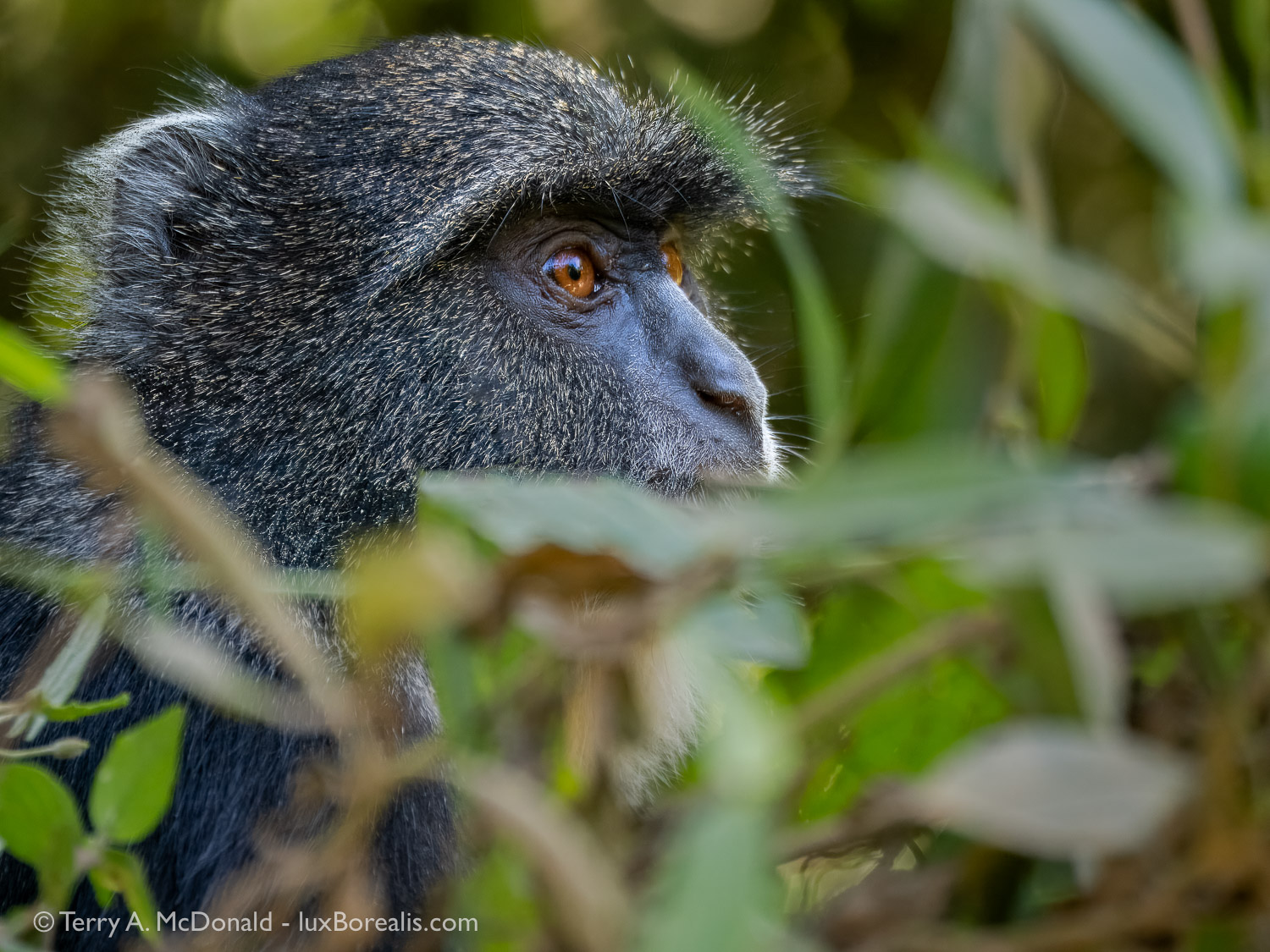
Day 4, 12:10pm; 400mm (800mm efov); ƒ6.3 @ 1/200, ISO 1600; Raw file processed in Lightroom and Topaz Photo AI
The rich cloud forest that wraps around Mount Meru is home to Blue Monkeys and Colobus Monkeys (see below), elephants, Cape buffalo, bushbuck, and a host of other mammal and bird species. Photographing in the deep shade is challenging with shutter speeds slower than ideal when wildlife and the branches they sit on are never still.
Birds and Wildlife
As someone who has studied biology, ecosystems, and geography for most of my life, I am still amazed by the tremendous diversity of plants and animals in East Africa. Where we have a few dozen commonly seen birds in southern Ontario, East Africa has over 100. Tanzania itself boast a bird species list of over 1,000! (Note: Tanzania and Ontario are approximately the same size at about 1 million km2.) While Ontario has a few active predator-prey relationships, the savanna has dozens.
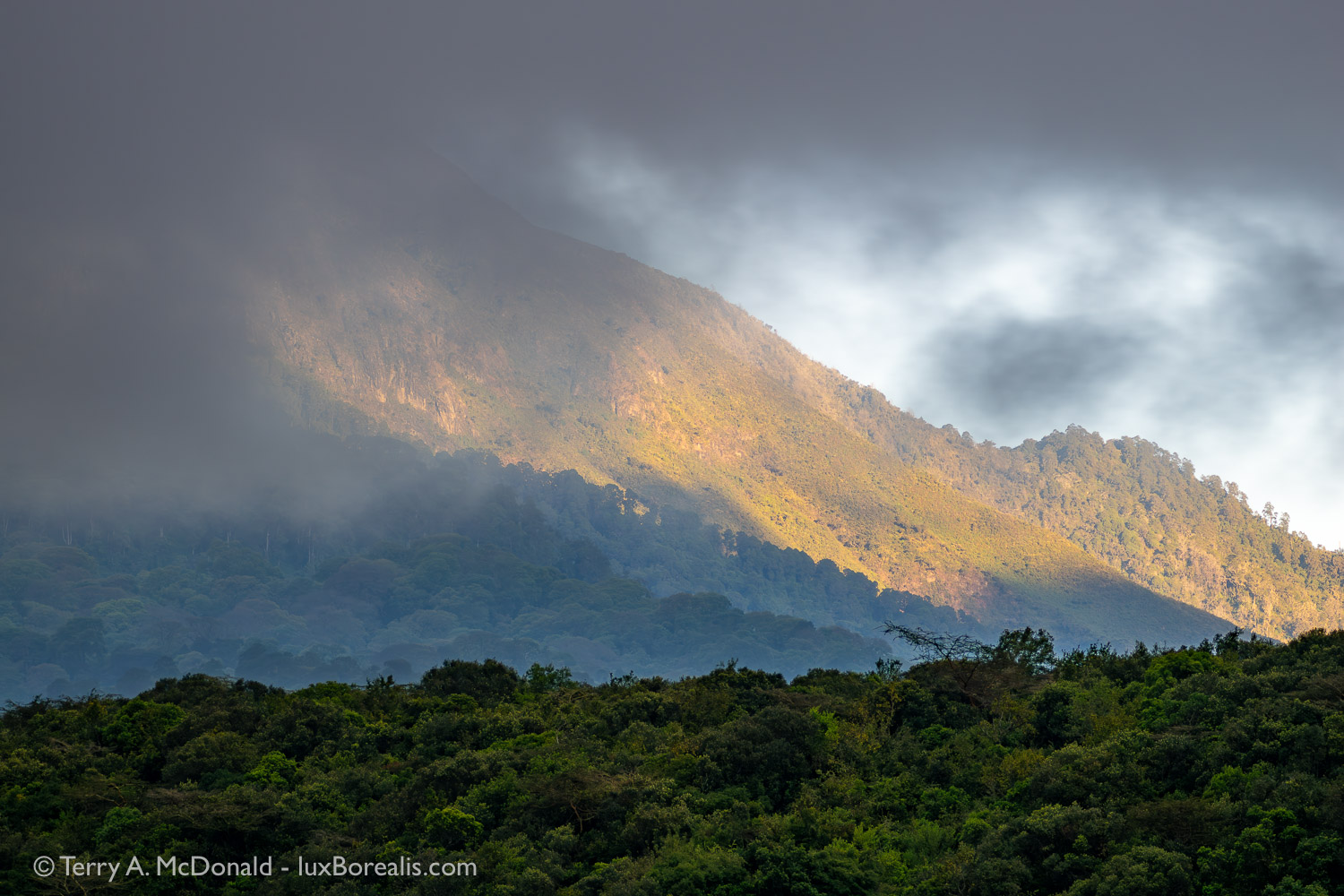
Day 3, 6:56am; 138mm (276mm efov); ƒ5.6 @ 1/640, ISO 800; Hand-held High Res.
I have to credit this one to our driver-guide, Simbo, who stopped the truck on our way out of the lodge and told me to take this shot. Gladly!
The wealth of large and small mammal and herptile species is truly impressive. More importantly for photographers, much of the wildlife is easily accessible—right outside the car window or even right outside the tent or banda, which is why we prefer staying within the parks! The birds are everywhere, their colourful diversity gracing every garden, but to see the large mammals you really must be in the parks. Both Momella Wildlife Lodge in Arusha National Park and where we stayed in Tarangire—Tarangire Safari Lodge—are both renowned for wildlife that is seen right within the lodge grounds.
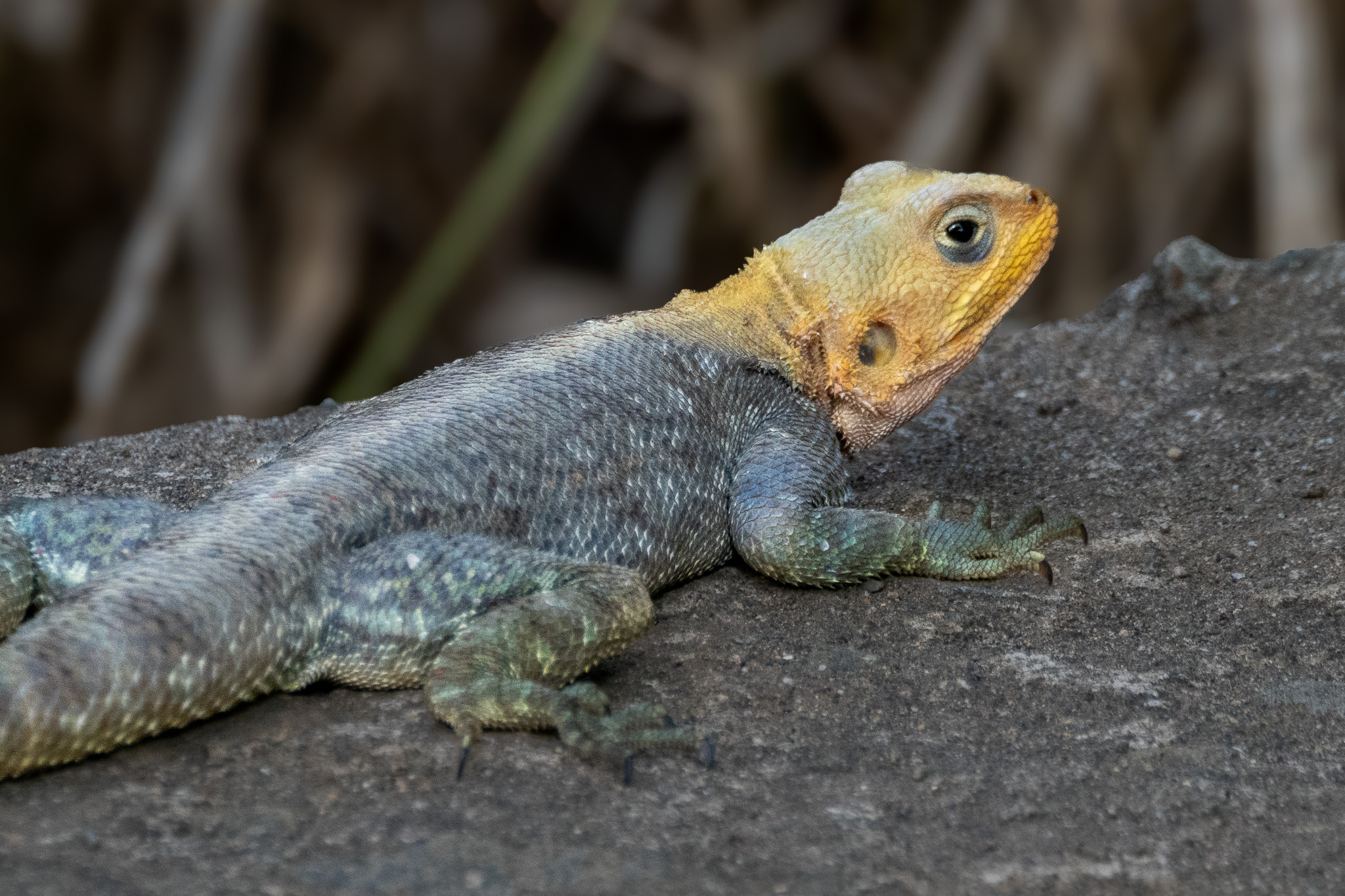
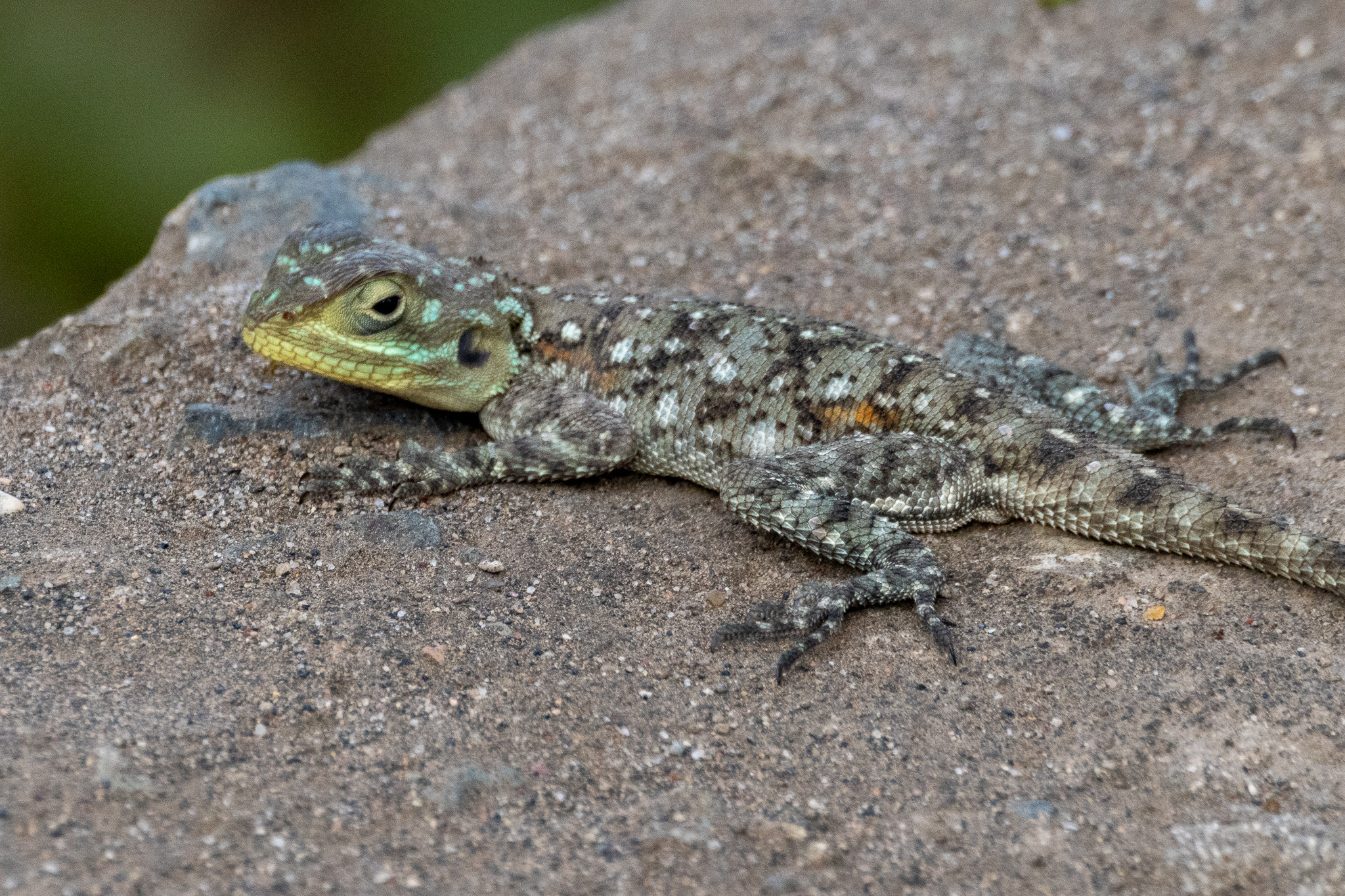
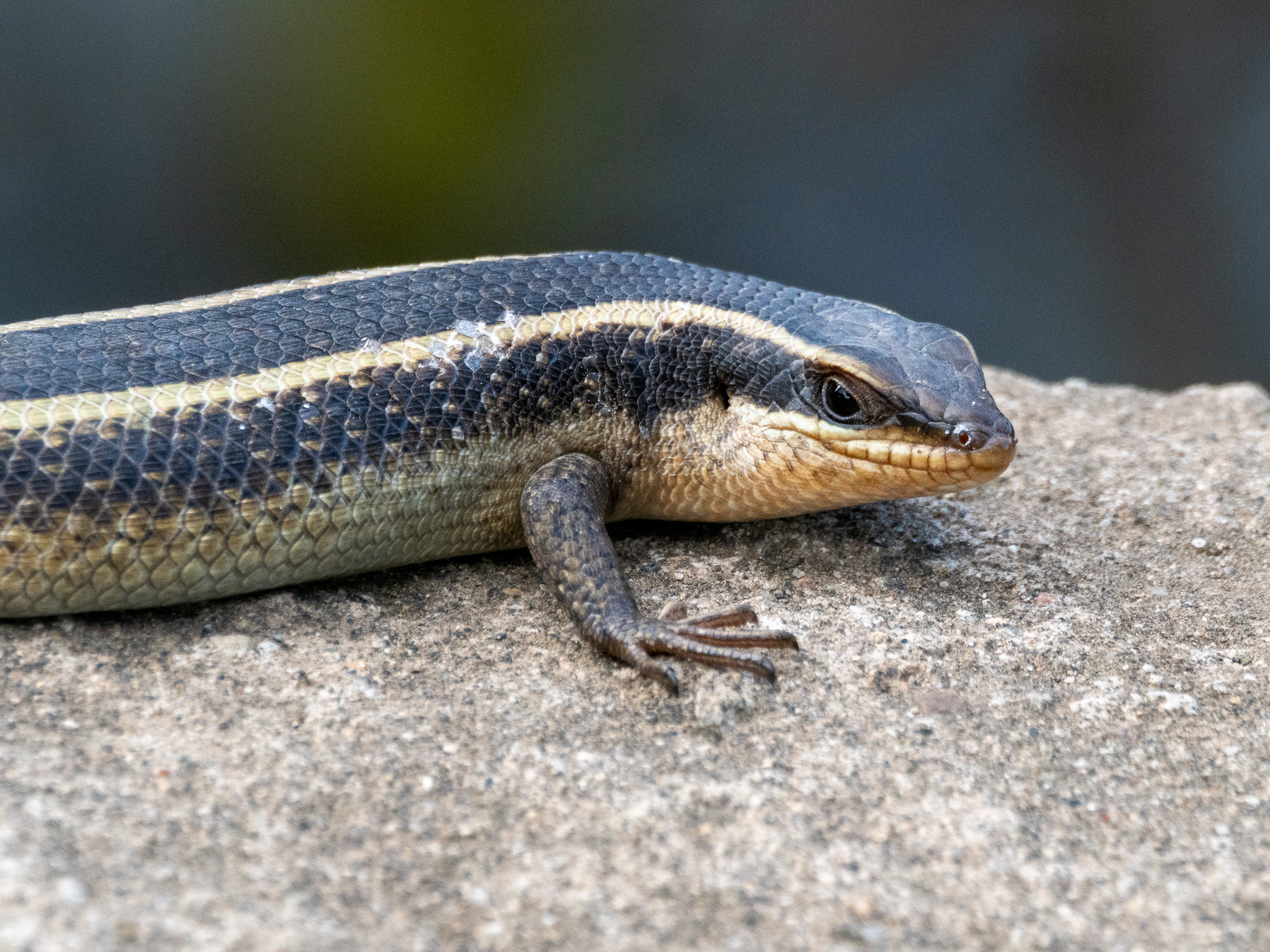
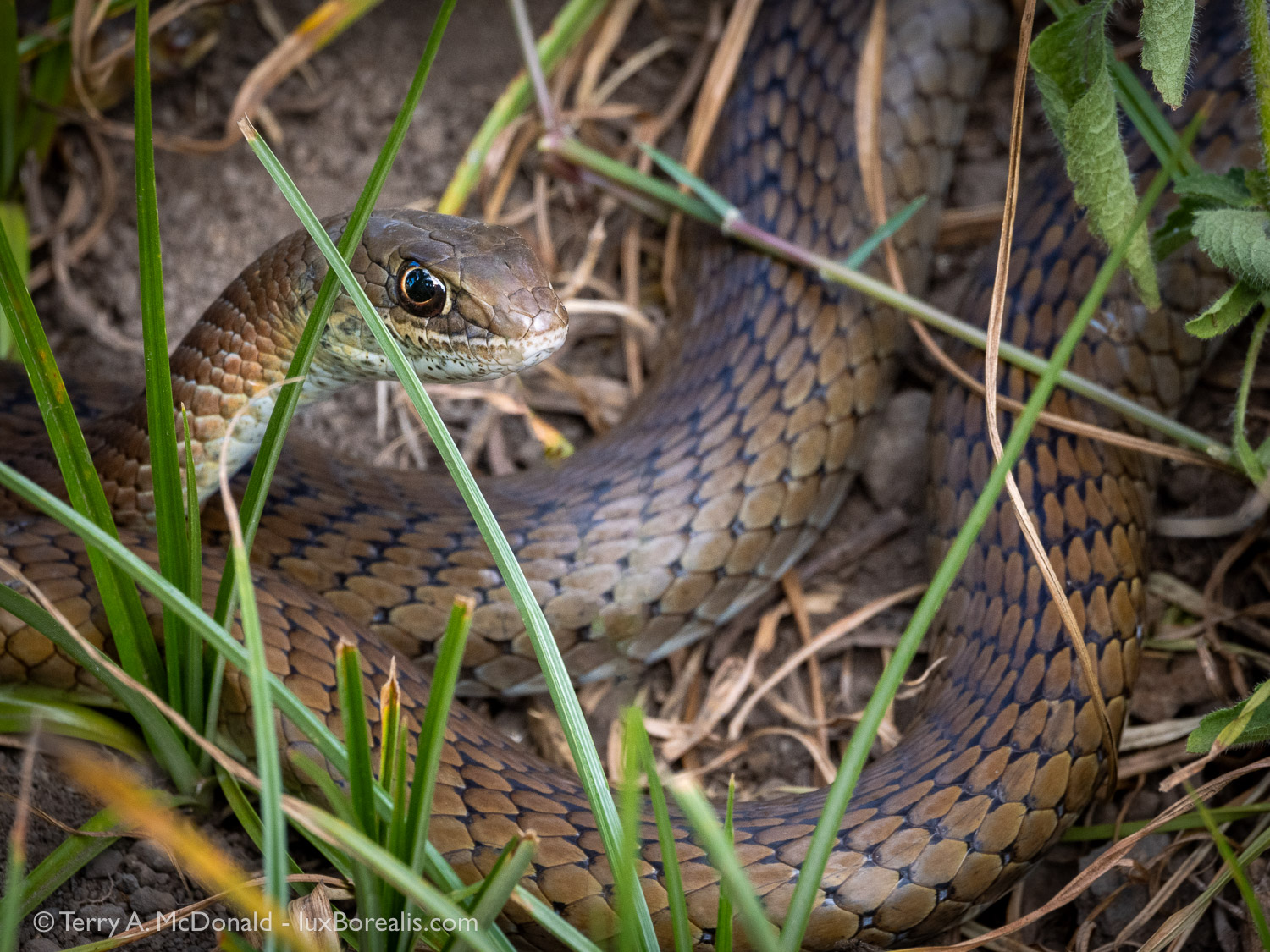
Day 2, 5:02pm; 400mm (800mm efov); ƒ11 @ 1/160, ISO 1600. Shooting distance was about 1.4m; the 100-400 has amazing close-focus capabilities.
Lizards are fairly common in rocky areas, but to see a snake is uncommon. This one was sunning itself near the road, warming itself in the later afternoon sun. Only a few metres away were two green snakes, which we have yet to identify, actively hunting in the grass.
Bird Photography
Only in the last few years have I developed a keen interest in bird photography, mostly because higher quality, long telephoto lenses have become more affordable. Moving to an Olympus (OMDS OM-1) system last year, along with the M.Zuiko 100-400mmm zoom (200-800mm efov) has made bird photography even more accessible. As I’ve written previously, ergonomics, stabilization, dust/waterproofness, and high ISO quality have been game changers. Paired with the vertical grip with 2nd battery, I was never out of power, even on long days with early morning and evening wildlife drives.
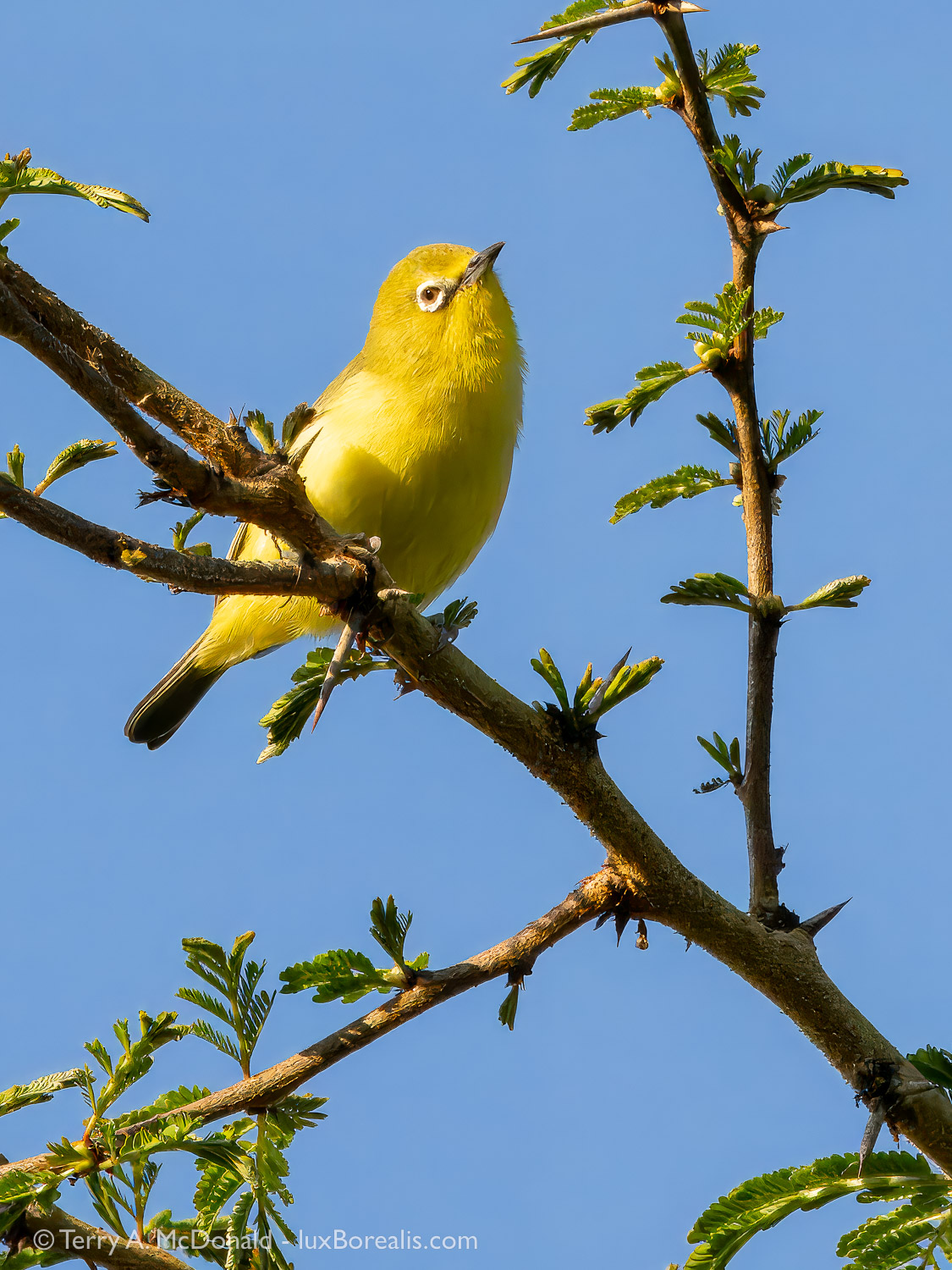
Day 1, 5:32pm; 400mm (800mm efov); ƒ11 @ 1/1000, ISO 1600; Lightroom + Topaz Photo AI. As the original was cropped to 1281×1708 pixels, this photo benefitted from upscaling. Amazingly, feather detail was preserved.
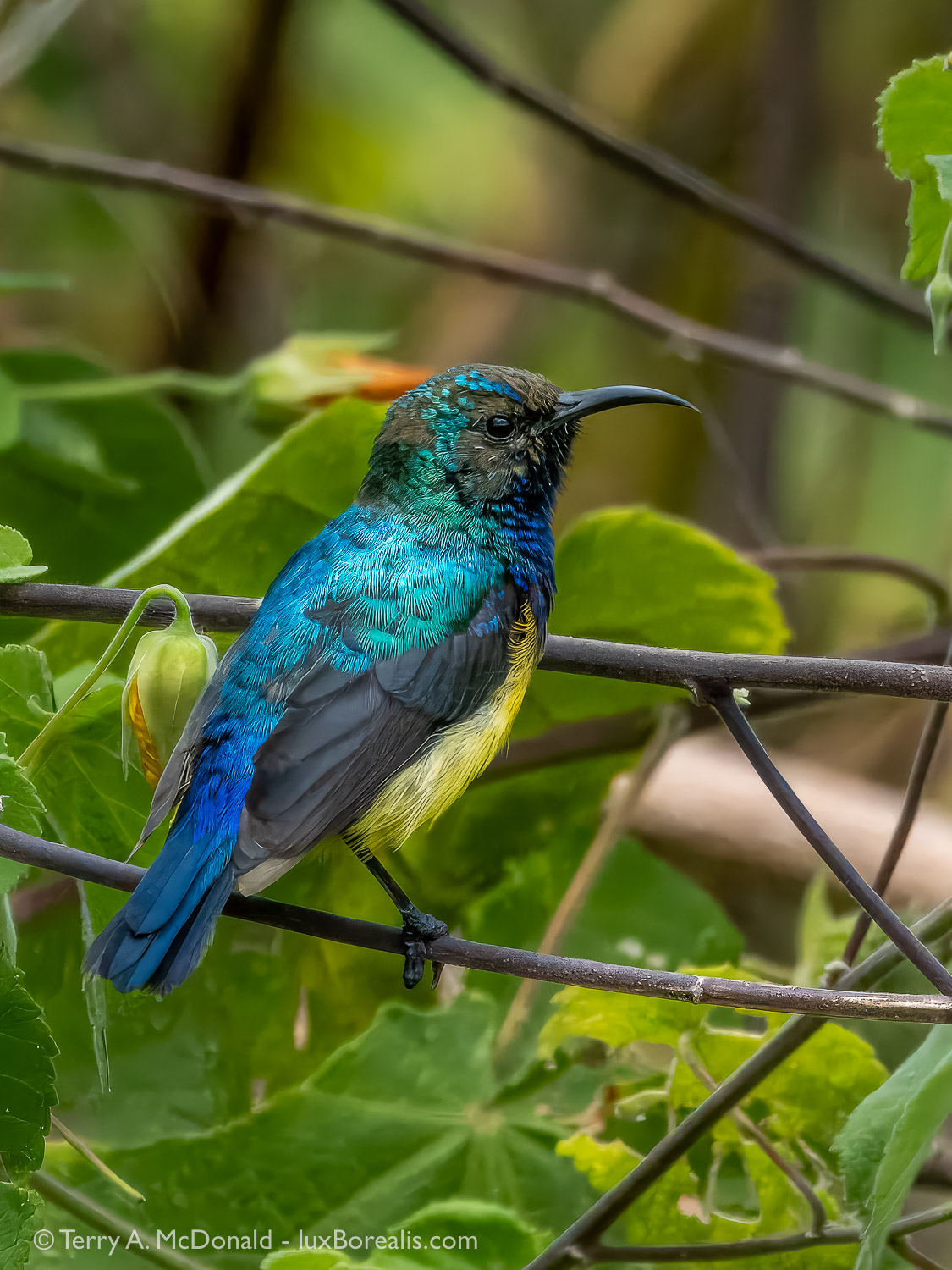
Day 3, 12:54pm; 400mm (800mm efov); ƒ11 @ 1/1000, ISO 3200;Lightroom + Topaz Photo AI.
Sunbirds are beautiful, but they tend to do a lot of flitting about. Cloudy skies and dim light under the forest canopy forced me to use ISO 3200. However, Topaz Photo AI cleaned up the noise to provide a beautifully clean image.
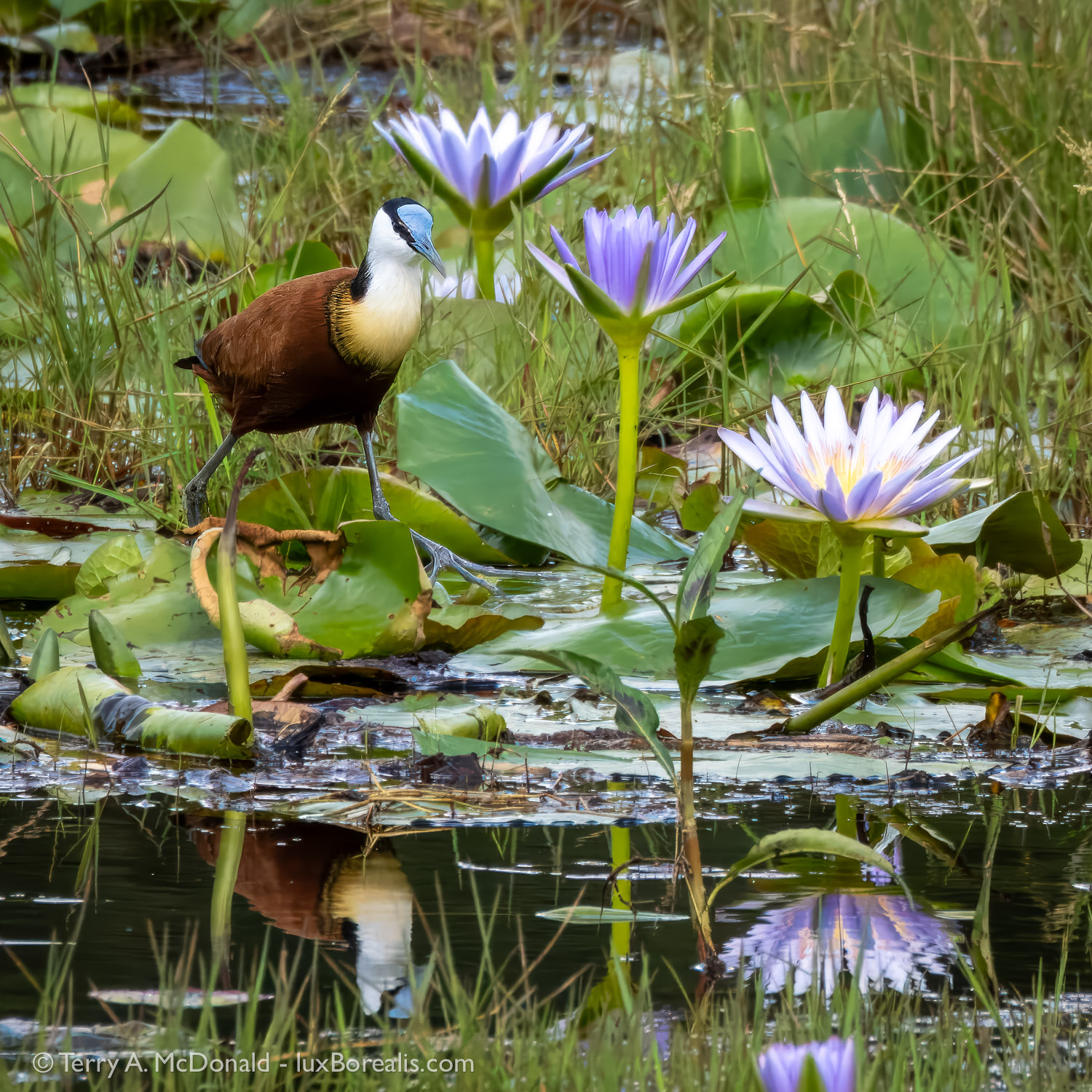
Day 3, 3:04pm; 400mm (800mm efov); ƒ11 @ 1/800, ISO 1600; Lightroom + Topaz Photo AI. The jacana is a beautiful marsh bird with great, long toes to walk on lily pads, but it would not approach closely. This is a file was a perfect candidate for upsizing in Topaz.
I am also fortunate in that Laura, my better half, has been a keen birder for decades and has an ultra-sensitive eye for spotting birds and wildlife that are otherwise invisible to me. So, we make a good pair. On this safari, we hired a truck and driver-guide, Simbo, but typically, Laura is happy to take the wheel of the safari truck, allowing me to concentrate on photography. For the rest of our stay in Tanzania, we had a truck on loan from our friends in Arusha.
Arusha National Park
Arusha NP is an hour from Arusha and wraps around the eastern flank of Mount Meru, the ‘local volcano’ and Tanzania’s second-highest mountain. In East Africa, proximity to a mountain and higher elevation means greater rainfall, so much of ArushaNP is forested with a range of ecosystems gradually gaining in tree density with rising elevation from its ‘Little Serengeti’ grassland, up to full tropical cloud forest complete with vines, epiphytic plants growing on tree limbs, and trees with huge buttress roots. A diversity of ecosystems means a diversity of wildlife and ArushaNP never disappoints.
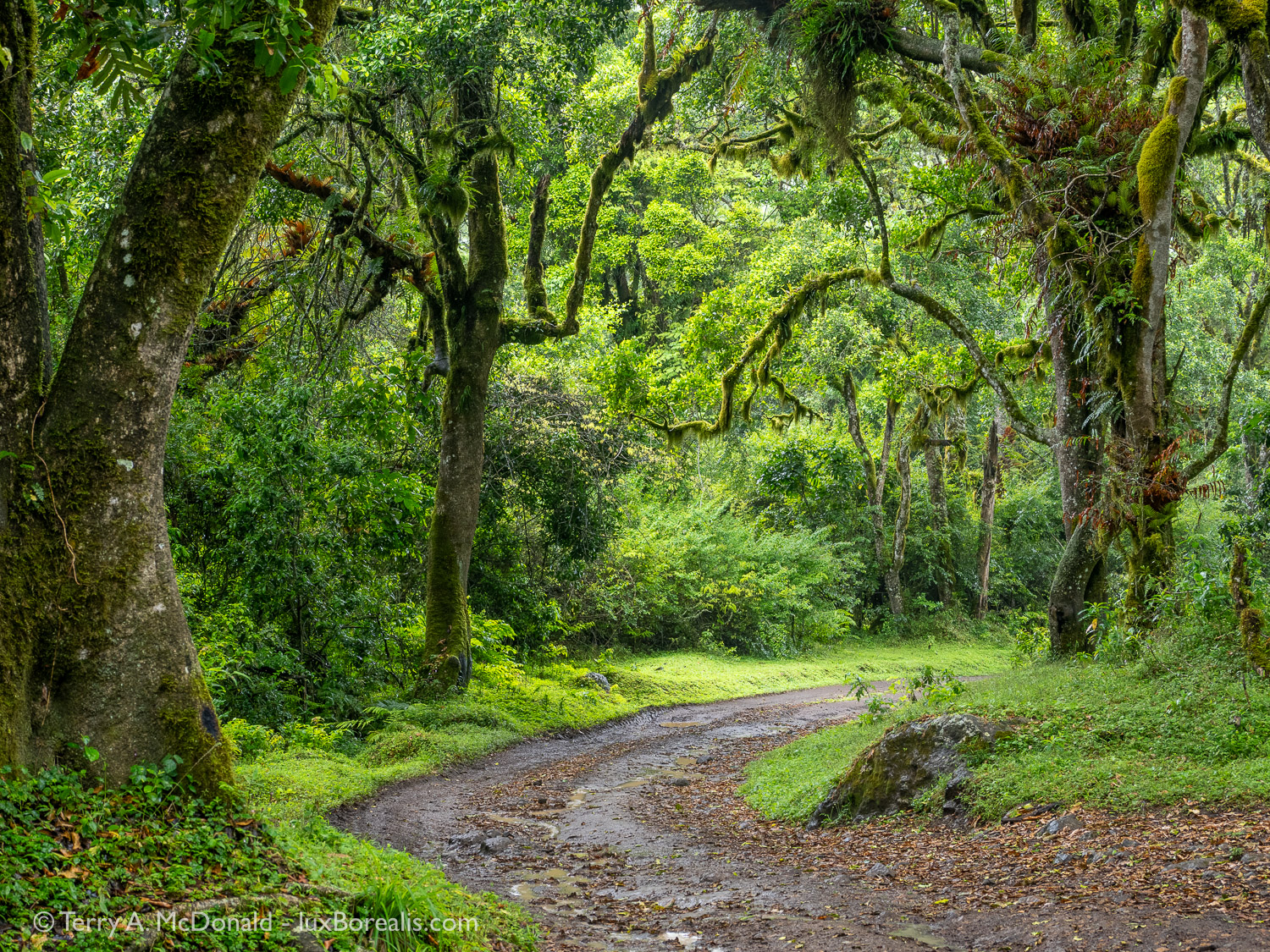
Day 2, 7:36am; Olympus OM-1 w/ M.Zuiko Digital ED 12-100mm IS PRO @ 35mm (70mm efov); ƒ5.6 @ ⅓, ISO 200.
Getting up into the forested area was more difficult than we imagined as the road was in dreadful condition (though it looks smooth here!) Even our driver was upset by the lack of maintenance by park officials. However, it was quiet, very quiet, green (very green), and was dripping with moss, epiphytes and ferns, and a few raindrops as well.
Out of nostalgia, we stayed at Momella Lodge, a tired old place that was first built for the filming of the John Wayne movie ‘Hatari’ back in the early 1960s. But what Momella lacks in updated decor and services, it makes up for in spectacular views of both Kilimanjaro and Meru, that is when the clouds don’t obscure the mountains. For two days we patiently waited, hoping for even a glimpse. When the clouds finally parted to reveal our first view of Kili, even the local workers cheerfully celebrated with a lightening of spirits. ‘Iconic’ is a word that is often overused, but in this case it is true to the mark. Kili, and later Meru, hung around for the rest of our time there, allowing numerous opportunities for photos from dawn through to dusk.
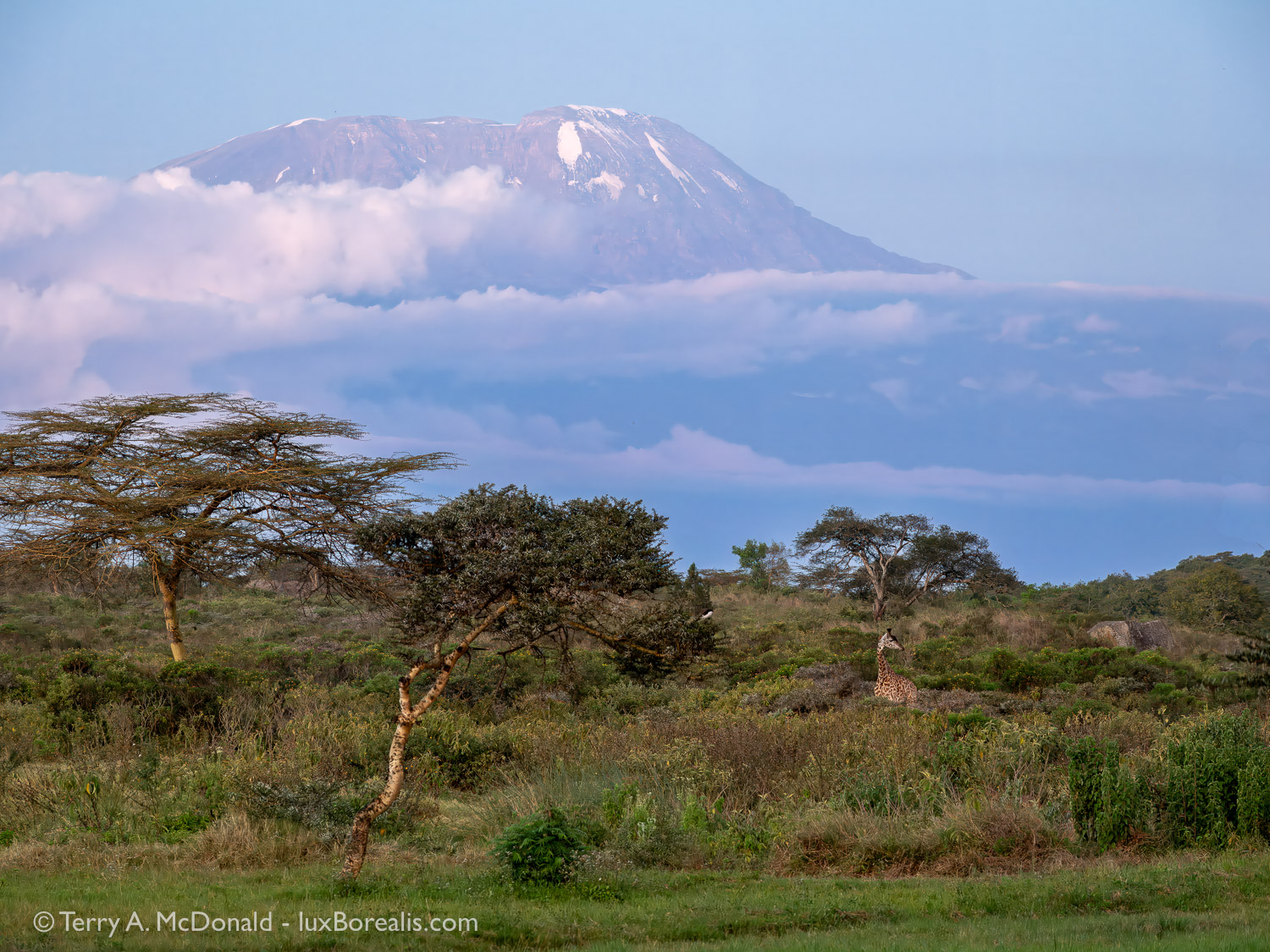
Day 2, 6:47pm (15 minutes after sunset); M.Zuiko 12-100mm PRO at 100mm (200mm efov); ƒ5.6 @ ⅓, ISO 800; raw file processed in Topaz Photo AI and Lightroom.
Creating this photo was a photographic balancing act. I wanted to use Hand-held High Res, but the giraffe would move in the brief time it took to create the file. I could have used a higher ISO, but the shutter speed would still be too low for HHHR. What to do. First and foremost—get the shot, then deal with the processing later. Upscaling 2x in Topaz solved the problem and gave me an 80mp tack sharp image.
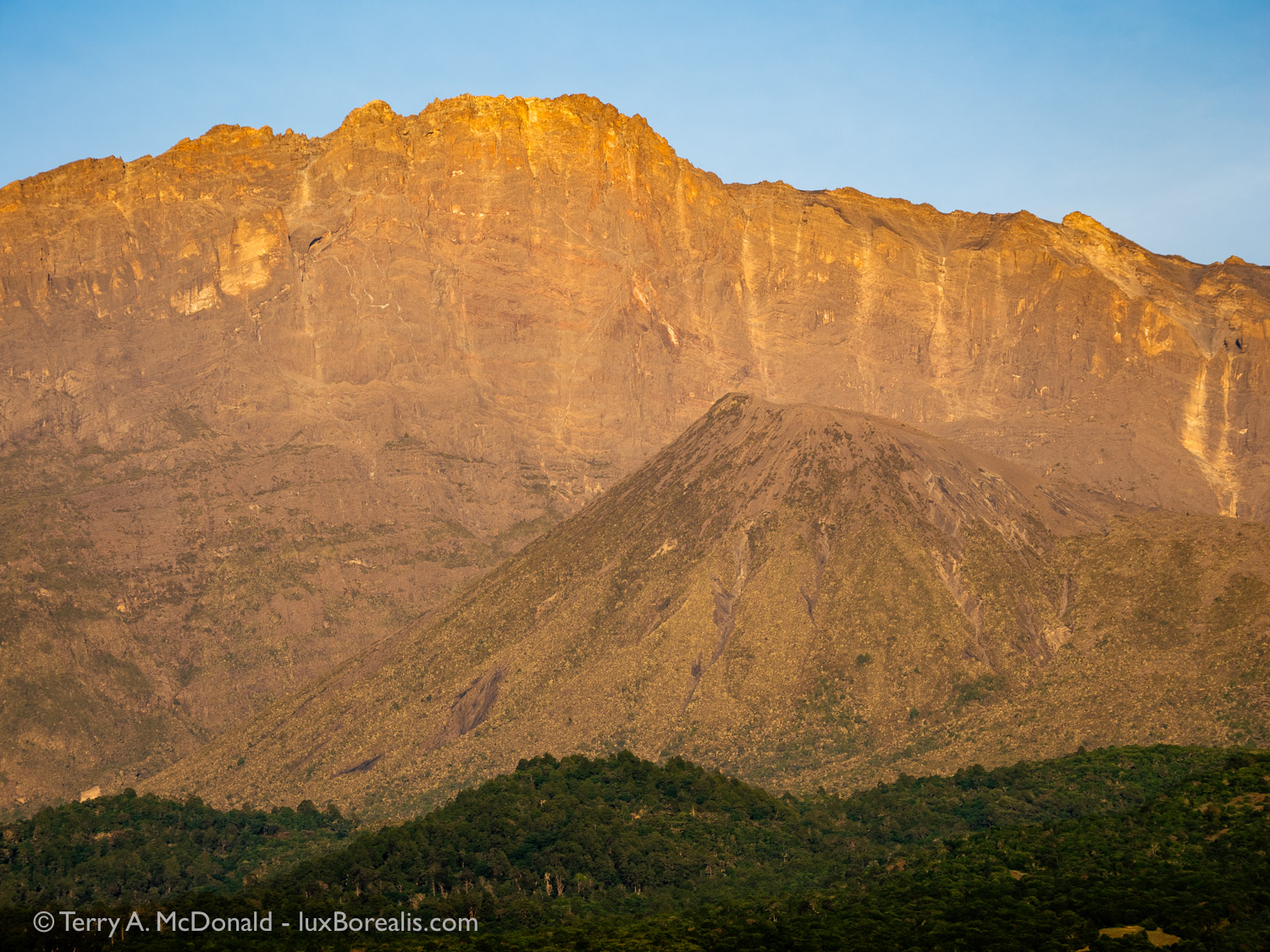
Mount Meru, Tanzania’s second-highest peak, was a once a typical conical volcano. Similar to Mount St. Helens, it blew its eastern side away. Since then a new cone developed, though there hasn’t been any activity for over a hundred years. The ‘wall’ shown here, from the top to the base of the new cone, is one of the highest vertical drops in the world at 1.5km.
Day 4, 6:53am; M. Zuiko 12-100mm @ 86mm (172mm efov); ƒ5.6 @ 1/50, ISO 200; Hand-held High Res.
‘On Safari’
Despite being retired and on vacation, we decided to forgo the casual mornings and head out each morning at dawn for wildlife drives, taking a Thermos of milky Tanzanian tangawizi chai (ginger tea) with us. But one of the best opportunities we had for viewing wildlife was on our way into and through the park on our first afternoon. There is a distinct surge of excitement at the first encounter with giraffe, then zebra and Cape buffalo, and finally monkeys. Big beautiful, black and white Colobus monkeys with their white ‘beards’ and long white, fluffy tails, then Blue monkeys, deep in the shade and more difficult to successfully photograph.
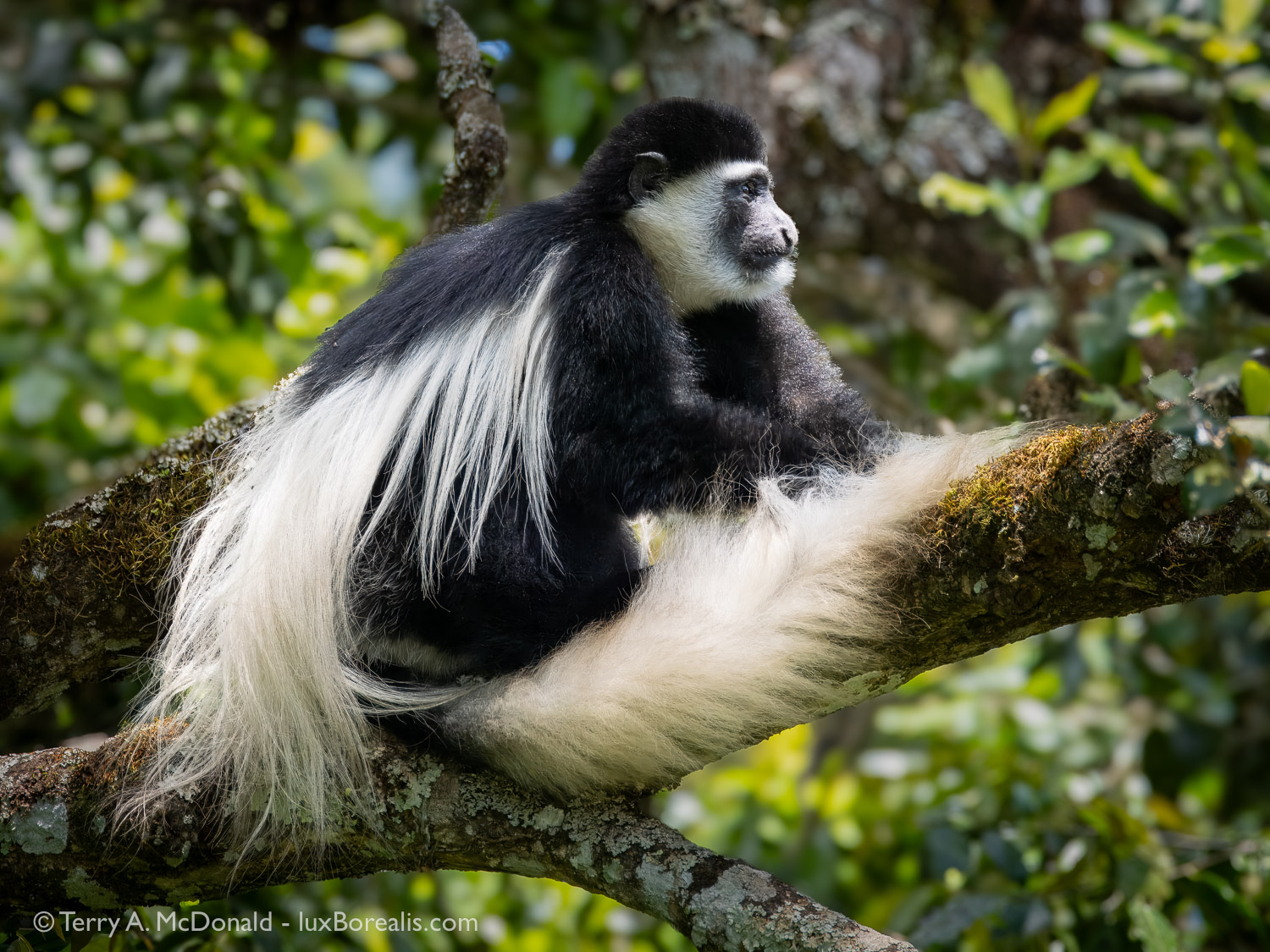
Day 1, 1:33pm; 381mm (762mm efov) w/ MC-14 teleconverter; ƒ11 @ 1/160, ISO 1600; raw file processed in Lightroom and Topaz Photo AI
Less than 30 minutes after entering the park, we had our best views of Colobus Monkeys. At this point, I was hesitant to use ƒ8 as, with long telephotos, depth-of-field is limited to begin with. However with a steady hand, braced on the top of the truck, and a polite request to ‘Stop moving!’ (it really was polite, though perhaps a bit brusque!), the shot was made. This file also benefitted from some nurturing in Topaz to reduce the ever-so-slight movement of the monkey.
The typical safari-goer often doesn’t understand the needs of photographers in having clear sight-lines and enough light to stop even the smallest movements of animals and birds, and to prevent movement in the truck from ruining a great shot. Without other clients in the truck wanting to look-and-move-on, Laura and I had the luxury of patiently waiting and observing wildlife, giving us opportunities to ponder such things as how monkeys keep their fur so clean and soft and glossy-looking in such a dusty place, without using hair products!
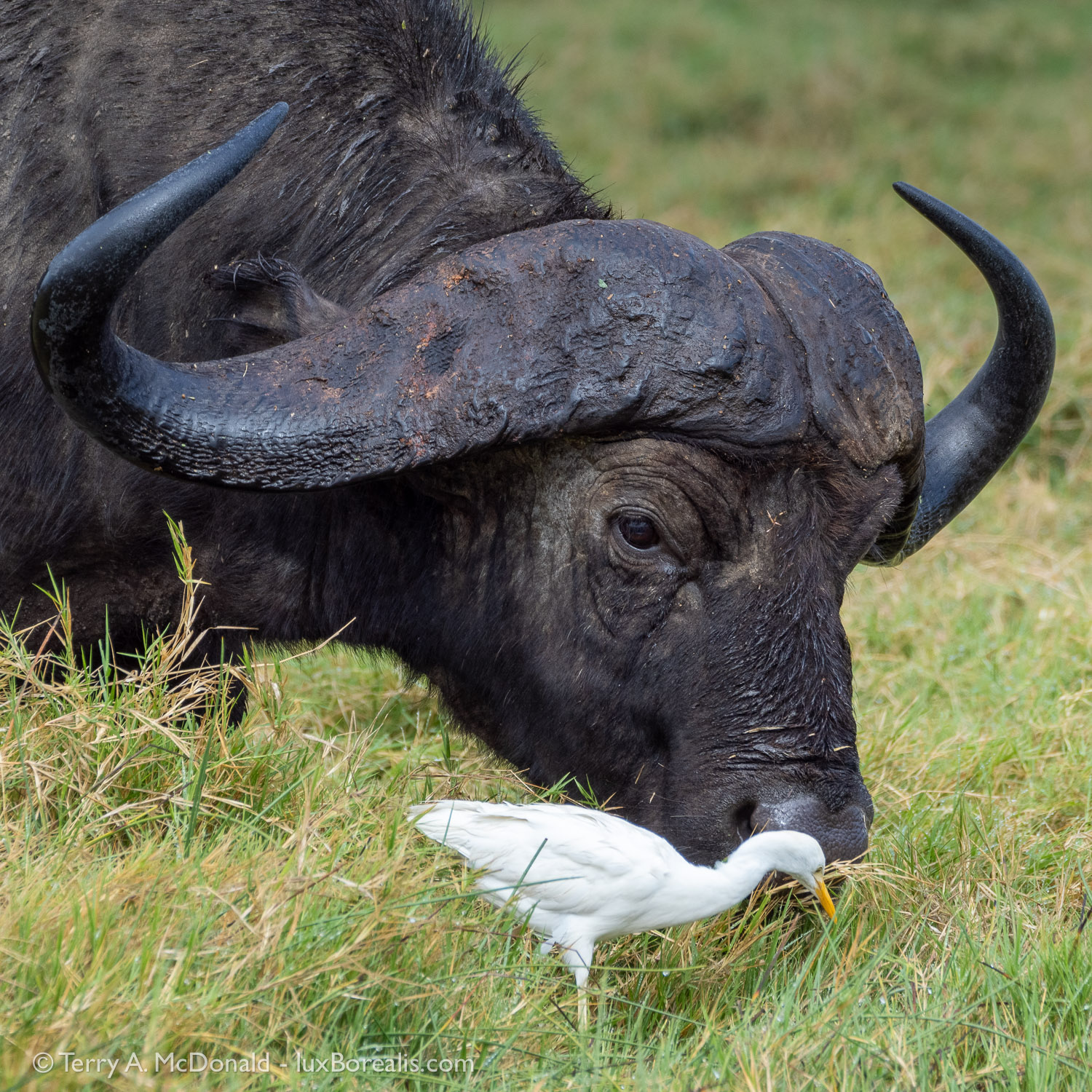
Cape buffalo and Cattle Egret, Arusha National Park
Day 2, 9:11am; Olympus OM-1, 314mm (628mm efov); ƒ8 @ 1/200, ISO 800. The reach of the 100-400 zoom helped to capture full-frame tight crops of these huge ‘beasts’.
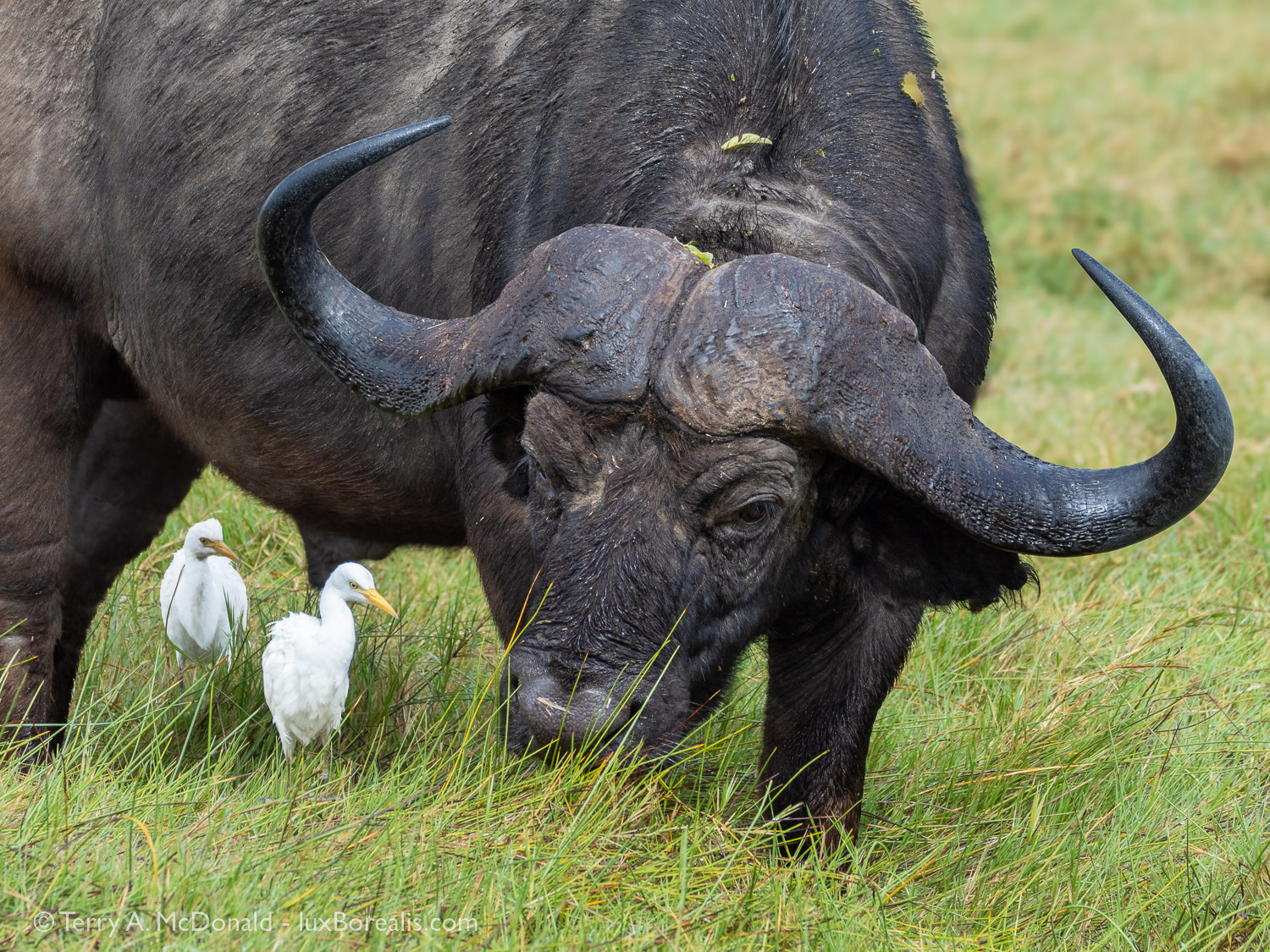
Day 2, 9:11am; Olympus OM-1, 244mm (488mm efov); ƒ8 @ 1/400, ISO 800. Both of these photos were made at the same time as the photo above. We just sat and enjoyed watching the herd as they ambled nearer and nearer to us.
The same excitement accompanies the sighting of each of the many brilliantly-coloured bird species: the green and yellow flashes of little bee-eaters, the bright yellow Northern Yellow White-eye, bronze and variable sunbirds and lilac-breasted rollers. Under the dazzling tropical sun, their iridescence is awesome in the true sense of the word. Capturing their fleeting forms in just the right light with just the right background is the supreme challenge! I am always envious of birders who are ecstatic with an audible confirmation or even a fleeting glimpse. Bird photographers need a whole lot more to realize true success.
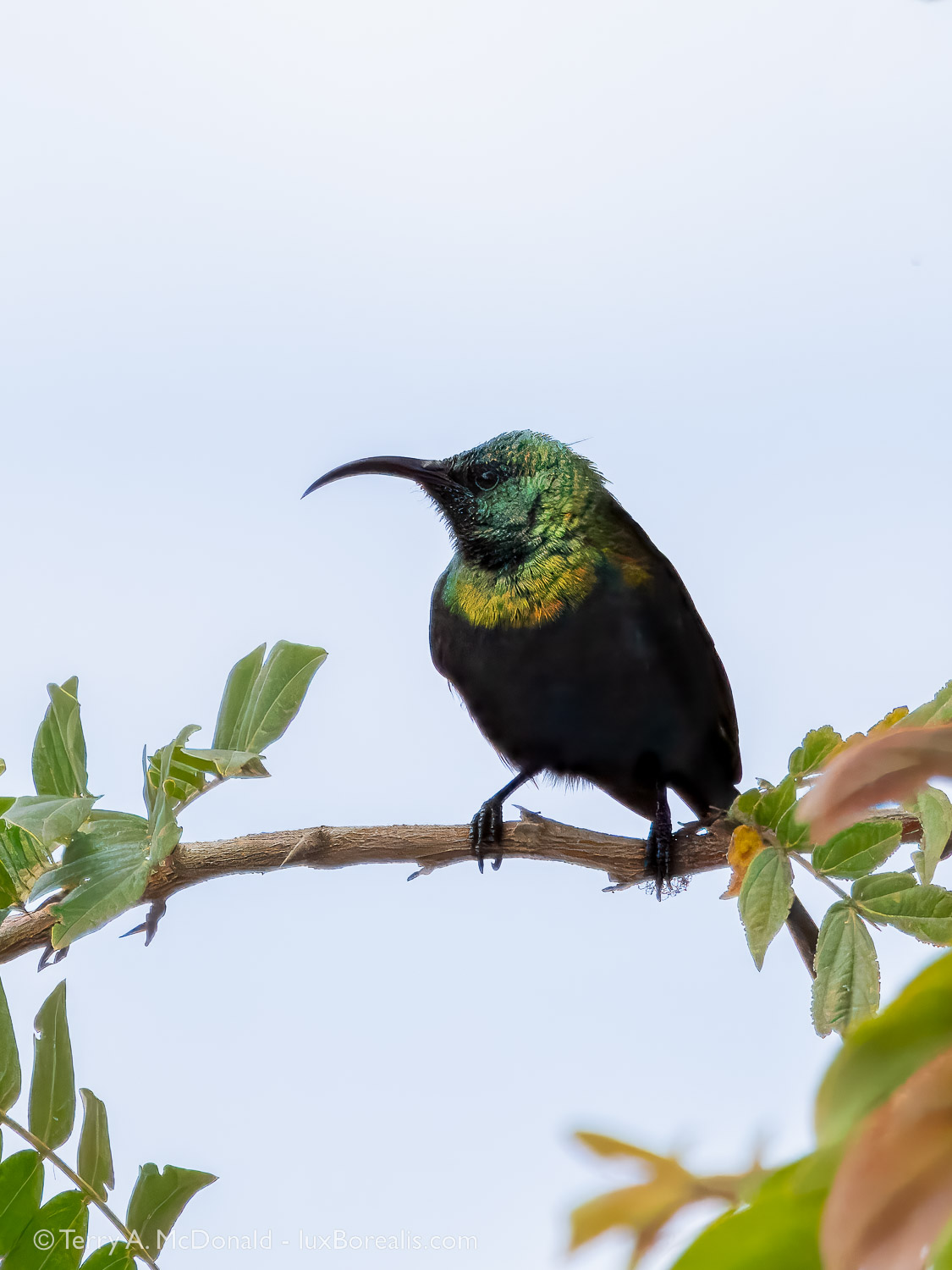
Day 2, 1:57pm; 400mm (800mm efov); ƒ8 @ 1/1600, ISO 1600; Lightroom + Topaz Photo AI
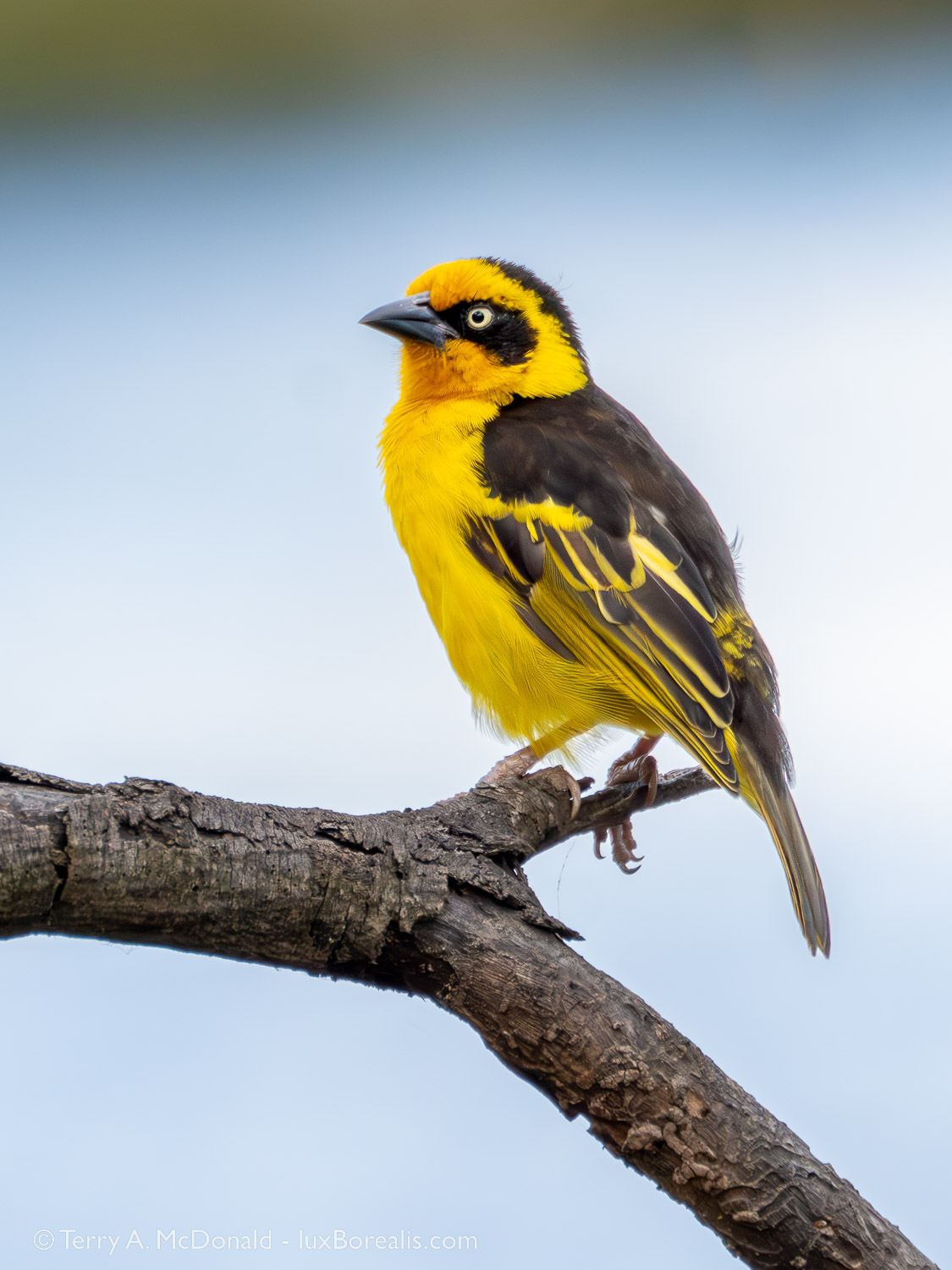
Day 2, 4:23pm; w/ MC-14 teleconverter, 560mm (1120mm efov); ƒ11 @ 1/640, ISO 1600
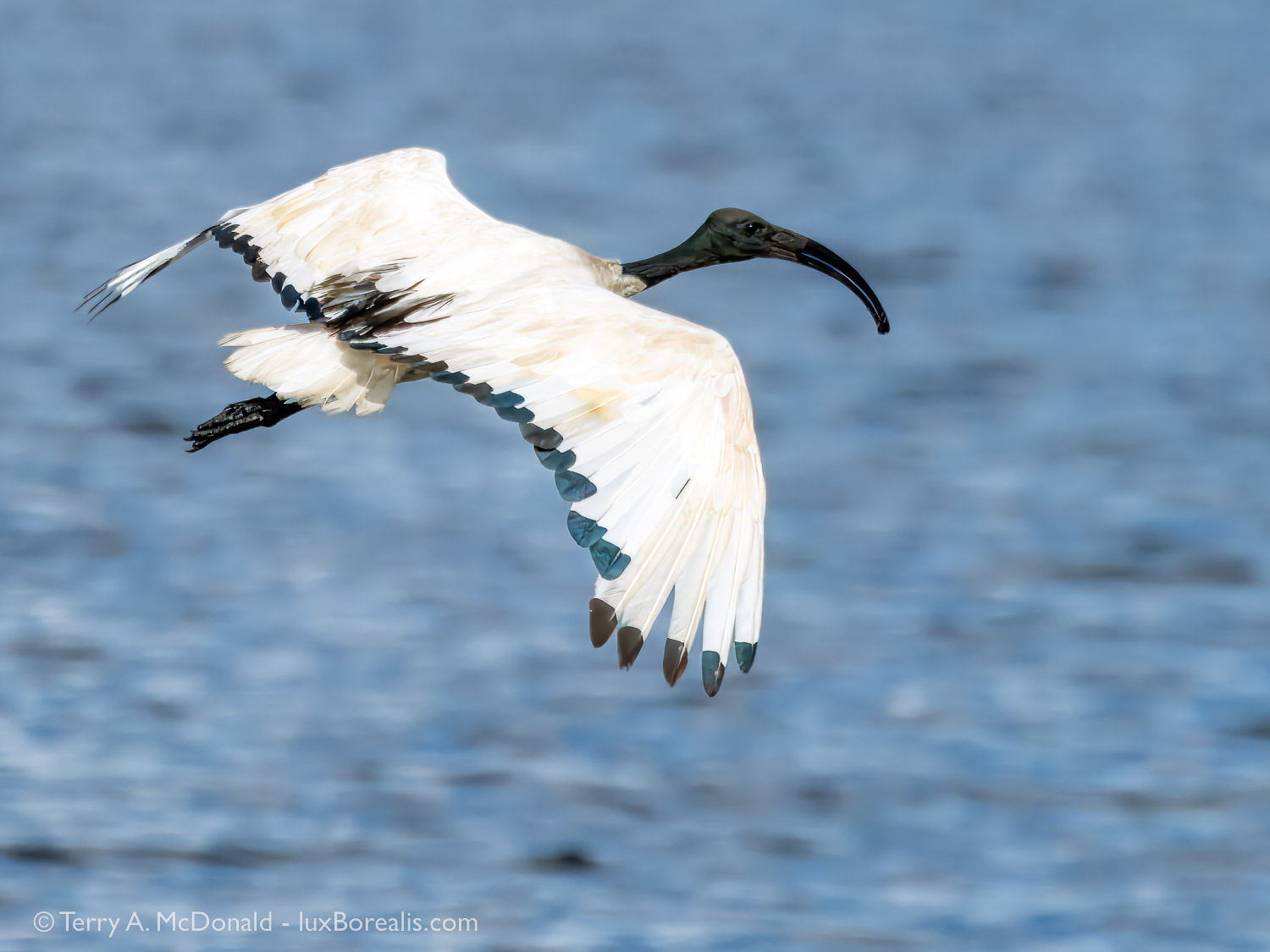
Day 2, 3:46pm; with MC-14 teleconverter, 560mm (1120mm efov); f11 @ 1?3200, ISO 1600; Lightroom + Topaz Phot AI
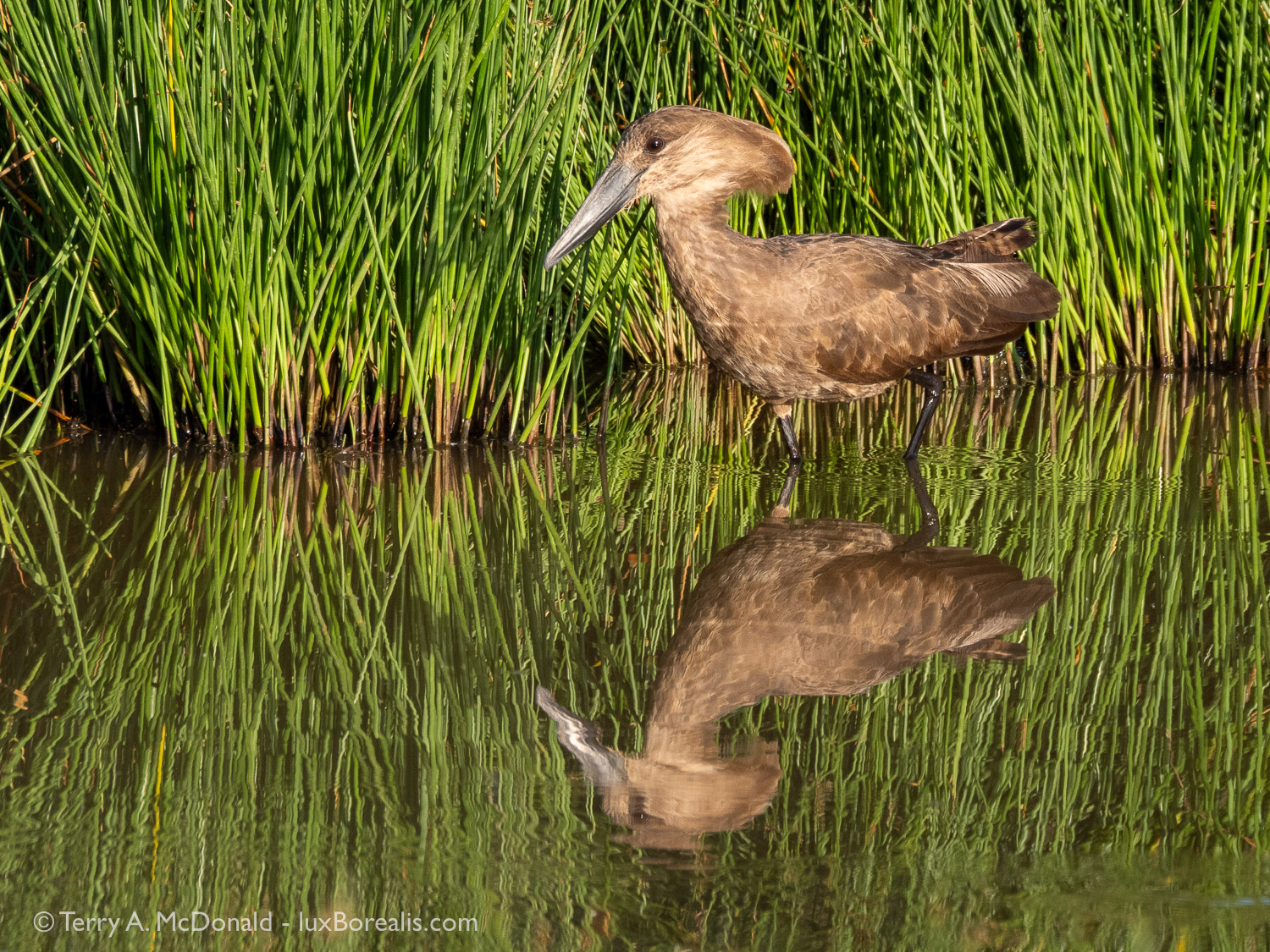
Day 2, 5:30pm; 400mm (800mm efov); ƒ11 @ 1/400, ISO 400
Again, careful observation of behaviour combined with patience are the keys. We noticed how frequently other safari trucks stopped alongside us then, not immediately seeing any ‘big game’, started up and continued on, missing the birds and wildlife that begin to appear after only a few minutes of quiet, once the dust had settled. It is these observations and photographs that have so enriched our experiences of being ‘on safari’.
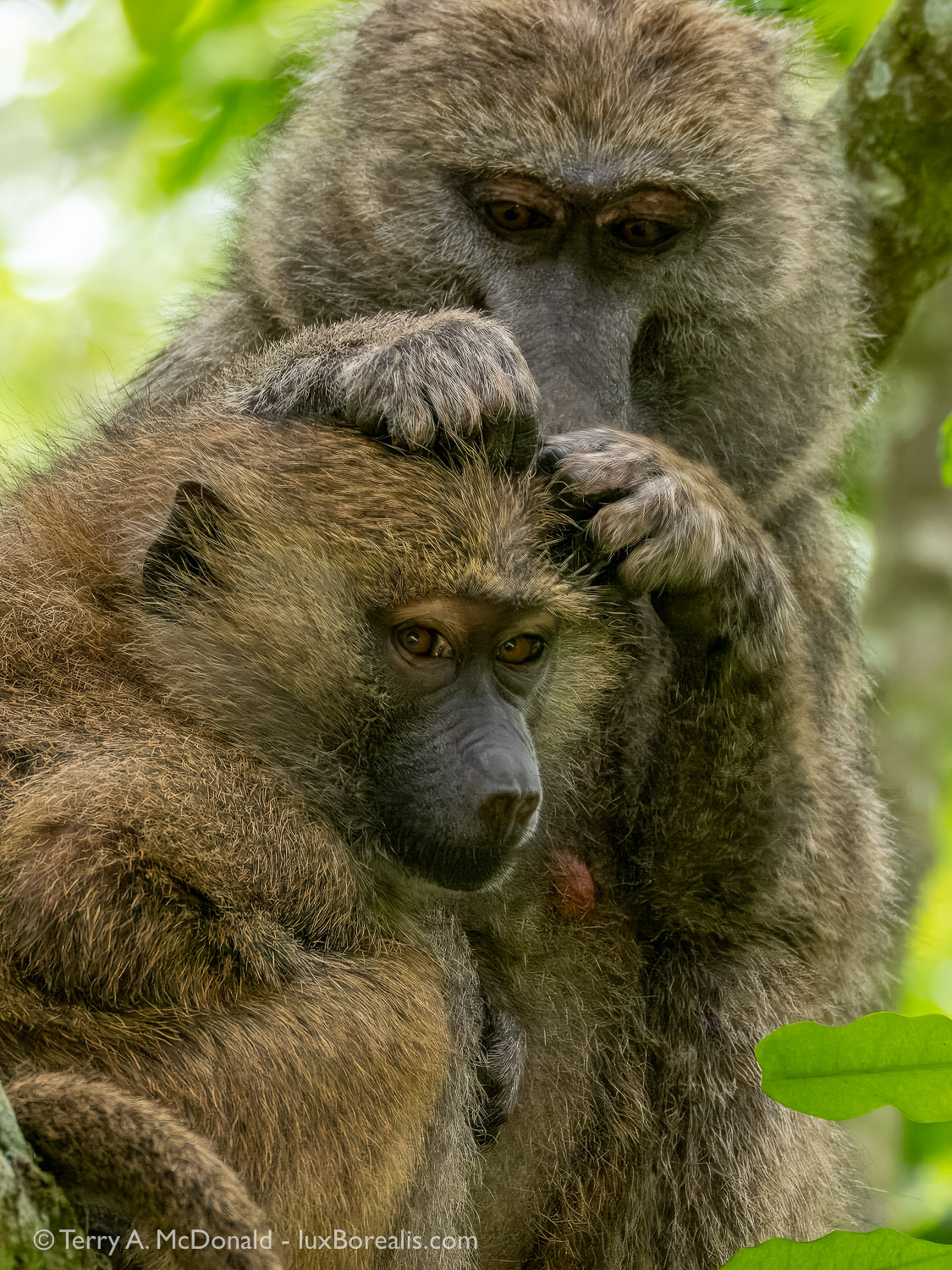
Day 3, 7:54am; 210mm (420mm efov); ƒ6 @ 1/50, ISO 3200 (Yes, it was dark in the understory); Lightroom + Topaz Photo AI
One of the highlights of Arusha National Park is the giraffe, giving the park the informal moniker of ‘Giraffic Park’. Seeing up to a dozen giraffes at a time was thrilling. Such gentle giants. We were sad to learn that during COVID, the giraffe population in ANP was almost wiped out due to the misguided belief that bone marrow from their neck was a ‘cure’ for COVID. This, in a country whose government under President Magafuli rejected any notion of the existence ofCOVID—go figure. Giraffe numbers have since rebounded and they are easily seen roaming around the park, through the lodge grounds, or popping up like periscopes amongst the low shrubs. With a face like theirs, what’s not to love!
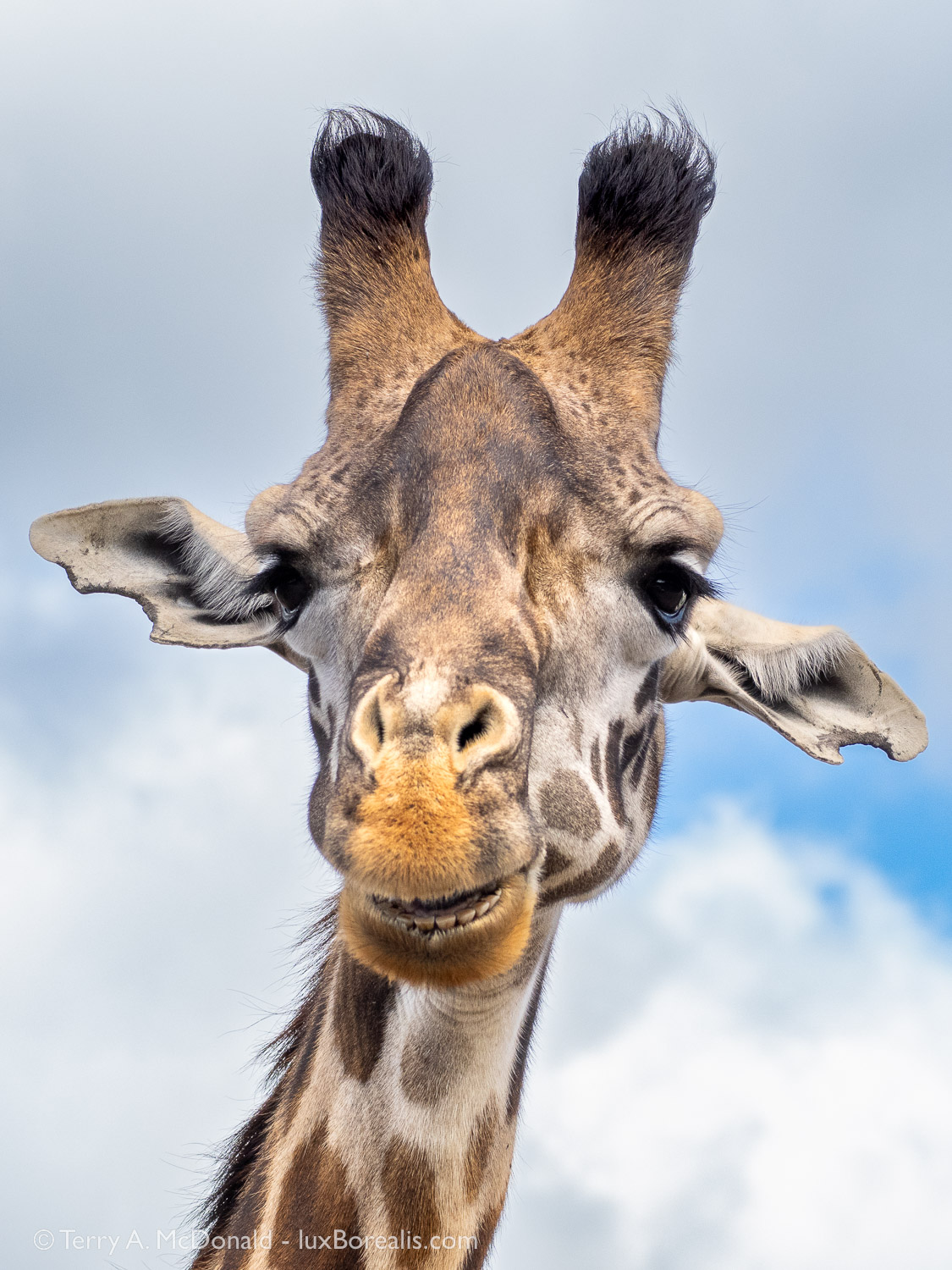
Day 2, 2:34pm; 100mm (200mm efov); ƒ6.3 @ 1/1000, ISO 800
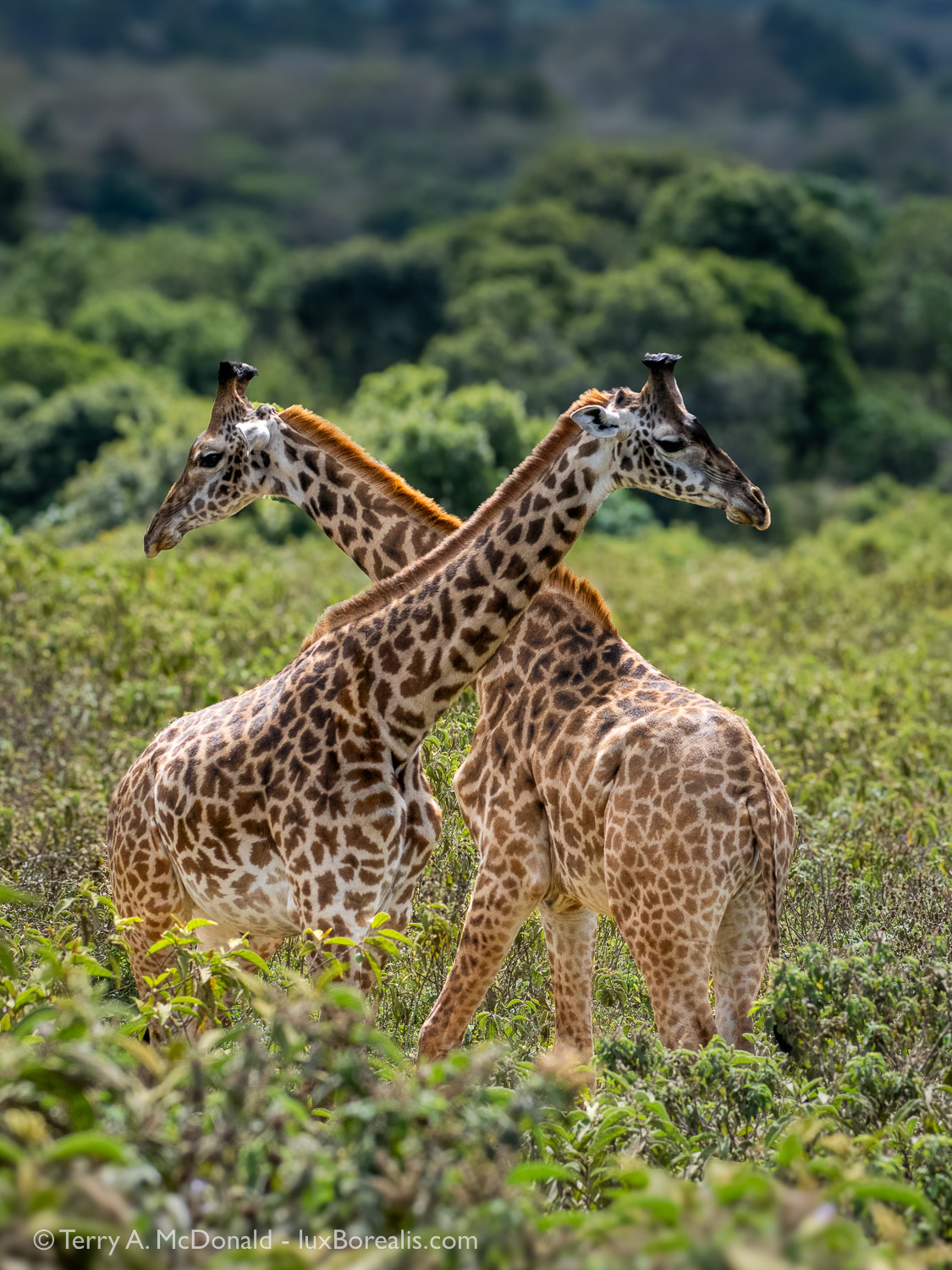
Day 2, 2:57pm; 150mm (300mm efov); ƒ8 @ 1/1000, ISO 800
From a photography perspective, the 100-400mm zoom was on the camera 90% of the time. I changed to the 12-100mm zoom (24-200mm efov) only for the landscape views of Kili and Mt. Meru. At times I used the MC-14, 1.4x teleconverter, and had some good success with it (see the Colobus Monkey and Baglafecht Weaver photos), but I also found that at times there was a very slight softening of details (see African Sacred Ibis photo). Even with noise reduction and subject sharpening, it’s not quite ‘there’. The other factor working against use of the teleconverter were the obvious heat waves that were magnified over long distances.
Image Processing
All images were processed in Lightroom on an iPad Pro, usually in the evening of the day they were made. Evenings were ideal because sunset was around 6:30pm followed by dinner and ‘down time’. Despite the shortcomings of Lightroom for iPad, I deliberately left the laptop at home to free-up weight. As well, the OM-1 connects directly and easily to the iPad via the same USB-C to USB-C cord used for charging. I like the intuitiveness of editing on iPad, using the pencil/stylus is ideal for creating adjustment masks. It allows for a lightweight, fast and effective workflow when travelling, even though Adobe continues to handcuff Lightroom for iPad despite having the power of the Apple ‘M’ chip (grumble-grumble-grumble).
Upon returning home, some of the images have also been processed through Topaz Photo AI. It’s the first time I’ve needed to venture away from Lightroom for processing but I found that while Lightroom is ideal for exposure, colour, and masking, Topaz provides superior raw de-noising and sharpening. I also welcomed the fact that the edits I performed in Lightroom while ‘on safari’ can be directly applied to the DNG file I re-import from Topaz into Lightroom—the best of both worlds.
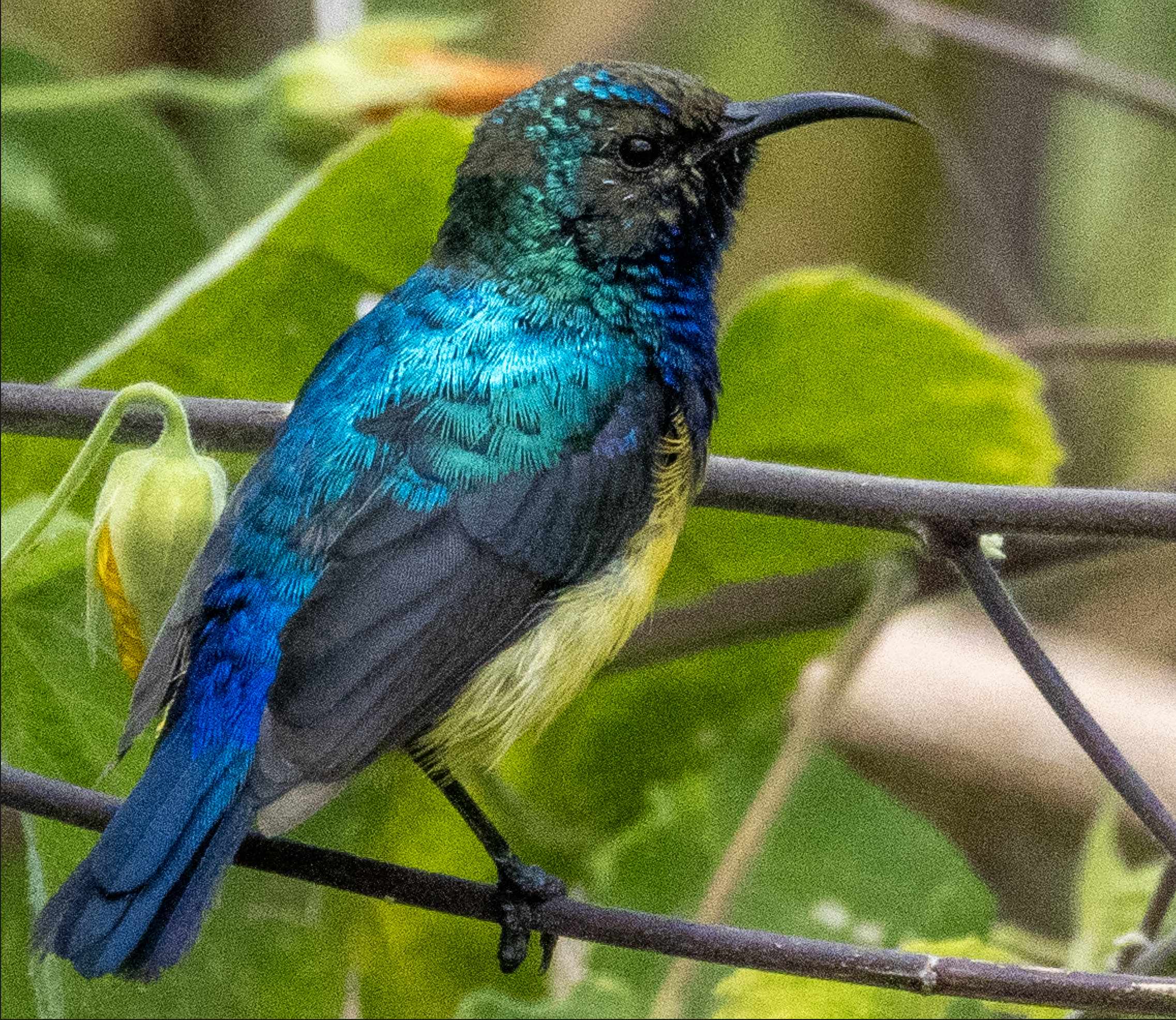
@ 200%
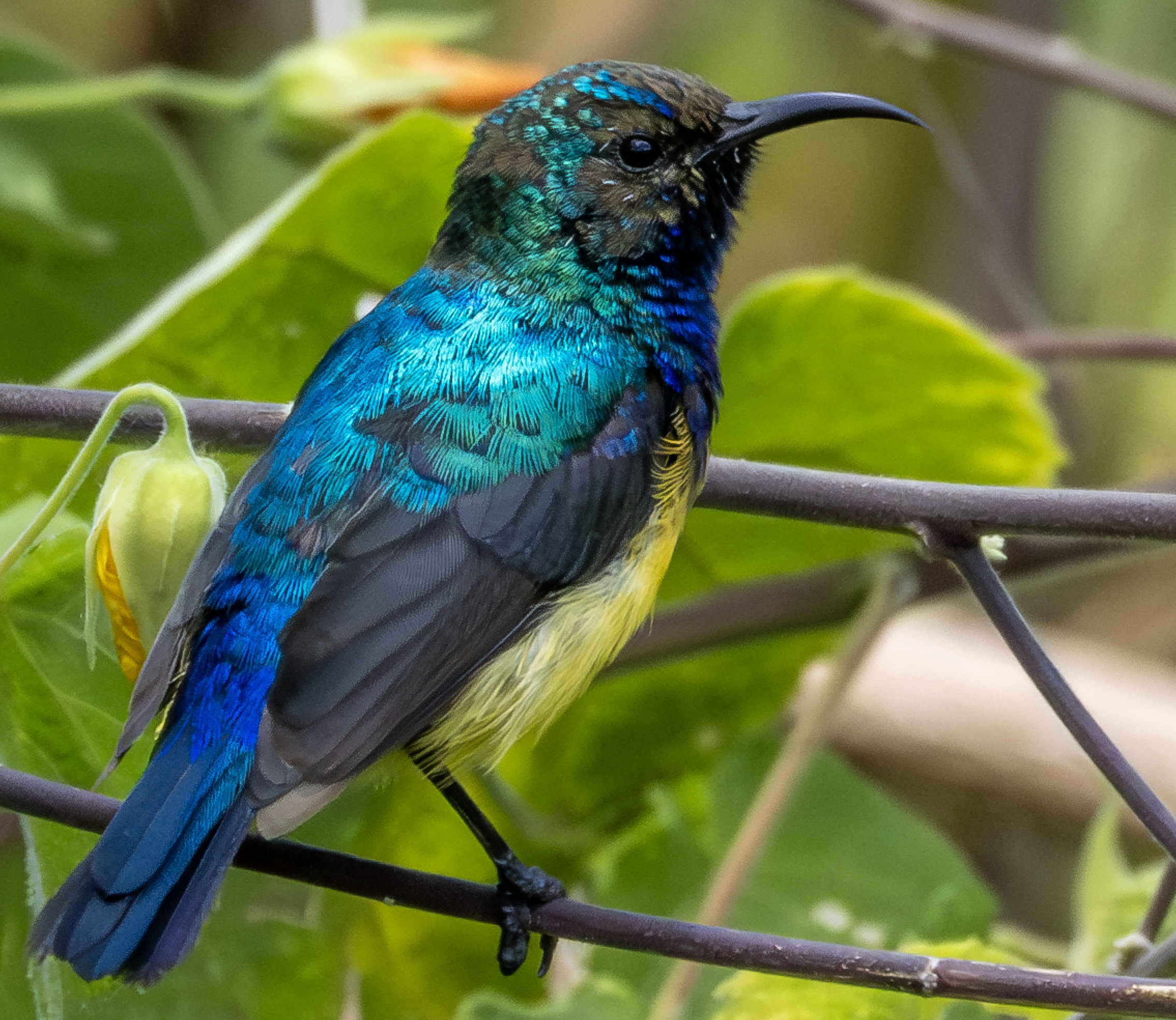
@ 200%
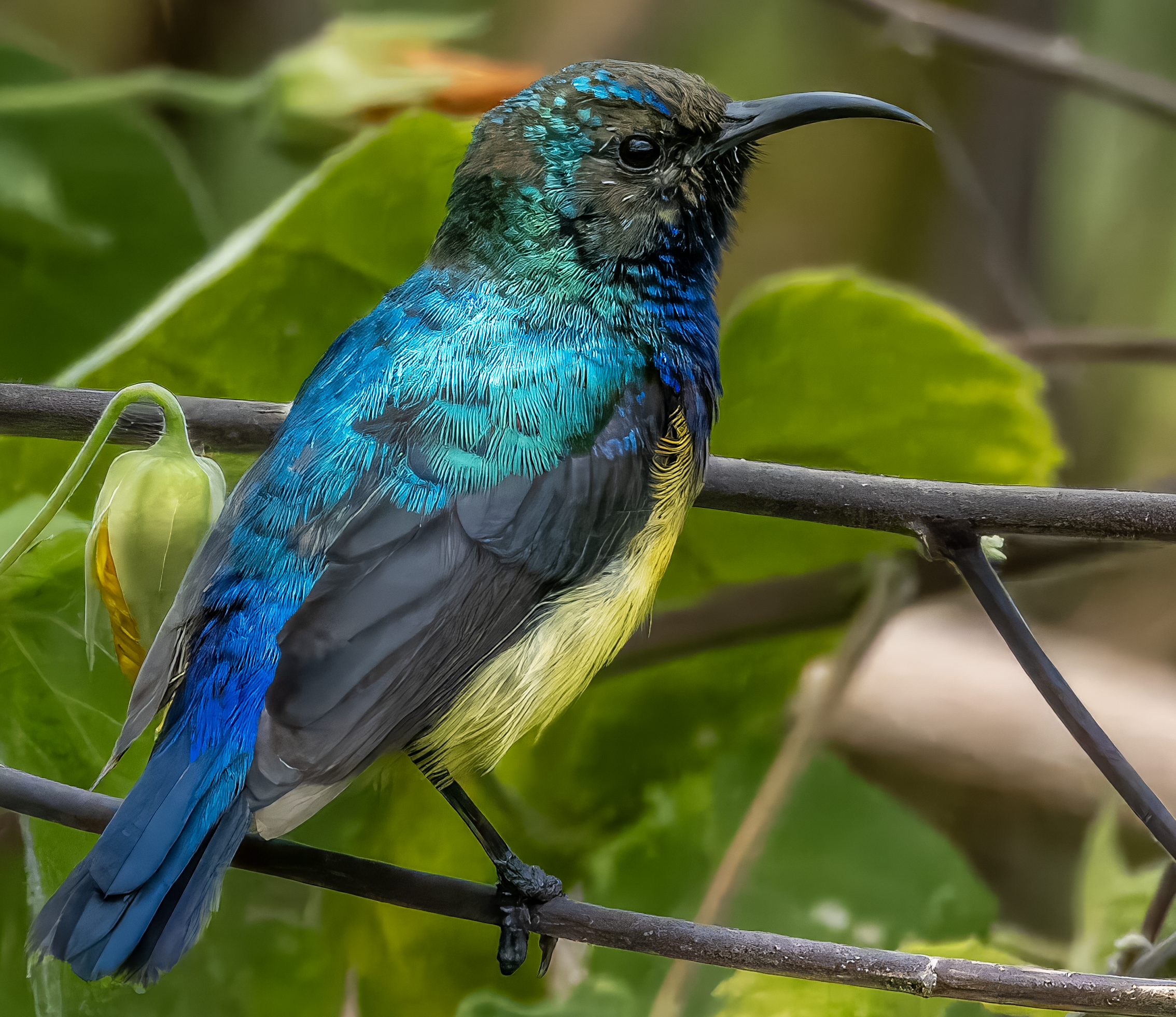
At screen size, the photos are indistinguishable without very close scrutiny. At 100%, the Original raw is fine for small prints, but benefits from Lightroom Denoise + Sharpen. However, as this is a crop of 1712×2283 pixels, the file definitely benefits from the upsizing possible in Topaz to provide a more substantial 3424x4565px size for larger prints. Even at 200%, there is no discernible loss of sharpness. It’s not perfect, but to me, the trade-off is worth it. The only noticeable deterioration is in the slight loss of feather detail in the black primary wing feathers. I’ll post another blog specifically about the benefits and costs of Topaz.
As I continued with my shooting, I began to use ƒ11 less and ƒ8 more. ƒ8 provides more light (= faster shutter speed and/or lower ISO), and the loss of depth-of-field is negligible. I always began each shooting sequence at ISO1600 to ensure a sharp capture at high magnification. Once I get the shot, I begin dialling back to ISO 800, 400 and sometimes 200, when lighting and subject permit. I find I can hand-hold at 400mm (800mm efov!) down to about 1/30th, but that is only when conditions are ideal and the subject co-operates, which is rare when they are always moving whether to swish away the ever-present flies or to avoid predators. Additionally, even the slightest of breezes can set a branch swaying adding yet another challenge to bird photography. And then there’s the challenge of being in a truck with two other people moving around. I’m not complaining, just laying it out there. High magnification bird and wildlife photography in general has its challenges beyond finding your subjects!
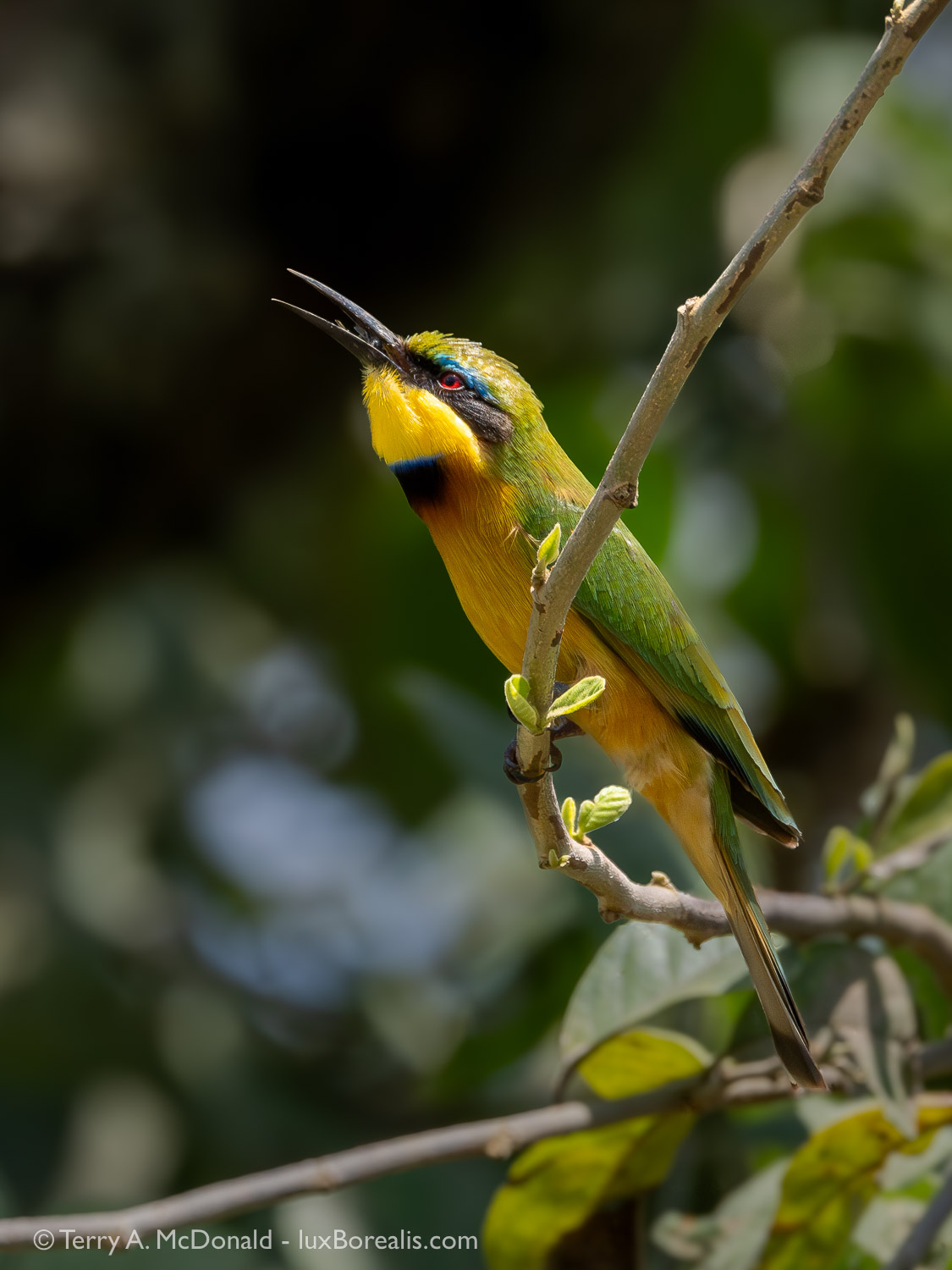
Day 4, 1:12pm (on the way out of the park); 400mm (800mm efov); ƒ11 @ 1/1600, ISO 1600. I love this photo, having caught the bee-eater ‘doing its thing’, but I hate the distracting background. I believe in real-world photography which means I do not swap backgrounds, so this one I’ll need to work on a bit more.
Overall, I am truly thrilled with the success rate of my Olympus system. I am not exaggerating when I say I easily had 5 to 10 times the success rate than I when I shot full-frame Nikon. Why? It all comes down to a combination of lighter-weight gear, longer reach, and amazing stabilization. Did I get all the shots I had hoped for? Sadly, no. Some were my fault, mostly from not properly anticipating what the bird or mammal would do next, or I became too stabilization-dependent and didn’t take proper care to be steady. Others shots were missed due to focusing issues, particularly with birds-in-flight, a technique I really need more practice with.
That being said, the OMD/Olympus system is so efficient that I still have far more ‘keepers’ than I know what to do with.
I will follow up this blog with Part 2 with our first safari to Tarangire National Park—lions and elephants and vultures, oh my!
If you have any questions about safaris, gear, processing or the photos, be sure to add a comment.
Sign up to receive an email notice of new blogs.
Use the box below for subscribing. You email will never be shared.
Have a look at my work by visiting www.luxBorealis.com and consider booking a presentation or workshop for your Nature or Photo Club or a personal Field&Screen workshop at Workshops.
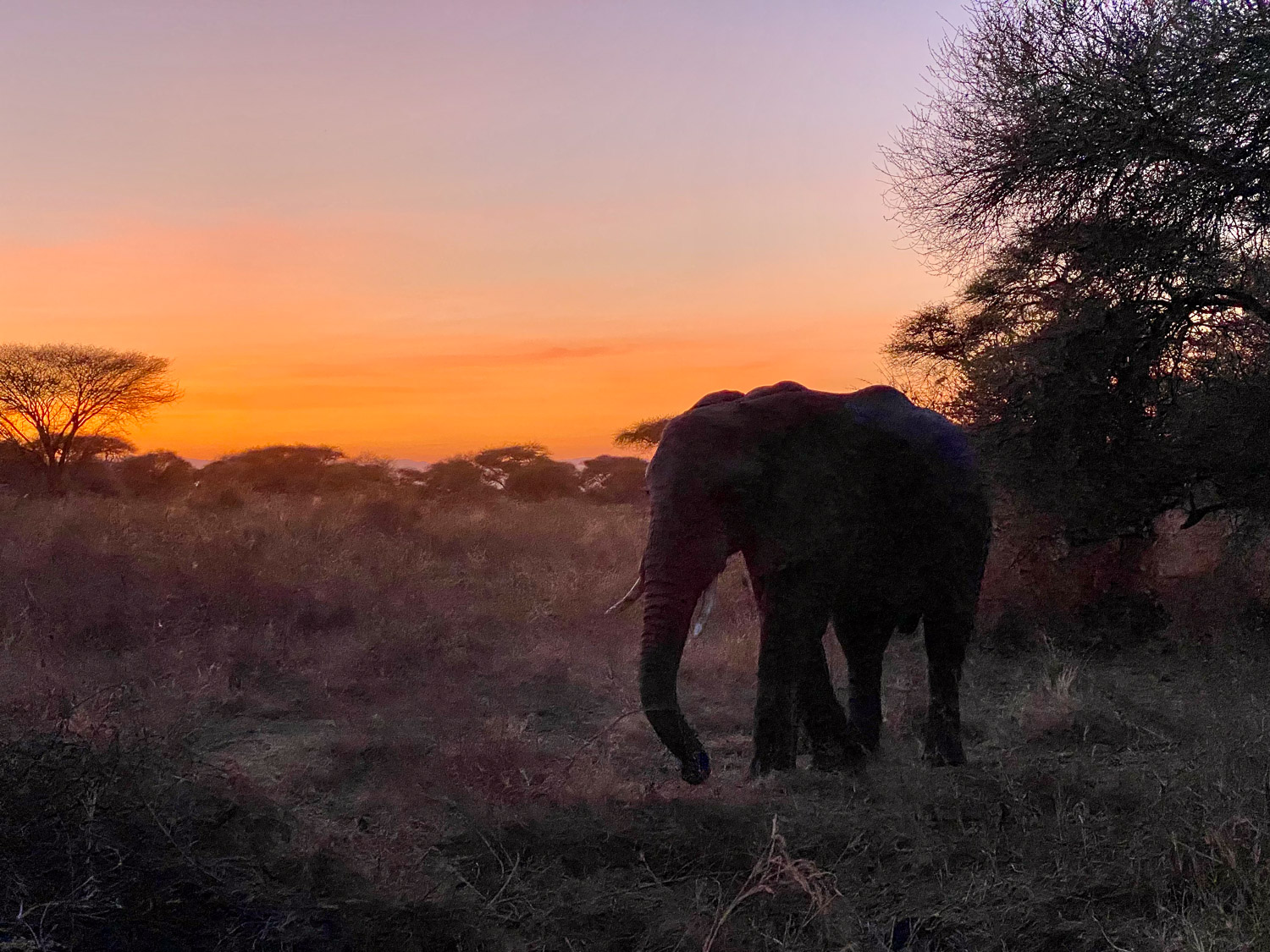
iPhone 11 Pro 2x camera—and, yes, the elephant was that close! But that’s Tarangire for you. (Photo made by Laura as, for once, I was driving!)
Photo contests—What to do?
Have you ever entered a photo contest?
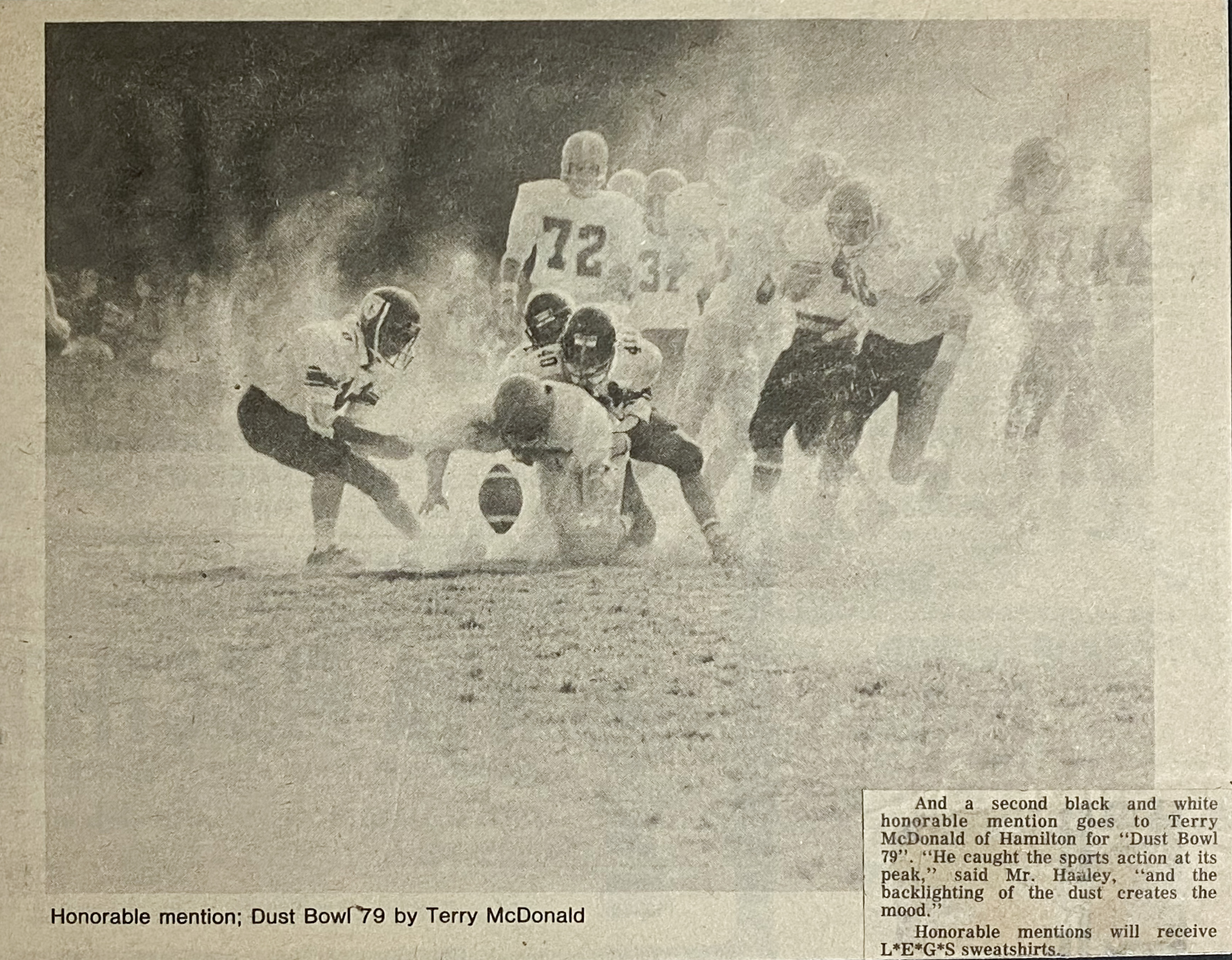
I remember the first time I entered one. It was 1980 and the Hamilton Spectator was running the contest. I was in high school and I entered a shot I took during a football game. The quarterback had fumbled the ball and it was silhouetted in the dust between him and the ground with lots of players gathering around. A classic and one I was so proud of. I was thrilled when I received an honourable mention. It was a shot very early in my photo career and one that I had worked hard to get—no motor drive, no burst, just good timing, and a bit of luck! I was positively ebullient until I saw that the winning photo was taken with a 110 Instamatic. How depressing, but it certainly got me thinking about photo contests, judges and photography in general.
For various reasons, it is hard to predict just how contests will end up. Sometimes, the judges have a preconceived notion of what they want. Or, they’ve been specifically instructed to look for specific types of photos that will fit the needs of the organization running the contest. And then there is simply the volume of great photos entered—it becomes a crap shoot. But this article isn’t meant to dissect ‘how to win’, but rather ‘should you enter?’.
A few contests I’ve come across lately are structured around charitable organizations looking to add to their photo collection (see the list at the bottom). That, in itself, is not a bad thing, but photographers really should be aware of exactly what they are entering and how their photos will be used. CHECK THE FINE PRINT. The other thing to consider is that entering a photo contest is a bit like entering a lottery. The judges will quickly separate the wheat from the chaff, but they will typically be left with a lot of wheat—perhaps hundreds of high quality, dramatic, well-executed photographs—but only a handful of prizes. There are a number of reasons for this:
- Cameras are so good nowadays with accurate AF and AE so, often, JPEGs are usable right out of the camera;
- More photographers have more disposable income to spend on mega-lenses and cameras. Remember, it’s not pros buying the bulk of the pro cameras and glass, it is dedicated and wealthy amateurs.
- There are far more options for processing photos, especially ones using push-buttons and AI corrections that once took minutes to hours to achieve;
- People seem to have more discretionary time to spend to obtain great photos; and
- People are much more widely travelled than 20 or more years ago, so there is easily an order of magnitude more of high quality images to choose from.
So, it’s not unusual for organizations to run contests, especially charitable organizations that are trying to stretch their charitable donations further. And this is where you come in . . . We all have dozens, hundreds, maybe even thousands of excellent photos. And with digital photography, we often have multiple copies of that same photo that are all similar. My question to you is, what are you going to do with them?
If you sell prints or canvases of your photos, great. You will have an active market of willing buyers and you may be earning some good money from your prints. If you put images up on stock photography sites, you may be earning some revenue from them, but typically, nature, landscape and wildlife photography doesn’t pay well, mostly because there is so much of it out there. My guess is, the majority of your images are not earning anything and are taking up space on your hard drive.
Which ever scenario fits your photography, you will have images that may well be valuable to a charitable organization. They can either sit on your hard drive or you can contribute them to help a cause that is important to you. No, you will not receive a tax receipt and no, you may not even win the photo contest. In fact, the images you contribute may never be used, but at least you’ve made an attempt to help.
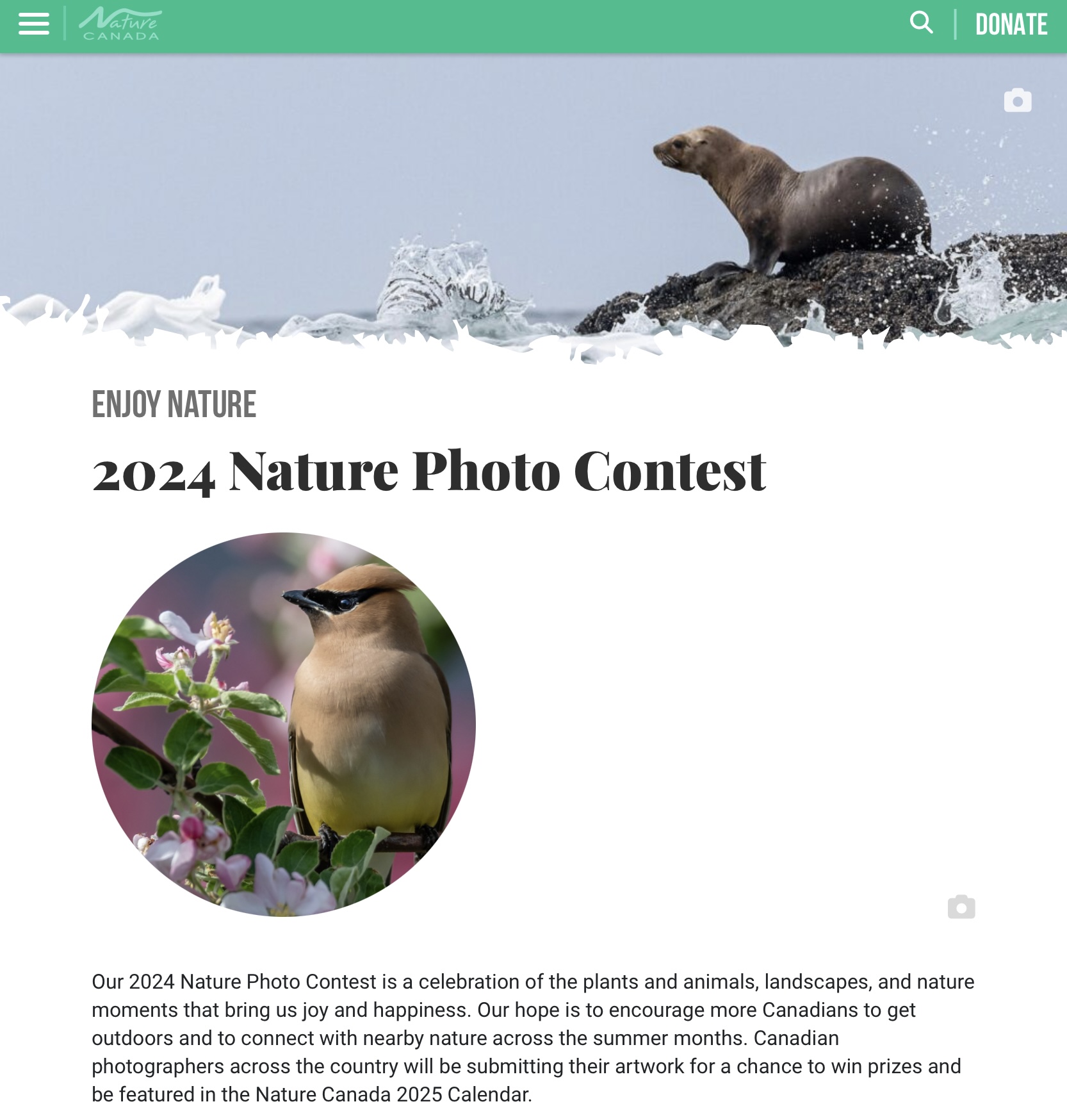
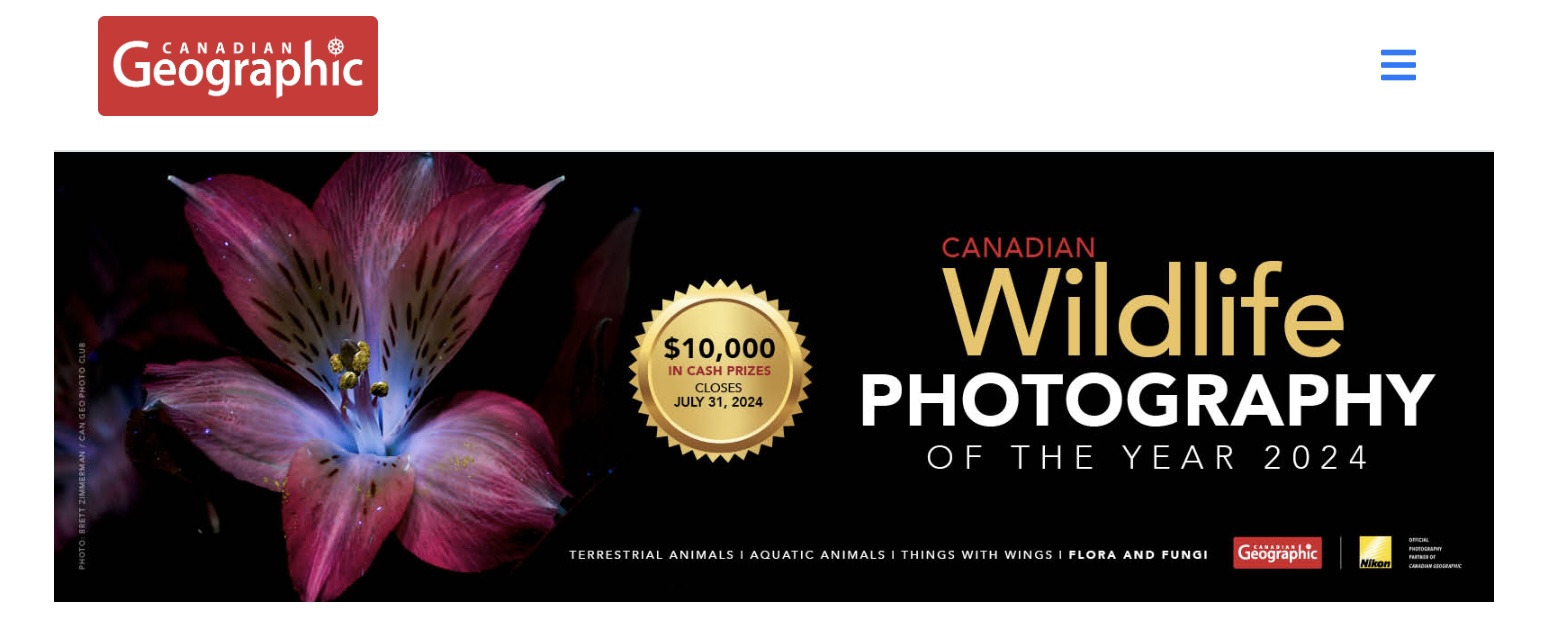
I’ve read a number of blog posts that specifically direct photographers to “never enter photo contests as they steal your images and you never get paid for them”. This is completely false. The organization does not steal your images. Once you enter your images, you are typically agreeing to the organization using your images for their own communications, media and educational uses in perpetuity. You retain the copyright, but they are permitted to use the images you submit, whether you win or not.
One interpretation I’ve seen related to this is “if your images are good enough to win a photo contest, then they are good enough to earn you some cash”. Well, this may be true, and certainly prize winning images are top notch. But ‘earning cash’ from photography is not that simple. Photographers earn money through direct sales of prints or digital downloads or through stock agencies or by freelancing their time and work. Typically, the first two do not pay well unless you have dedicated yourself to the business of photography. You see photography in and of itself is not a business. And posting your images on the web, on Instagram or Flickr or an Adobe Portfolio site or another website, might get you a few hits and a few sales, but to really earn money, you need to be (a) shooting for specific uses; (b) making your photos easily downloadable for stock use; and (c) marketing your photographs to the people and organizations who want to buy them. All of that takes a lot of dedicated time.

Another way of looking at it is this: If you approach photography like you approach, for example, golf, you may go out for a morning or an evening of shooting somewhere special and capture some great images. But, like golf, you are doing it as a past time, a hobby, something to provide you with personal rewards and pleasure. Nothing wrong with this at all. In fact, it takes the pressure off of always having to perform. It’s pure enjoyment.
So, now you have a collection of photographs that are somewhat unique and of better-than-average quality, but you are not marketing them specifically. Who markets their golf game other than the pros? You are the ideal person to enter photo contests and the charitable organizations running them will love you for it.
A couple of things to be aware of. Most contest will clearly say something to the effect that:
- “copyright remains with the photographer”: This is great as the image remains your property. As owner, you might even be able to sell it on as a print. Bottom line: you maintain the rights over the image.
- “photographers will receive credit for their work”: In fact they may even have a specific place where you indicate how you would like to be credited; e.g. photography by Terry A. McDonald – luxBorealis.com;
- “the organization will retain the right to use your photographs in perpetuity”: It sounds like forever (and, technically, it is) but the reality is, images go stale if they are overused. What this really means is they don’t need to keep track of which images “expire” when. It makes it a lot easier for the organization and typically, they won’t keep using the same images year after year as their marketing begins to look tired.
Now, if you find that you keep winning contest after contest, then you really do need to re-consider your priorities and, perhaps, put a push on stock photography or direct sales or possibly freelance work for magazines and other users of photography. But don’t go putting the cart before the horse. Many photographers don’t enter contest (a) because they don’t feel they’ll win; and (b) because they don’t want to give away their images for free.
My suggestion is to consider the benefits to the organization you are supporting by entering the photos. Nature and outdoor organizations can use all they help they can get and your photos might just help them achieve their goals, the same goals that may have brought you to the organization in the first place.
One word of warning . . . There are a number of prestigious photo contests around the world that have a long history of attracting only the absolute best in nature and wildlife photography. The most obvious example of this the Wildlife Photographer of the Year, run by the British Museum of Natural History. It is the one that is exhibited at the ROM each year. Needless to say, it would be a feather in your cap if you placed in this contest. HOWEVER, there are a number of contests that may appear equally prestigious, but don’t seem to have the backing of any established organization, other than their own. Be wary of these types of contests. I sometimes wonder (a) how legit are they?; and (b) do they actually come though with what they claim?
Again, before entering, do your homework: READ THE FINE PRINT. Get to know the organization you are supporting by entering the contest. Start small and work your way up, unless, of course, you have made that one amazingly phenomenal image that would win just about anything. We all have those images (😊), it’s just a matter of sharing them with the world around us.
Good luck! And drop me a comment to tell us how things went or if you are entering.
Thanks for reading!
If you have any comments, questions, experiences or suggestions about photo contests or any of the organizations listed here, please add them to the Comments section. I also appreciate it when you share my blog post with other photographers or within your camera club.
If you are not yet a subscriber, then consider adding your email up at the top to be instantly alerted to new blog posts. And I promise not to inundate your inbox.
You can view my work by visiting www.luxBorealis.com. Consider booking a PhotoTalks presentation or workshop for your Photo Club or a personal Field & Screen workshop at Workshops.
Here are a few contests to consider:
- Nature Canada 2024 Photo Contest
- Bruce Trail Conservancy Magazine Photo Contest 2024
- BirdsCanada 2025 Calendar Call for Photos
- Nature Conservancy of Canada Small Acts of Nature Photo Contest 2024
- Canadian Geographic Wildlife Photography of the Year 2024
- Lake Biodiversity Photo Challenge 2024


Kodak Photo CDs—OMG!
Hands up if you have negatives or slides from the last century scanned to Kodak Photo CDs. Hands up if you even know what a Photo CD is. How about negatives? Slides?
Right. I’m talking ancient history to some of you—the pre-digital era. But that’s okay. Read and learn about the hazards of legacy file formats by manufacturers and processes that no longer exist!

I was heavily invested in film photography from the mid-1970s right through to the early 2000s and have thousands of 35mm slides, 6×7 and 4×5 transparencies. However, back then, I took advantage of slide scanning tech offered by Kodak (who? you ask!!), to preserve my slides forever as digital files. So I have about 300 of my best slides from then, scanned to 3 Kodak Photo CDs. The trouble now is I can’t ‘read’ them. Neither my current MacOS nor Photoshop2024 can read PCD files. The Photo CD disk could be read by the Finder, but nothing I tried would open the file and, over the years, I’ve developed a few tricks and workarounds for file formats. Nothing I tried worked! Yikes!

Needless to say, this started a hunt for some way to convert all those ‘great’ slides to a format that could be read. Enter GraphicConverter. I had totally forgotten about this app—one that I used extensively at the beginning of the computer era—for manipulating images and saving to different file formats. It is still around, in version 12, and guess what? It works!!!
It’s nice that GraphicConverter is a shareware app. You can buy it directly from the Apple App Store, but even better is downloading from the provider, Lemcke Software, to try it first. If it works for you, then you can pay them. No obligation and no up front payment information—just download and go.
I really like the way I can batch convert either through the drag-and-drop option (pictured) or through the usual interface. I can also select from a number of different file formats for saving (though DNG is not supported), and I can easily specific which folder to save it to. In ten minutes I had 94 PCD files converted to PSD and added to Lightroom CC.
The only downside is that the new Denoise AI technology is not compatible with PSD files (not yet, anyway). Nor will it work on JPEGs or TIFFs, only raw files. But that’s only a mild set-back. BTW, I saved to PSD file format as it was almost half the size of a TIFF (19mb vs 34mb). I would never convert to a JPEG as I would lose too much important data for post-processing, which is definitely needed for these files.
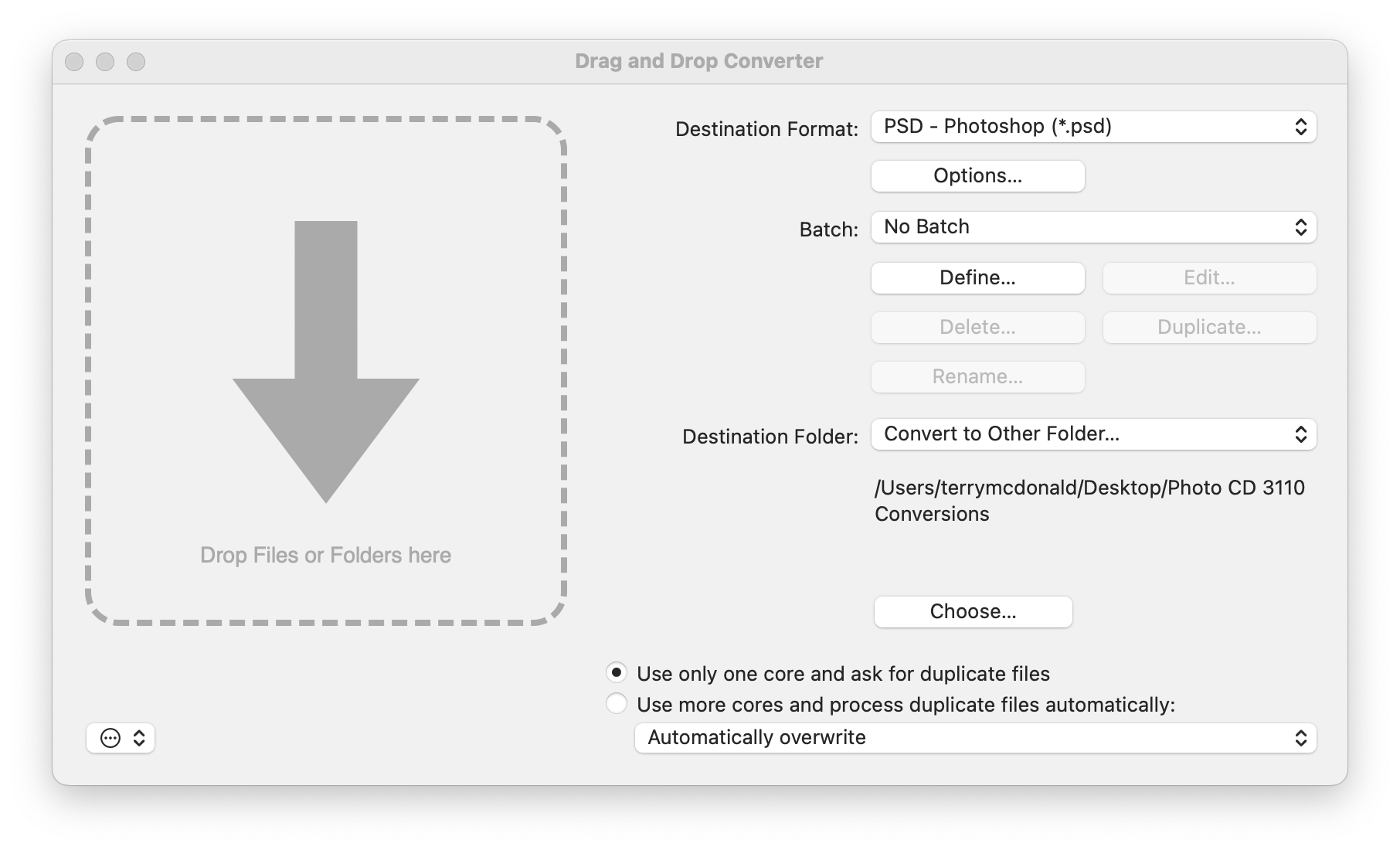
GraphicConverter is far more powerful and has far more options than I will ever need. However, it solved the problem I had of converting Kodak Photo CD PCD files to something I can work with, like Photoshop (PSD) files. Furthermore, GraphicConverter works with Apple Silicon Macs (i.e. with ‘M-series’ chips) and, more importantly, it does a very good job of keeping whatever highlight information is encoded in the scan. Other file conversion apps do not, so be wary of alternatives. Note that is you have an older Mac, you can download GraphicConverter 10.
THIS—the Finder window on the left—became THAT—the photo I was hoping to open and work with in Lightroom.


Success! Now, if only I had sprung for the extra resolution on the Kodak Photo CD. They offered a ’64-base’ 4096 × 6144 file size. The file size of these are the standard 16-base, 2048px by 3072px, or about 6mp. But, back in the early 2000s this was plenty big enough. In fact, it was larger than professional digital SLRs at the time—the Nikon D1 was just 2.7mb!! With cropping of the slide mount edge it works out to about 2000×3000, just large enough for a 7×10″ or thereabouts.
Thanks for reading!
If you have any comments questions or suggestions about file conversion, Kodak Photo CDs, PCDs, DNGs or PSDs, please add them to the Comments section. I also appreciate it anytime you can share my blog post with other photographers or within your camera club.
If you are not yet a subscriber, then consider adding your email up at the top to be instantly alerted to new blog posts. And I promise not to inundate your inbox.
Have a look at my work by visiting www.luxBorealis.com and consider booking a PhotoTalks presentation or workshop for your Photo Club or a personal Field & Screen workshop at Workshops.
Field and Screen is live!

One of the most common questions I’ve received during workshops and PhotoTalk presentations is, “How did you get from ‘there’ to ‘here’?”, ‘there’ being the scene captured in the field, and ‘here’ being the finished image or print. Field and Screen is an attempt to bridge that gap.
I’m a sworn Real-world photographer. What you see displayed in my photographs are representations of my experiences in the field. They is not SOOC images—the raw file is processed to breathe life back into what I call ‘machine files’, bringing the human emotion to bear in re-creating the experiences of ‘being there’.

To do this takes effort. Field & Screen walks you through the process of assembling the aesthetic elements of the scene, given the ambient conditions present at the time. Technical considerations are discussed, followed by post-capture processing techniques, specifically using Lightroom.
Have a look at the first instalment: Clearing Storm, Bow River, Banff:

Thanks for reading. Be sure to leave a comment or ask a question, and most importantly, share this with another photographer or your photos club.
 luxBorealis Blog