Focus Points for Lightroom Classic
More data, at your fingertips.
785 words; 7 photographs; 4-minute read
In my meanderings around the web and forums, I came across this plug-in that some might find helpful.
https://musselwhizzle.github.io/Focus-Points/
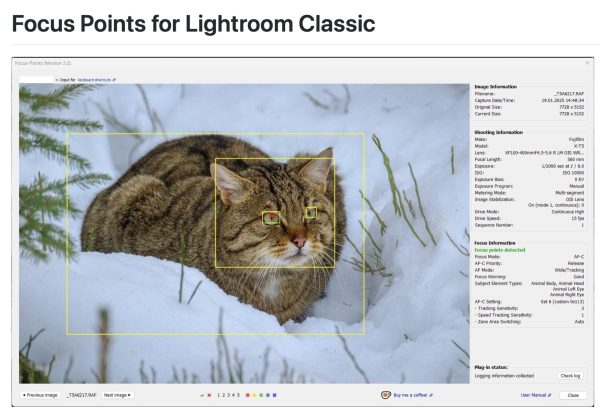
It’s free. It’s for Mac and Windows. And it works. In fact, it’s ideal. It is easily installed to the Lightroom Plug-in folder. From there, you add it to Lightroom Classic from File > Plug-in Manager. Once added, I re-started Lightroom and voilà, it works.
The key thing to remember is that it is accessed from within the Library module through the Library menu option — Library > Plug-in Extras > Show Focus Points — not the File menu which is used for processing plug-ins.
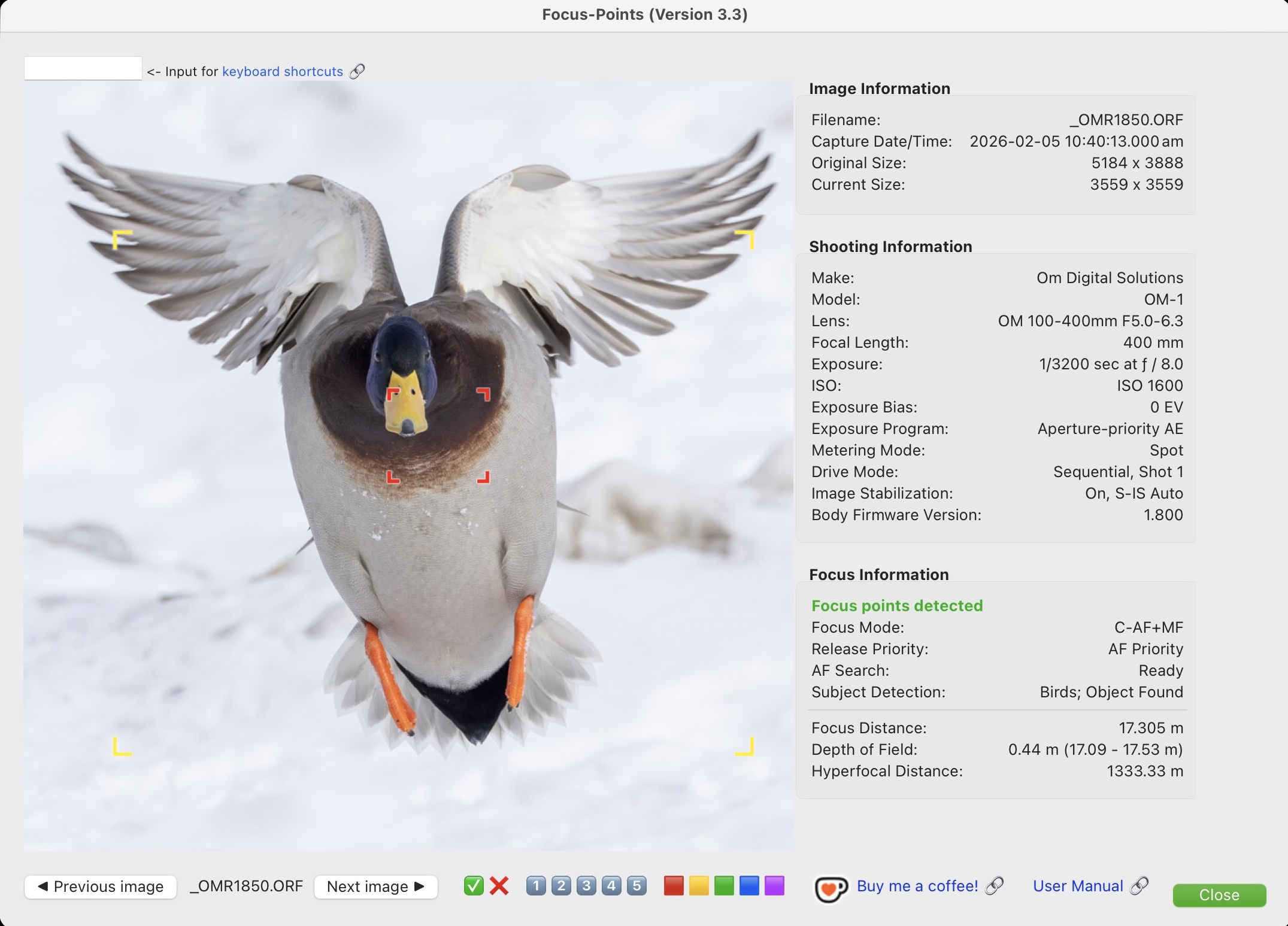
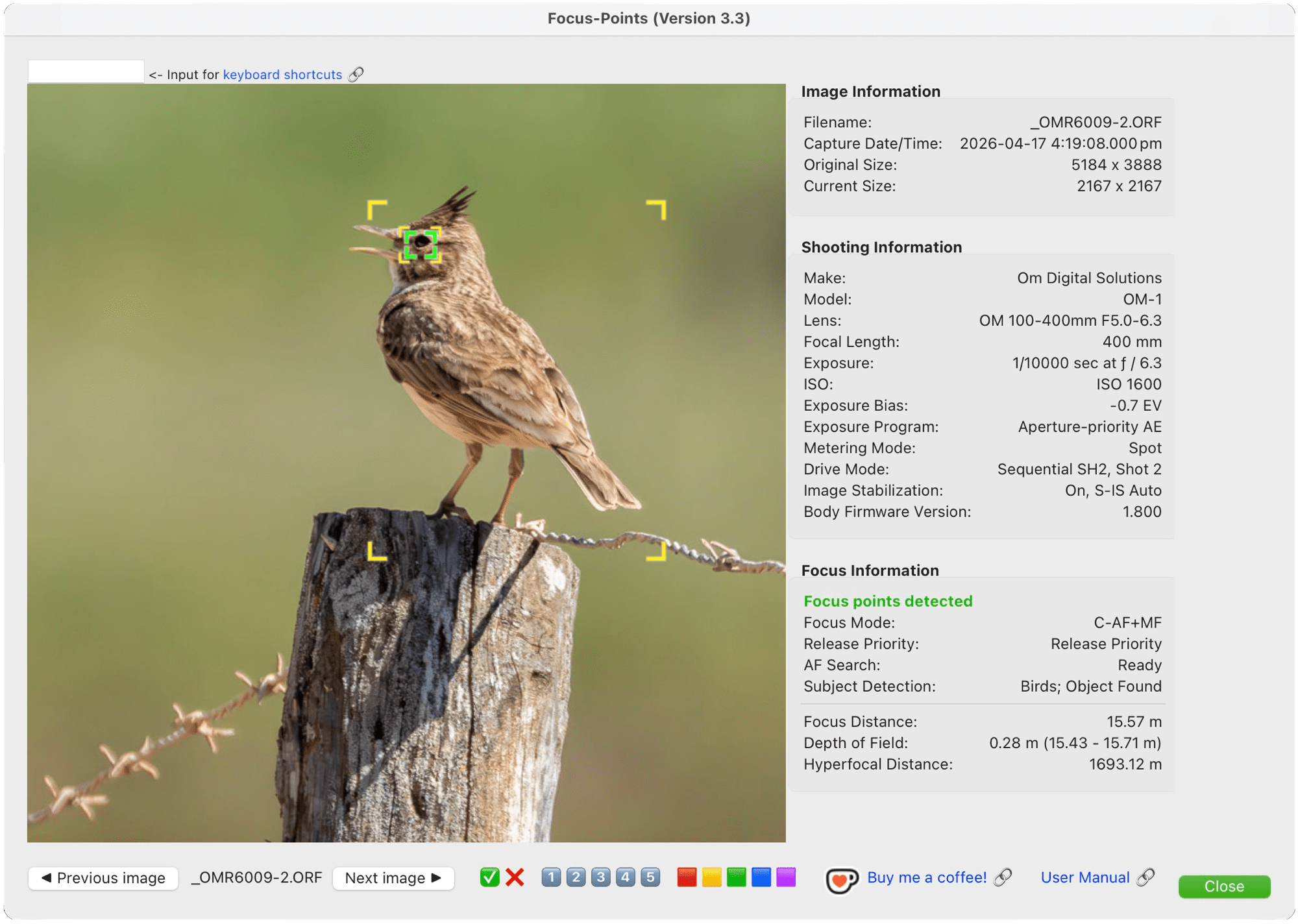
I also like the customization that is possible. For example, I changed my focus area from the default red to green, which is more in line with how focus points are shown with my OM-1. Apparently, users can also add a keyboard shortcut to open Focus Points, I will do that, though remembering that unique, non-Lightroom keyboard shortcut just might be beyond me!
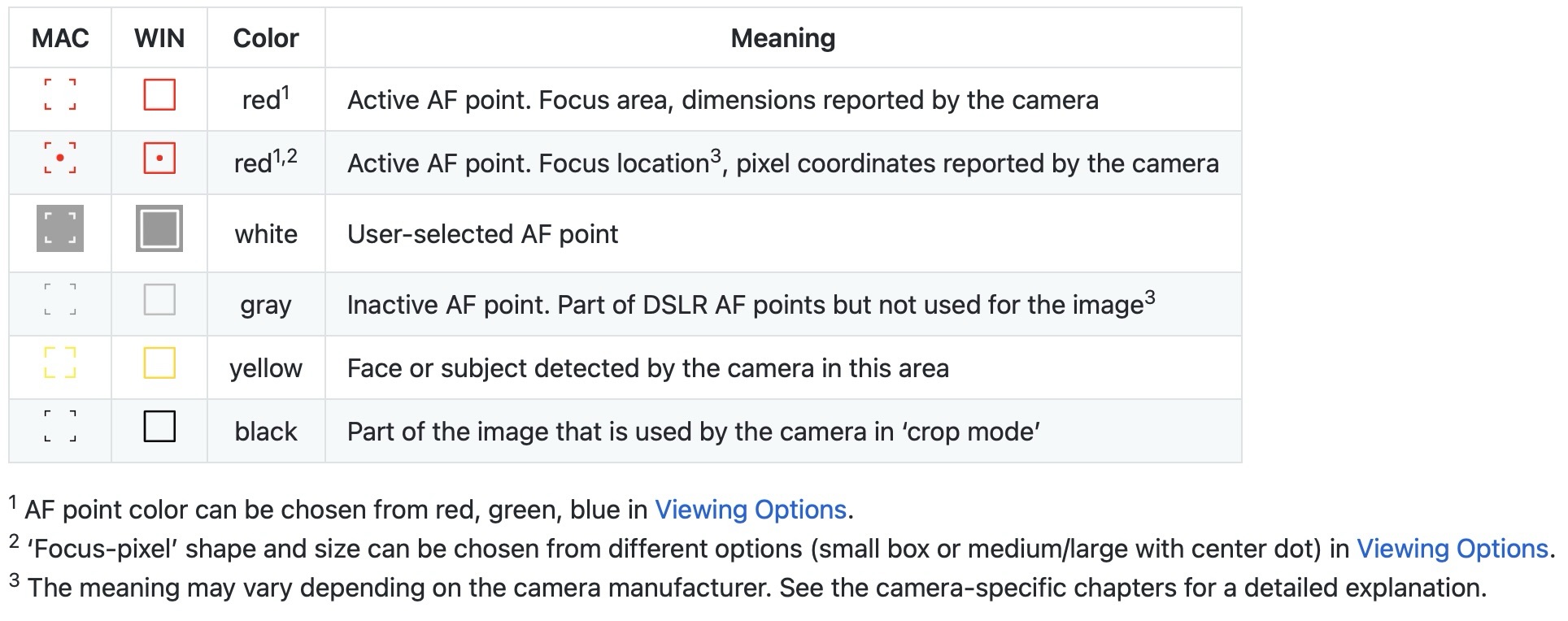
Where I find Focus Points helpful is in determining where I or the AF system went wrong in focussing, particularly with wildlife and birds-in-flight. Now that I see what’s happening, I’m a bit concerned regarding the accuracy of the AF.
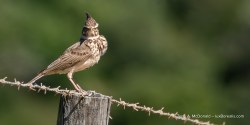
I’m illustrating this post with a series of photographs I made over the last few days here in Portugal. The kestrel is nesting just a few minutes walk away. The others were made when Laura and I visited a wonderful wetland complex to the west of Alvor. In driving along the dirt and gravel road towards the Rocha Delicata Trail, before even arriving at the car park, Laura iD’d 29 species, including a magnificently blue-winged endemic, the Iberian Magpie. We’re heading back there today with the hope of photographing the magpie and perhaps seeing some flamingoes that are commonly found there.
For the kestrel, I can see a bit of AF hunting and I can’t find a single frame where the AF locked on to the eye, as it should have. I was fortunate that the depth-of-field at ƒ8 covered the bird.
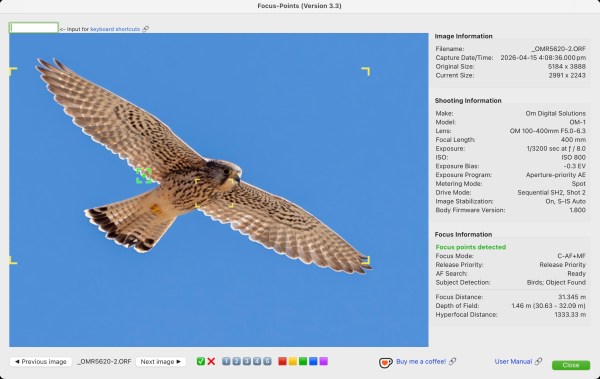
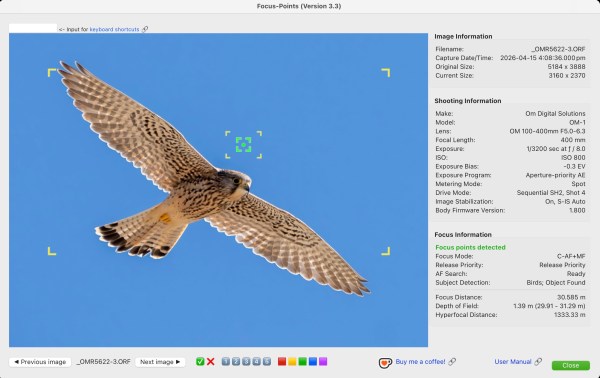
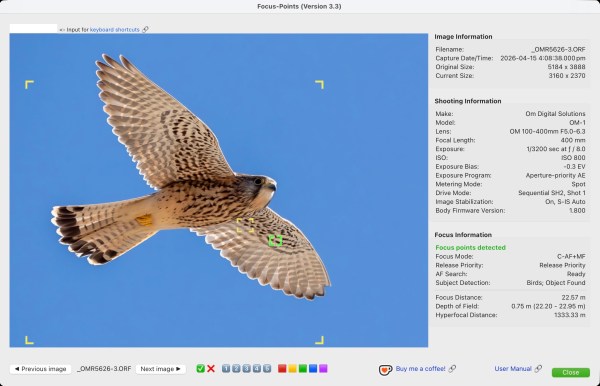
With the Lark, the AF was more successful, perhaps because this wasn’t a BIF, but a stationary bird.
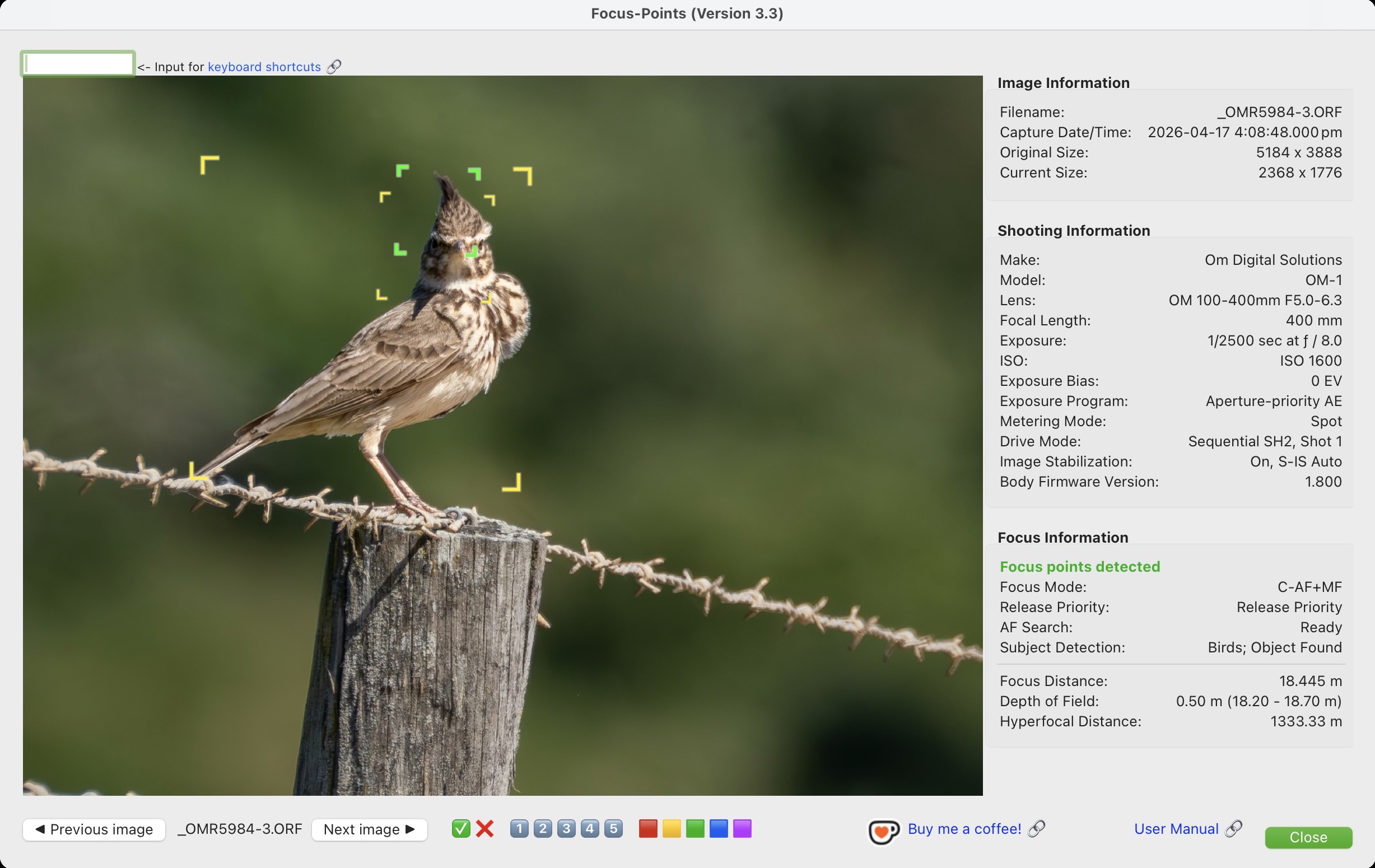
It was only with the Stilt that the AF nailed the eye, as it should be doing more automatically. I also noticed that my firmware is 1.8. Perhaps a firmware upgrade will help.
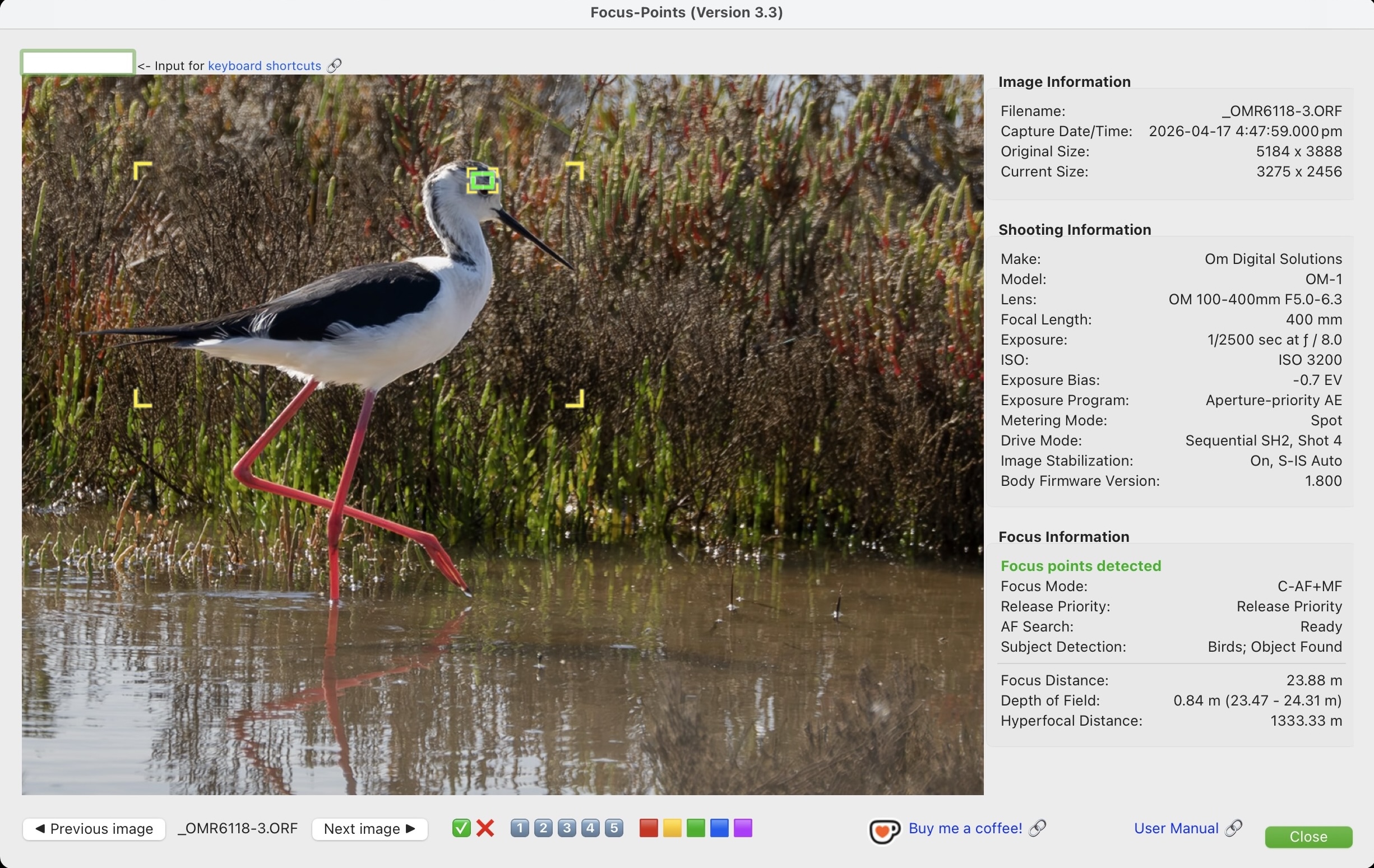
Now that I’m using Focus Points more, I notice that it can also be used for culling. Along the bottom, beside the “Previous Image” and “Next Image” there are flagging icons. Images can be flagged as Picked ✅ or Rejected ❌, and it uses the same Lightroom keyboard shortcuts of P and X. As well, star ratings can be added (1️⃣ 2️⃣ 3️⃣ 4️⃣ 5️⃣). Very helpful.
If you feel so inclined, you can also buy the software author a coffee — always a good thing to do when a service is offered for free, right?! There is also a link to the user manual to get even more out of the plug-in.
The only addition I would like to see in the plug-in is the ability to zoom, even to 100%, to check fine focus.
For those who are data mongers, you can select Library > Plug-in Extras > Focus Points Viewer > Show Metadata, and you get this — Metadata galore!
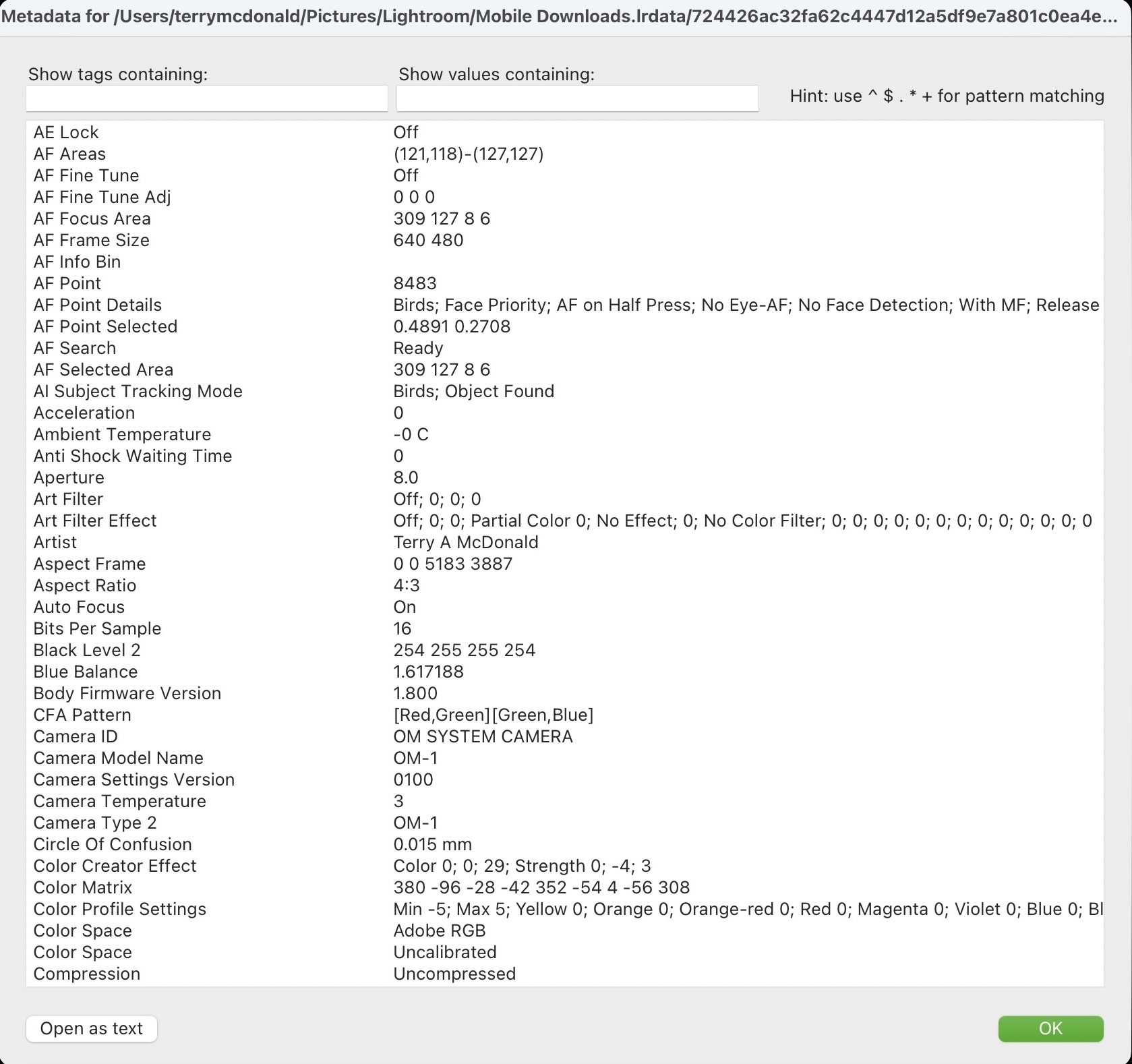
Anyway, food for thought. If you are data driven or want to see where, exactly your camera is focussing, have a look at Focus Points. It reads data from Canon, Nikon, Sony, Fuji, Olympus/OM, Panasonic, Pentax, Ricoh, and Apple.
Now, if only we can get apps to automatically identify the species of bird (like Merlin), but within Lightroom. 😊 I guess that will come with the next generation of AI (for better or worse).
Thanks for reading. Be sure to add a LIKE, continue the discussion by adding your COMMENTS, questions or observations, and feel free to SHARE this post with others.
NOTE: This blog is completely free and does not include commercial affiliate links. To help keep it free, consider buying me a coffee . . .

Discover more from luxBorealis Blog
Subscribe to get the latest posts sent to your email.
 luxBorealis Blog