Moab Entrada Rag Natural 300 – Absolutely Gorgeous
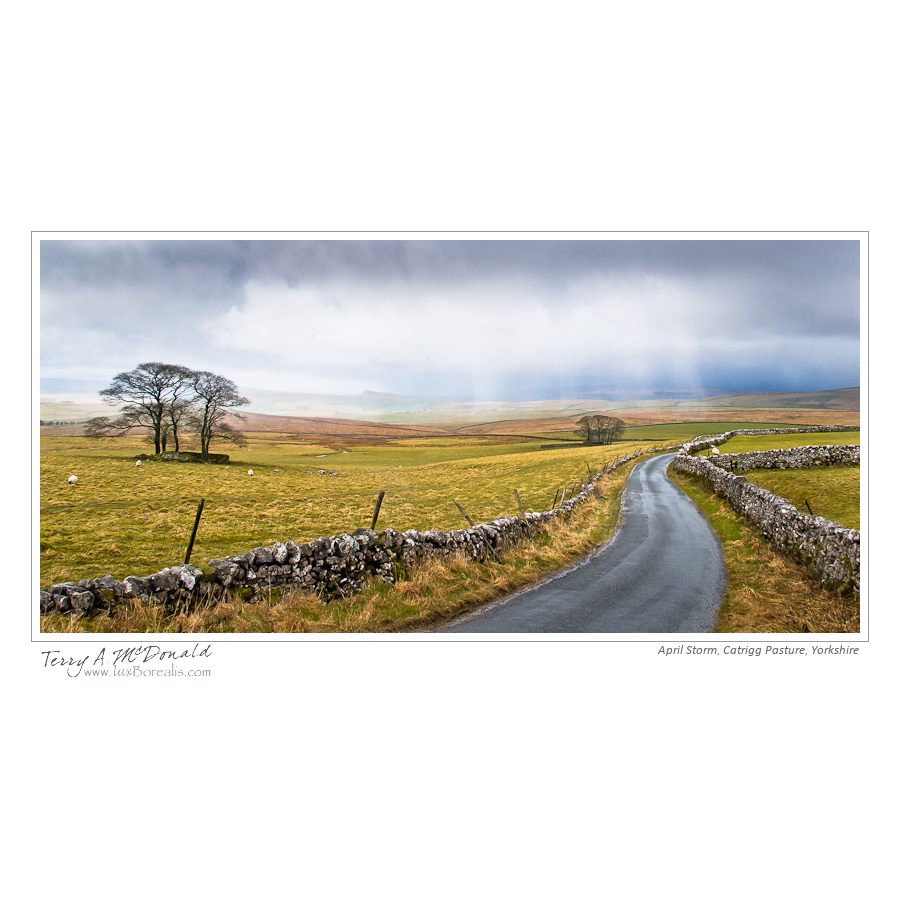
April Storm, Yorkshire Dales
In my final push to have some large, matted photographs for sale on Saturday** (see below), I started printing with the Moab Entrada Rag Natural 300 paper today. As I said in the title: Absolutely Gorgeous!
Entrada is a 100% cotton rag paper with no optical brightening agents (OBAs), hence the “natural” designation – the “bright version has brighteners. The 300 refers to its weight – 300 grams per square metre or gsm. A 190gsm version is available, but I prefer the heavier weight.
The first thing I noticed upon opening the package was the smell. It smells like a high quality, natural paper. The same pure smell as when I’m cutting mats. Sounds strange, doesn’t it, but smell is as evocative as sight and taste. (No doubt, someone will email to tell me the smell is actually a by-product of the manufacturing process and not the paper itself – I hope not!)
The paper has a great feel to it as well; heavy enough for handling easily but not stiff. The texture is beautiful – a lovely wavy stipple as beautiful as any watercolour paper, which is what this paper is. It’s not pure white (thank goodness!) but has a warm creaminess to it. All of my photographs are of the great natural world around us, so it is fitting that the paper is not stark, “machine” white, but warm like the beautiful light I am most apt to be photographing in.
Printing with Moab Entrada requires Matte Black ink which meant the big switch-over from Photo Black. that went smoothly enough as soon as I hit print. I had previously changed the print setting sot reflect the Entrada paper, so the driver picked up on it and after 5 minutes or so, it was done. Yes, it means losing about 6mL of ink, but it’s done.
I was pleasantly surprised at how similar the Entrada Matte Black ink prints are to the ones printed on Galerie Gold Fibre Silk and Canson Platine Fibre Rag in that the colour profile maintained the identical colours. Although the dmax of the Entrada prints is not quite as great, there is beautiful pastel-look to the prints. Yes, they are still photographs, but they have a much more organic look to them, less “machine-like” and more natural – which is the whole intent of my photography. The Entrada prints benefitted from an increase of about 20 in Contrast and 0.1 to 0.2 in brightness (Lightroom settings).
I just checked the printer to find ink usage for the prints that ranged between 12×20- and 16×20 and found it ranged between 1.0 and 2.0mL – very respectable. The cost of the paper is reasonable as well – I paid $4.80 per sheet and needed just one or two test strips to verify colour balance and brightness.
One interesting feature of the Entrada 300 is that it is “double-sided”meaning it is coated on both sides for fine art printing. Bizarre, or so I thought, so emailed Moab and got this reply from Nick Therriault:
I can see how it can be perplexing from your traditional presentation [matted and framed], but being double sided gives you the flexibility to either present your work traditionally or in a portfolio and limited edition books. Being double sided will allow you to double the amount of work in your portfolio in the same amount of space. Now all we have to do is invent a double sided frame lol. Anyhow the 290gsm Entrada is actually single sided and probably more cost effective for your use.
As it turns out, the 290gsm paper is just over a dollar cheaper on a per sheet basis and certainly worth considering, but it is only available in rolls which the Epson Pro 3880 cannot directly handle. Something worth considering, though, when I start printing panoramas.
I can see that I’m really gong to enjoy printing with this paper. I thought I would settle on Platine, but the organic beauty of the Entrada just might be what I settle for.
**By the way – I’ll be at Applewood United Church on Stanfield (south of the Quensway) in Mississauga on Saturday 1st October selling my wares. Drop by and have a look and a chat.
George DeWolfe – B&W Master Print
I love revelations. It’s so nice to read something refreshing and new; not about using yet more technology, but actually using less. Here’s a great article on black-and-white photography that should be read by anyone who is seriously thinking about improving their printing:
B&W Master Print by George DeWolfe on Luminous Landscape
From my perspective as a long-time black-and-white darkroom worker is that George DeWolfe’s article is about the best I’ve read since Ansel Adams’ series The Camera, The Negative and The Print (and if you haven’t read them yet – I mean really read and study them – then you simply must as they are the landmark black-and-white technical manuals).
While DeWolfe spends some time outlining the use of a $95 Photoshop plug-in he’s created, what is more important is his discussion around how we perceive photographs and how we, as printers, can achieve masterful prints: that is by learning to critically evaluate all the details of photograph and learning how to take what we see and enhance it to a point where we feel.
What I also learned is that what his PercepTool appears to do in Photoshop is similar to what I’m doing in Lightroom: look carefully at how it keeps the deep shadows and keeps the bright highlights, but opens the shadows between the two creating a brighter image with more three-dimensionality. In Lightroom we can boost the Blacks value higher than normal then open up those shadows with higher Fill Light values.
Lastly, what seems to really stand out in his work is his attention to detail – not just left-right, light-dark but his perception of three-dimensions by working on the relationship of foreground to background elements, things that reside in the shadows and things in the highlights. Most importantly, he spends time evaluating instead just reaching for another tool. He looks at his work critically to learn what doesn’t quite “feel right” about the image. Perhaps more than anything else, this is the key to producing great prints.
Thank you George!
September Photo Newsletter
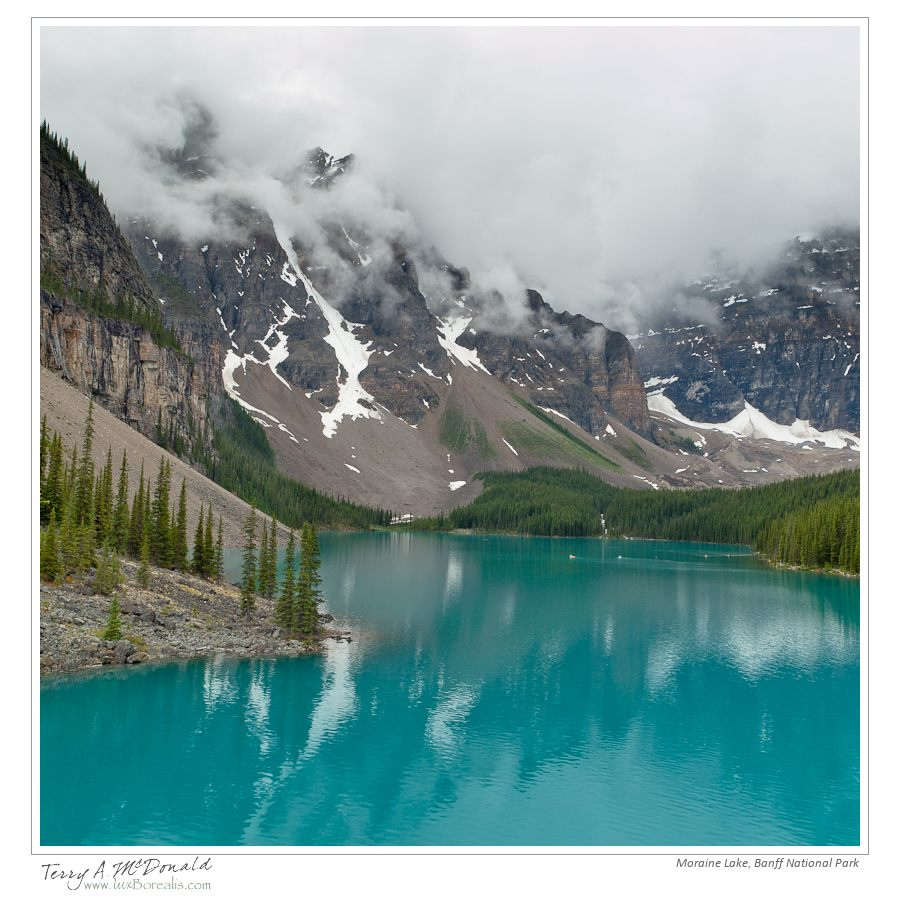
Moraine Lake, Banff National Park - 34mm ƒ5.6 @ 1/200; EV+2⁄3 ISO100 +POL - Rain, low cloud, dull light – not the conditions I had hoped for at one of Canada’s most spectacular places. However, the poor conditions forced me to look be- yond the obvious to nd visual design elements that worked amidst that incredible blue of the lake.
The luxBorealis September Photo Newsletter is hot off the press.
After a two month hiatus which included our family trip out West, canoeing in Ontario and ramping up my fine art printing, it’s time to get back in the saddle. I would like to extend a warm welcome to all the new subscribers that have signed on over the last month or so. I hope you find this “mostly monthly” newsletter and my accompanying blog helpful and inspiring.
The Right Stuff
During workshops and courses, I am often asked a question something along the lines of: “How do you know when a scene is worth photographing?” The keyword here is “worth”, for each of us has different goals, aspira- tions and expectations around what we photo- graph. The type of scene worth the time and effort to set up and photograph will be different for each of us, but I think there’s more to this question…Read on…
Canson Infinity Platine Fibre Rag – First Impressions

Summer Afterglow, Rideau Lakes, Ontario
I’ve finally gotten around to trying a new paper, different from the Ilford Galerie Gold Fibre Silk (IGGFS) I’ve been using lately. When I bought the Epson Pro 3880 printer two weeks ago, I also bought a 25-sheet box of of 13×19″ Canson Patine Fibre Rag as well as a box of 17×22″ Moab Entrada Rag Natural 300 which I have yet to get into. I’m trying to “finish” all the Photo Black printing before I delve into Matte Black (I can hardly wait! A few times now, I thought I would make the switch, but then remembered some other prints I wanted to get done first. The switchover costs about 6mL total of black ink between the two, so waiting is worth it.)
So this evening I broke open the box of Platine. Why Platine? First of all, Canson Infinity has a great name in high quality fine art printing papers. More importantly, Platine Fibre Rag is a 100% cotton rag paper which translates into archival quality due to its neutral base. Interestingly, IGGFS is not 100% cotton rag, but alpha-cellulose – not ideal in my mind despite it being a beautiful paper.
Arches Platine is a paper that was once made specifically for the wet darkroom Platinum and Platine printing processes which tells me this version, coated for inkjet printing, must be a superior paper. Unlike the IGGFS, Platine is not baryta-coated; it’s whiteness is that of the cotton rag itself. Like IGGFS, Platine does not have optical brightening agents (OBAs). OBAs are used in some papers to boost the whiteness or brilliance of the presentation. But OBAs are not archival. OBAs rely on UV light to activate them – since UV light also destroys colour inks, it just doesn’t make sense to have OBAs in the paper. After all, when framed behind glass (especially UV-cutting glass) the OBAs become ineffective.
Basically, if I am going to the trouble of printing high quality archival fine art prints, I want to choose a paper that will last. A number of other papers fit the bill such as the Canson Infinity Baryta amongst many others. But, in this case, I thought comparing two of the fine art front-runners would give me a good perspective.
First Impressions
This is not a scientific look at the paper. Despite my science background, once a paper meets the requirements of archival longevity, the choice of a paper relies on the artist in me, so I won’t be measuring anything!
Look and feel: Right out of the box, the Platine is not as stiff as the IGGFS, perhaps due to Platine’s lack of a baryta coating. That being said, it is a beautiful paper with a lovely smoothness that’s not quite perfectly smooth. There is a very slight wavy stipple that is not apparent when viewed straight on. The IGGFS is smoother, but not better, just different.
Platine’s paper base is slightly warm. In fact, I hadn’t really noticed its warmth until I put it down beside some other prints that weren’t IGGFS as the base colour of the two papers is very similar. Personally, I prefer a paper that is not stark white. The images “feel” better and the mat board I use (ArtCare AlphaEssentials 8740) is not stark white either, but has a slight warmth to it. Of the two papers, it seems Platine is just slightly warmer than the IGGFS, but is only noticeable when the two are side-by-side.
Use in the printer: I had some trouble loading the Platine paper. I put it into the rear, single-page feeder of the 3880. The printer would take the paper in as usual, but then I would get a skew error. This happened five times before I decided to apply slight pressure while the paper was being fed into the printer by gently holding on to each side of the paper as the printer drew it in. This seemed to work and is how I loaded each sheet thereafter. A bit of a bother, actually as I had become accustomed to dropping a sheet of IGGFS into the rear feed mechanism and having the printer look after it from there.
Colour: In setting up my printing workflow, I downloaded the paper colour profile from the Canson Infinity website and targeted Lightroom to use it – no trouble there at all. The colour reproduction of the Platine straight off the bat is beautiful – every bit as good as the IGGFS. Although I’m sure there must be measurable gamut differences, a side-by-side examination has not revealed any differences whatsoever in colour reproduction. Gorgeous rich tones.
Gloss: The base gloss of Platine is slightly less than that of the IGGFS which is neither good not bad, just different. However, the applied ink makes the finish just as glossy as the IGGFS, and perhaps because of this, there is slightly greater gloss differential with the Platine. In other words, very light areas with less ink applied are slightly less glossy than more dense areas where more ink has been applied. It’s not objectionable and is only noticeable if you are looking for it.
Why choose one paper over the other? Tough question, really, I suppose it comes down to what you prefer: the ever-so-slight texture of the Platine or the smoothness of the IGGFS; the 100% cotton rag of Platine or the alpha-cellulose of IGGFS; the baryta coating of IGGFS or that lack of it with the Platine. Price-wise, I paid the same for each: $3.40 per sheet. Since these are first impressions, I imagine I have more exploration to do. Perhaps a black-and-white or two are next! Stay tuned.
Epson Pro 3880 Ink Usage
Ink usage is always one of the first questions I get from photographers contemplating fine art printing. It’s understandable, really, since ink is one of the exorbitant but unavoidable costs.
The tool amount of ink I started with is 9 x 80mL = 640mL. According to the Usage Count accessed through the printer’s menus (don’t write to ask me how – read the manual, p99), I’ve used 28.4mL. I assume that includes the ink required for start-up. The most recent 12×16″ prints I’ve made (all on 13×19″ Ilford Galerie Gold Fibre Silk) have used between 1ml and 1.7mL (average of 1.325mL). What’s interesting is that a 12×16″ image area = 1.33 square feet. So my ink usage appears to be ±1ml per square foot.
In another study done by Red River Paper, they calculated about 7.7mL for 10-8x10s = 1.33ml per square foot. But of course, so much depends on what you are printing. So far, most of my photographs have been on the lighter, mistier side, so, no doubt, my ink usage is lower. I’ll check again after I’ve printed some of my rock portraits in my Platform portfolio.
Knowing how much ink is used, I can work out a rough estimate of cost. An 80mL ink tank is in the neighbourhood of $70 once HST is factored in. So each ml costs $1.14. The ink used in an average (so far) 12×16″ print comes out to be 1.325 x 1.14 = $1.51. Throw in the cost of the paper at $3.84/sheet and we’re looking at a total of $5.35.
But don;t be deceived by the low number!! Photography is rather like a fishing trip: while the fish may be free, when you add in the cost of the trip, you’re looking at 10s to 100s of dollars per pound! If you want fish – their cheaper at the local fish market. Although a print only “costs” $5.35, we’re forgetting all the equipment, travel and storage costs plus the time it takes to create, process and make the print. Then there’s the framing!! (BTW – if you are contemplating doing your own framing purchase a good Logan board-mounted mat cutter and save yourself a fortune in custom-sized mat windows – then be sure to use outside mat-dimernsions that fit into standard frames: 11×14, 16×20, etc – but that’s another story!)
That being said, it is helpful for printers to know exactly what they are in for with respect to costs. If you are contemplating fine art printing, this is food for thought.
 luxBorealis Blog