OM System Informal Testing
Okay, enough waxing. It’s time to put things to the test.
On Thursday of last week, I had a unique opportunity to test-drive some OMDS bodies, lenses, and computational photography features. This was thanks to Tom Stirr, an Olympus user whose work I came across at SmallSensorPhotography.com. I encourage you to have a look and a read. Tom has some incredible birds-in-flight photos plus numerous well-written and illustrated articles on a range of topics relevant to learning fine photography techniques.
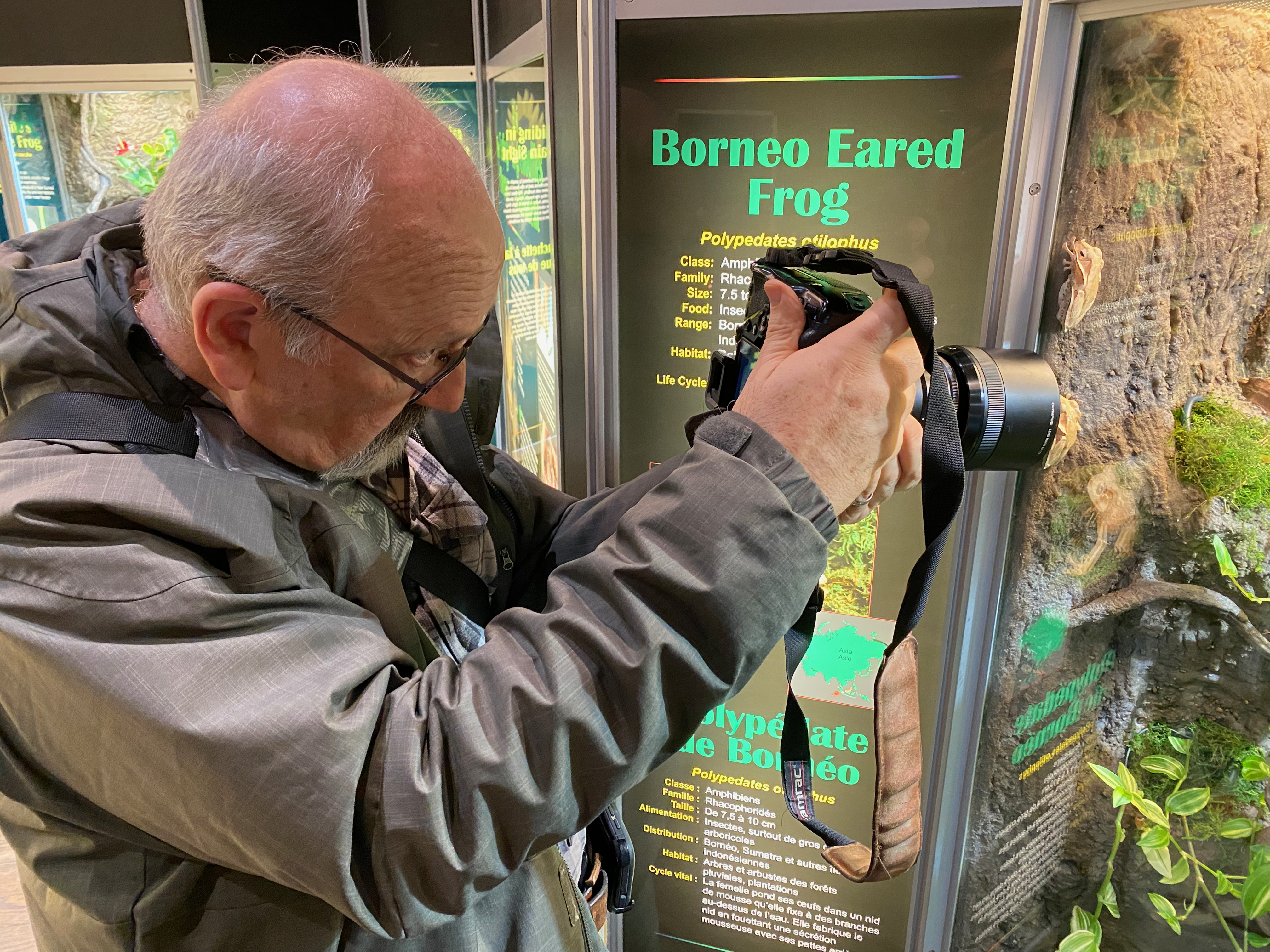
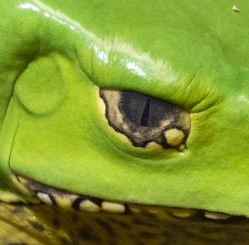
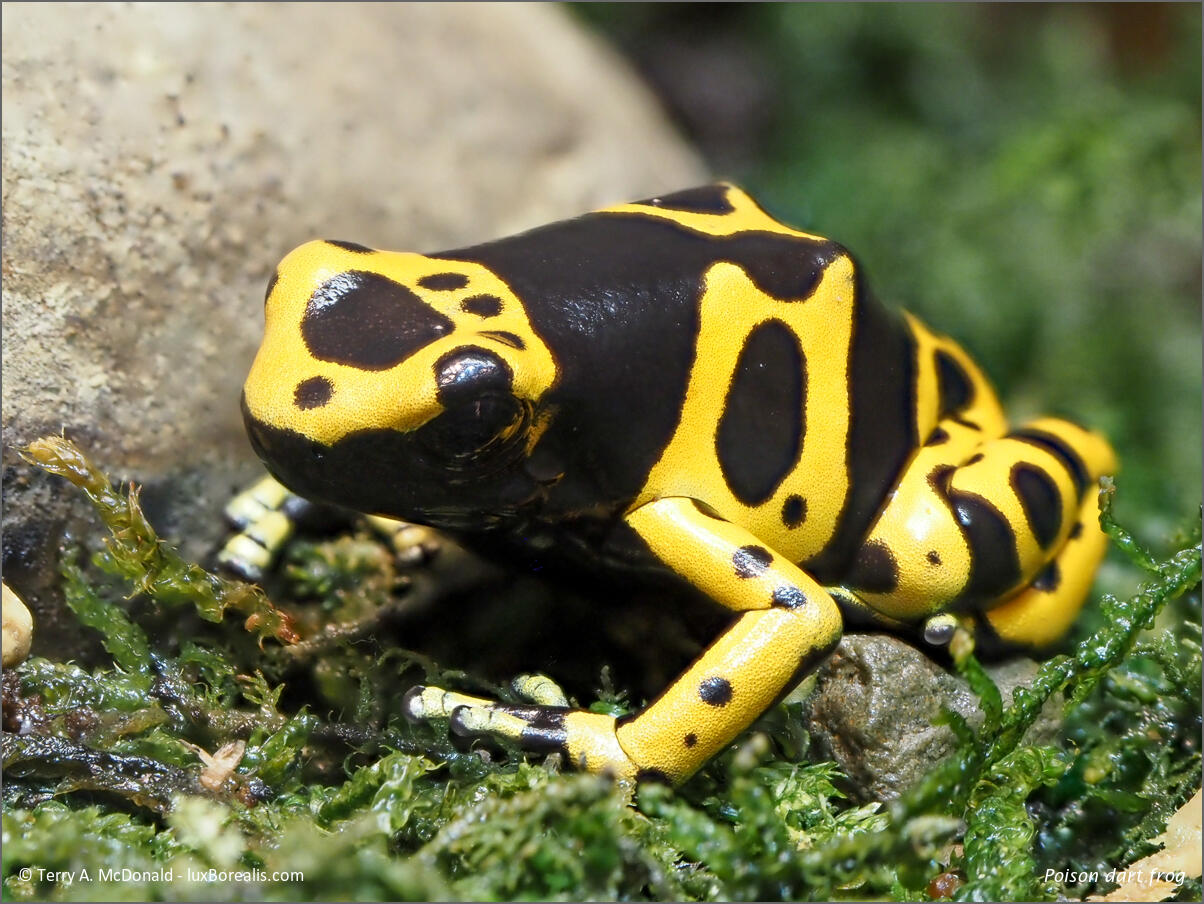
Tom suggested we meet at the Royal Botanical Gardens in Burlington, a place well-known for its wide variety of photo ops. He is a member and got us tickets to Frogs!, the RBG’s winter exhibit. It was a good place to try out some close-ups and focus-stacking at handheld at slow shutter speeds and high ISO–all features the Olympus systems excel at. However, I found the colour of the multi-source lighting was not ideal for colour balance, especially out-of-the-camera jpegs.
Note: All images were processed in Lightroom Classic and output to 1200px long. While LrC is ORF-friendly, it does not have the finesse of OM Workspace for processing ORF files. My understanding is that noise is handled far better in OM Workspace.
If you have a look at Tom’s article about the day, you will see great examples of what Olympus can do in the hands of someone with greater experience with the equipment.
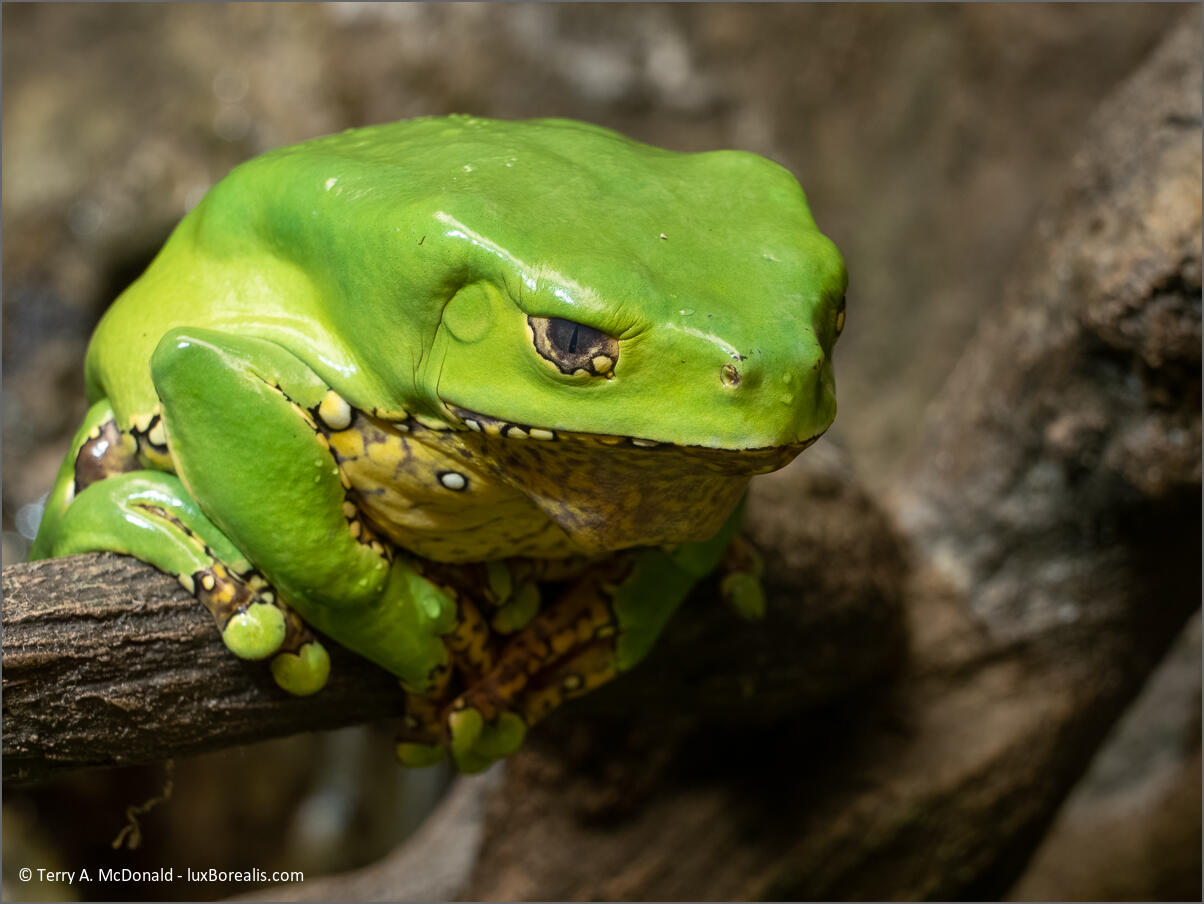
EM-1 Mark III w/ M.Zuiko 60mm/2.8 Macro lens; ƒ5.6 @ 1/20; ISO 1600; in-camera focus stack of 10 frames
Finally getting an OM body back in my hands was an unexpected thrill. I knew there would be some comfort in having a smaller, lighter body, but I had not anticipated how much better it would feel with the generous built-in hand grip. Camera and lens together felt great, well-balanced, and snug. I tried a variety of lenses including the 40-150/2.8 Pro (Tom’s favourite), the 12-100/4, the 60mm Macro and the 100-400/5-6.3.
A note about Micro Four Thirds (MFT) focal lengths: the Olympus 12-100mm provides the same coverage as a 24-200 full frame zoom (or 16-135 APS lens). None of the big three—Nikon, Sony, Canon—make anything like this of this quality. The 12-100mm is tack sharp wide open and half the size of the equivalent FF lens—a win all around.
Additionally, there are gains in depth of field with Micro Four Thirds: f4 in MTF provides the same depth of field as f8 in full frame terms. For my work, whether I’m shooting landscapes or close-ups, I really depend on depth of field, so this is very helpful. Being able to shoot at ƒ4 rather than ƒ8 also has the advantage of being 2 stops brighter.
Computational Photography
Tom also took the time to walk me through some of the amazing computational photography options with OM:
THRS – Tripod High Res Shot – With THRS. an 80mp image is created by micro-shifting the sensor on 8 consecutive frames then combining them into 1 raw file. I didn’t use this function, because Tom assured me HHHR will do the job for me, but for landscape photography, it really piqued my interest.
I’ve never minded using a tripod for landscape work, as I find it centres me, it slows me down, forcing me to consider the scene ahead of me more closely, more thoughtfully. Stay tuned. As Tom assures me, with the in-camera stabilization as good as it is, he has it used a tripod since he bought into his Olympus system!
HHHR: In Handheld High Res mode, a 50mp image is created handheld in a similar way, by combining 12 images into a single raw file. Tom was right. I am blown away by how clean these 50mp files are! Here’s an example:
E-M1 Mark III w/ M.Zuiko 40-150mm/2.8 lens at 135mm (270mm efov); ƒ8 @ 1/80; ISO1600; EV-⅔

Focus Stacking: Once your focus point is set, the OM body will automatically take consecutive images in front and behind, then combine them into a single jpeg. This is ideal for close-up work and landscapes. In addition to the jpeg, the camera saves the raw files it took to make the jpeg. I really prefer raw to jpegs, so having them is helpful. That being said, I stacked the rags in Photoshop and came up with an almost identical image, but with the additional advantage of working with 12-bit raw images. Here is the original from the camera:
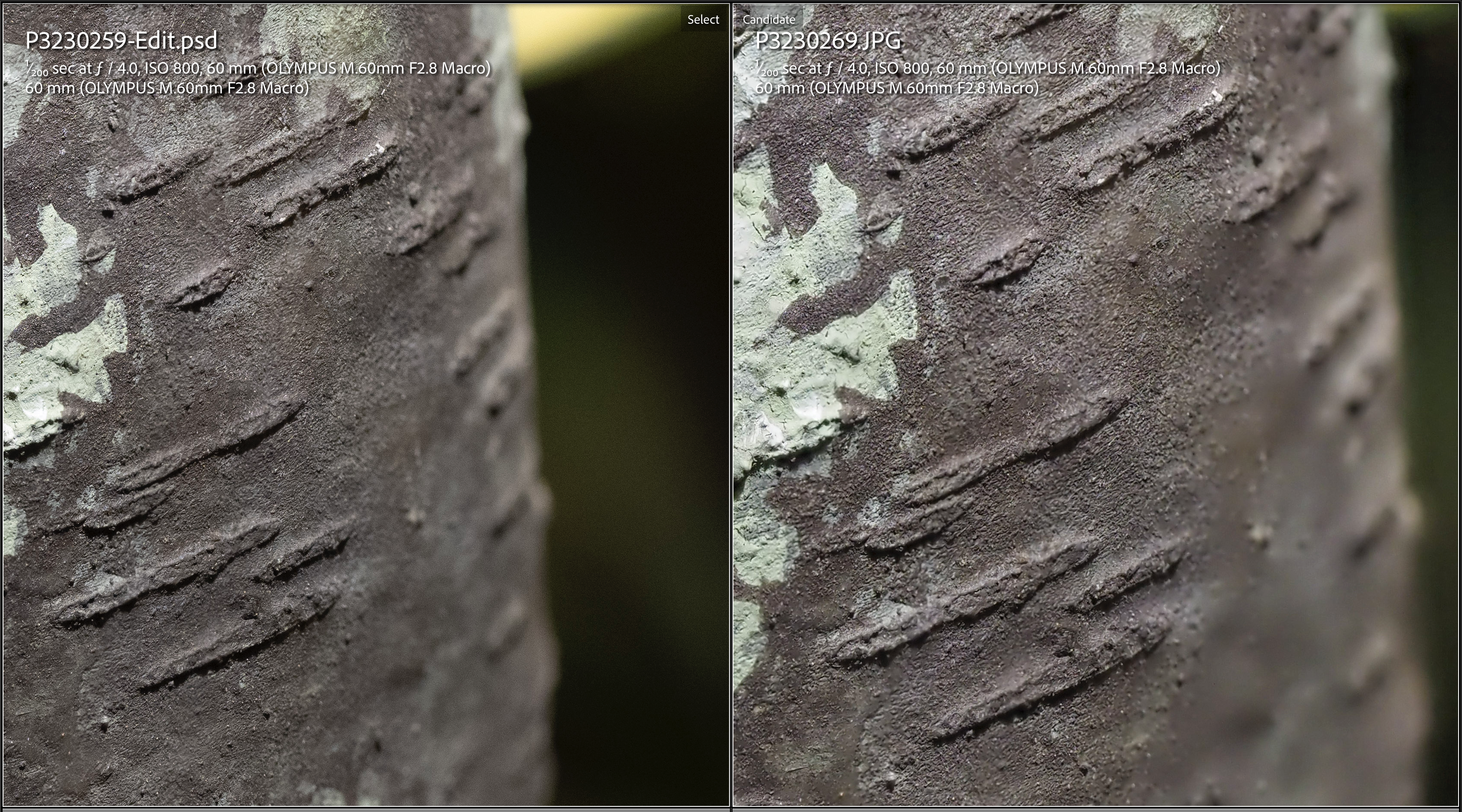

To me, having raw output is essential. Although the jpeg output from the OM-1 is excellent, it is still only an 8-bit file. A 12-bit raw file gives added “room” for editing (raising shadows, finessing colour and light shaping with adjustment masks) without degrading colour. Jpegs also come pre-sharpened and compressed – no thanks.
A second concern I have with computational photography is that in HDR mode, only a jpeg is created, and he raw images used to make the jpeg are binned. (Users: correct me if I’m wrong here!) This doesn’t make sense! Many of my landscapes involve backlighting which produces a dynamic range far beyond any sensor, making HDR an essential tool. Even my iPhone creates HDR-raw files as DNGs when using Lightroom Mobile as a camera. The OM really should do the same or at least keep the raw images it created.
It took a bit of digging, but I learned jpeg-only output also occurs with Live ND (imagine ND2 to ND64 built into the camera!) and Live Composite modes. Perhaps the engineers at OMDS can figure out a way of providing even a single shot 12-bit raw output from these very helpful modes.
Perhaps my perspective will change once I’ve had more experience with the quality of jpegs produced by an OM camera.
Enough camera talk – back to the live action . . .
Tom and I spent some time in the Frog exhibit, followed by lunch at Tim’s, then off to do some live shooting of moving targets – birds. We dropped by mouth of Grindstone Creek to point our some birding hotspots, but it was quiet to we headed to LaSalle Park, another of Burlington’s birding hotspots. It was busy with swans and geese, a few coots, great scoters, and many mallards. the virus were lively, though the light was beginning to dim and the heavy cloud cover ensured contrast would be at a minimum.

I have never made a shot like this in all my years of photography. None of the cameras I have owned could keep up with a bird flying towards me. As the mallard took off, I swung and fired. The Olympus produced three shots in a row in sharp focus, despite the light being atrocious.
E-M1 Mark III w/ M.Zuiko 100-400/5-6.3 lens at 400mm (800mm efov); ƒ6.3 @ 1/1250; ISO3200
Stabilisation: OM cameras have industry-leading in-body stabilisation (IBIS). Their claim is 8 stops and Tom can verify it. Additionally, some Olympus lenses have internal stabilisation and the Pro lenses talk to the camera to make sure they are in-synch. This level of stabilisation allows Olympus users to claim hand-held shutter speeds into the seconds, something Tom has experienced, but wouldn’t typically rely on it. That being said, the stabilisation is that good, he hasn’t used a tripod in four years. My limited use of the equipment today confirmed two things: (a) the claims are real as evidenced by Tom’s shots; and (b) I still need to perfect my technique for hand-holding at slow shutter speeds. 🙂
ProCapture: this is feature that every bird photographer raves about. Typically, if you see that perfect moment in the viewfinder, you’re too late to capture it. However, with ProCapture, if your finger is half-depressing the shutter release, the camera is spooling though 1 or 2 seconds of frames at time, without you knowing it. When the moment arrives and you release the shutter, the previous 1 to 2 seconds of frames are kept, thereby providing your shot. If the camera is set to 25 frames per second, they you’ll have between 25 and 50 raw images. one of which (or several of which) will be of “the moment”. If you’re set up at 50fps, then you will have between 50 and 90 raws, 90 being the buffer limit. I never had the time to really delve into this feature, but I can see the definite potential it has, especially for sloths like me.
Lenses: I loved using all of them. They are all very comfortable in the hand and the larger 100-400 isn’t so big as to wear me out. I particularly like the focal range provided by the 12-100/4 combined with the 100-400/5-6.3. Add an 8-25mm for landscapes and that would do it. However, I could definitely see why the 40-150/2.8 Pro is Tom’s favourite lens. If I anticipated doing more sports photography, it would be ideal.

At ISO 3200 and there is NO discernible noise in this image, even at 100% on screen. Furthermore, the feather detail is all there–and this is wide open!
E-M1 Mark III w/ M.Zuiko 100-400/5-6.3 lens at 400mm (800mm efov); ƒ6.3 @ 1/2500; ISO3200
I did not feel hampered by the ƒ6.3 of the 100-400mm zoom. Sure ƒ4 or ƒ2.8 would be brighter, but I can’t imagine the size of lens needed for those maximum apertures, to keep the image quality and focal length the same. Remember 100-400 is like 200-800 on a full frame. And to be able to hand-hold with virtually instant auto-focus? It’s a compromise that is well worth it. In fact, the only compromise is one or two stops of light and improved ISO noise solves that problem.
The odd one, to me anyway, is the 60mm macro lens. There is no other way to describe it but SMALL. With a filter size of just 46mm, it looks like a toy on on the camera. But it proved to be one amazing lens. All the photos of the frogs were made with the 60 and I seriously would consider this lens, except for one thing: the 100-400mm focusses so closely (1.3m at 400mm), it is ideal for most close-up photography.
Silent Shutter: I shot for most of the day using silent shutter and guess what? It really is silent. There is no auditory cue for having made an exposure, only a blip in the viewfinder. This is great for times when silence is golden, which for me is most of the time.
High ISO: Amazing! I couldn’t believe I was actually processing images shot at ISO 1600 and 3200, and OM Workspace does an even better job with noise than Lightroom Classic which became apparent at ISO 6400, where a denote sal-and-pepper patter appeared. This would not be the case in OM Workspace with AI noise reduction. Other recommendations include DxO PureRaw and DxO Deep Prime.
As afternoon began slipping towards evening, we encountered a few of the smaller birds: sparrows and chickadees. The chickadees proved to be more elusive, flitting from branch to branch. With the light dimming, I put the ISO up to 6400 and was pleasantly pleased with the result. Again, the photos would look better processed through OM Workspace, but even through LrC, I was able to get better results than I have ever seen from my D800E at ISO 6400.
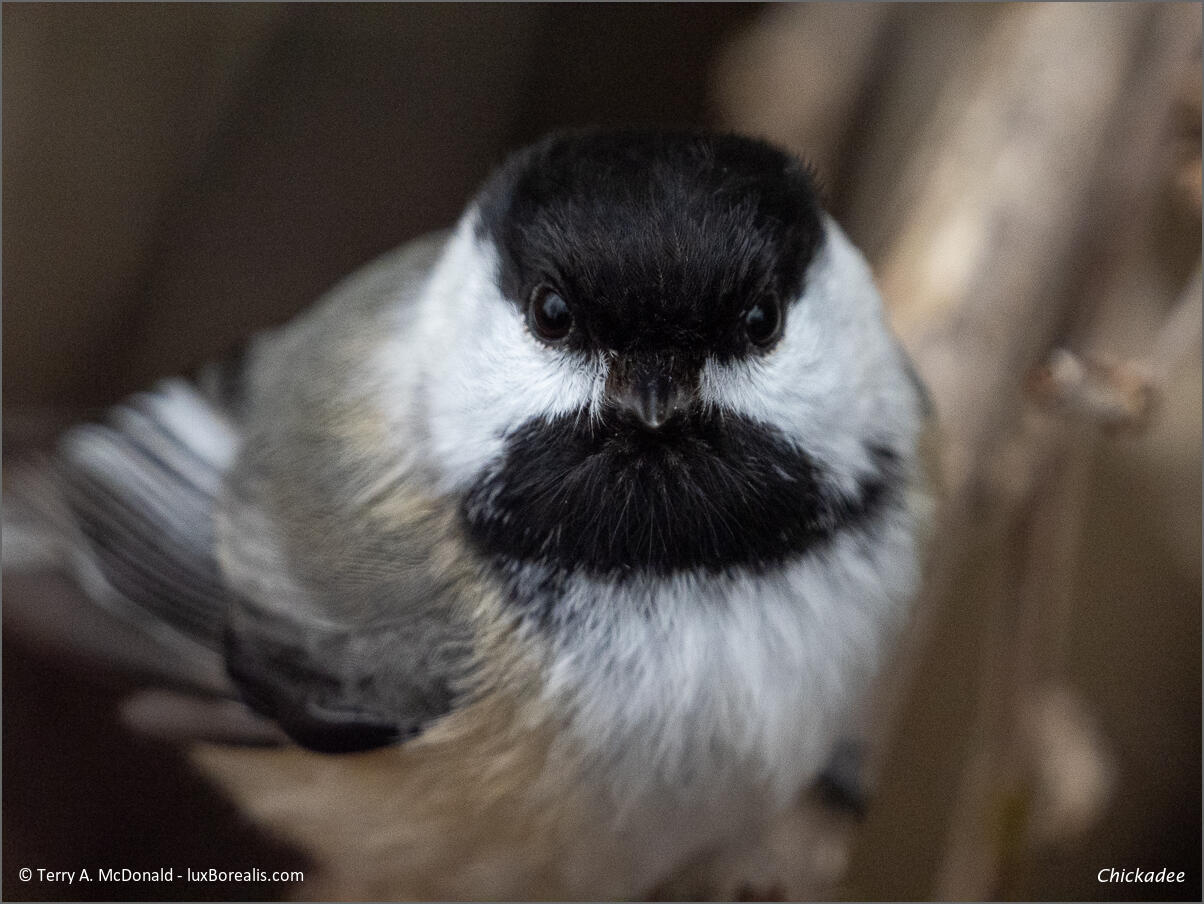
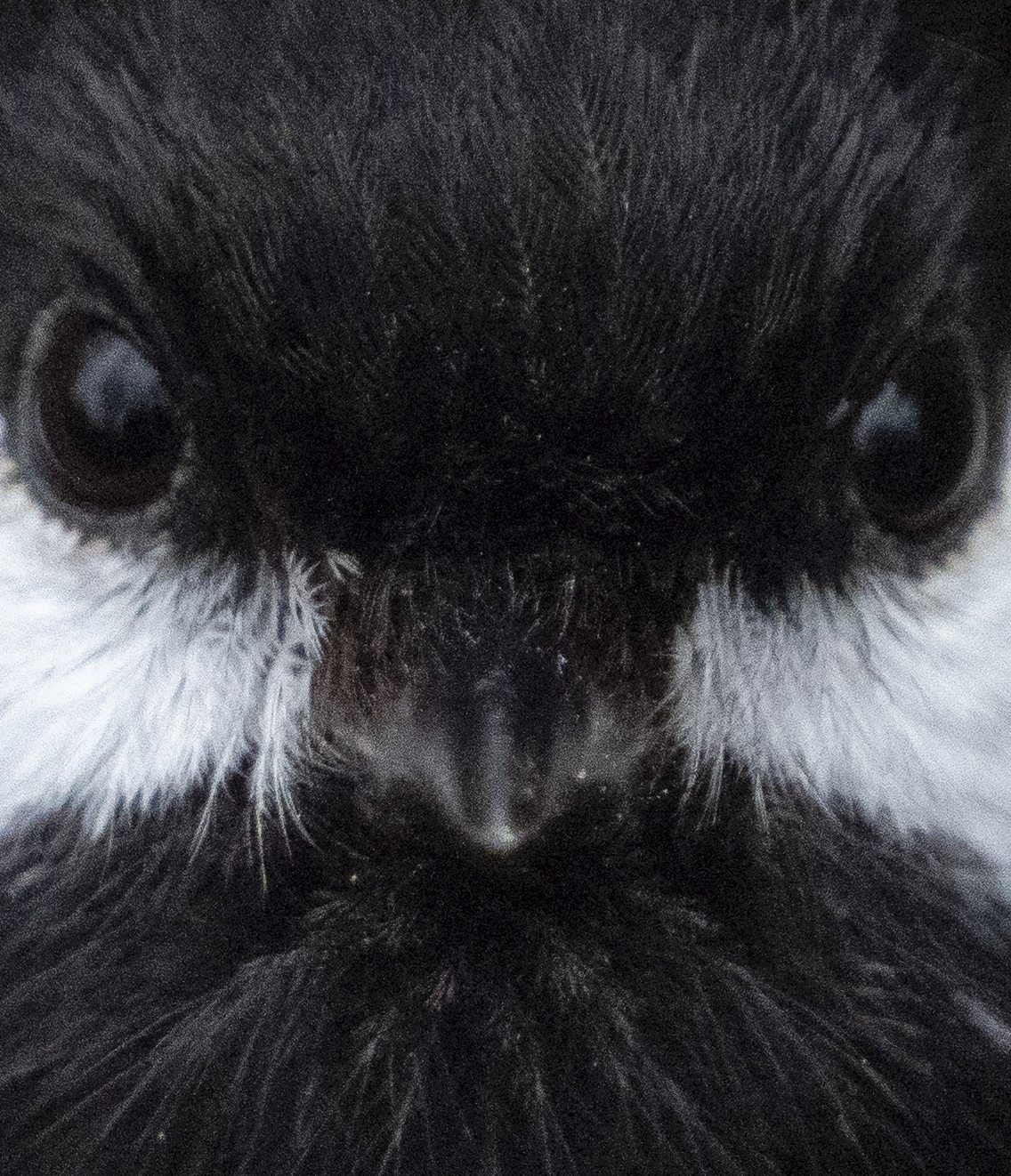
Close focus, no problem. this was another quick “grab” shot. The 100% crop screenshot below is from the untouched raw image with no sharpening applied. The narrow depth of field is evident, as is the feather detail – and this is from a first-timer. I’m sure that as my familiarity with the lens increases, the results will improve.
E-M1 Mark III w/ M.Zuiko 100-400/5-6.3 lens at 400mm (800mm efov); ƒ6.3 @ 1/1600; ISO6400
Needless to say, although these shots are not stellar, I recognise that most of the problem is with me and my lack of familiarity with the system What I am pleased with is the potential OM bodies and lenses offer. As my Nikon gear continues to sell, I will be making the trip to a local bricks and mortar camera store to replace my gear. With the spring sports term on the horizon and a school trip to Iceland in June, there will be plenty of opportunity to put the OM gear through tis paces.
Update: The bricks and mortar store indicated a 4 to 8 week wait for the lenses I wanted. I phone OM Digital Solutions and they have them in stock. They will arrive tomorrow!
Thanks for reading. Be sure to subscribe to my blog and visit luxBorealis.com to see my work.
If you have any questions about the bog or the photos, please send me an email: terry at luxborealis dot com.
Happy Shooting!
Back in the saddle, again.

It has been a while, years in fact. I mean, we have all suffered through years of social neglect at the hands of COVID, but now I’m beginning to see the light at the end of the tunnel.
Welcome back! and Welcome to those of you new to my luxBorealis Blog. In past years, I wrote extensively and even published a newsletter for a number of years running. But through system changes and website changes and a very demanding teaching job, I just didn’t have the energy to engage in the extracurriculars of photography beyond the image-making, that is blogs and workshops and evening Photo Talks.

iPhone 11 Pro, 56mm ƒ1.8; photographed and processed in Lightroom Mobile
But now that’s changing. I’m feeling a renewed creative spark. Perhaps it’s the prospect of retirement or maybe it’s just that there is more to photography than clicking a shutter.
Living Landscapes
Back in October I presented an evening Photo Talk at the Hamilton Camera Club. It was great to be “live” once again, speaking with photographers who are passionate about the craft. Some of the attendees remembered me from teaching photography at Mohawk College, courses in shooting Landscapes, Travel Photography, Nature Photography, and Lightroom. It was great to re-connect.

Olympus E-30; Zuiko 12-60mm/2.8-4 @ 24mm; ƒ8 @ 1/15; ISO 200; EV+⅓; + Polarising filter
That evening, I presented “Living Landscapes” which spawned excellent discussions around camera formats, raw processing, and great landscape location in the the Hamilton area. I make no bones about being somewhat “camera agnostic” in that, the camera that works best is the one that’s with you. I think some were intrigued by this, having seen engaging landscapes shot with everything from my iPhone to Sony 1″ sensor, Olympus Four Thirds, Nikon APS-C and full frame. I think I even had one or two digitized images from my 4×5 days. For me, it’s the discussion that is created during and after the presentation that I find most engaging.
My Own Backyard
More recently in February, I was invited to speak at the LATOW Photography Guild in Burlington. They work out of the beautiful and artistically engaging Art Gallery of Burlington – a great public space for creatives. Our discussions and my presentation revolved around “My Own Backyard”. Basically it was a call, and hopefully an inspiration to photographers to work locally. After all, we know our own literal and figurative backyards best, so we should take advantage of begin “there” and being able to “get there” when the light and weather conditions are ideal for the kinds of photography we most enjoy doing. My angle was from a nature photography perspective, but one of the attendees spoke up about having opportunities close by for street photography. Point well taken.

Nikon D7200, AF-S Nikkor 200-500/5.6 @ 500mm with 1.4x teleconverter; ƒ11 @ 1/200; ISO 400 EV+1
As I was putting together the “My Own Backyard” presentation, I began thinking seriously about how photographers would go about discovering places nearby in which to make great photos. What I found was . . . wait for it . . . nothing! For example, if I was heading down to the north shore of Lake Erie because I had heard there was some great shooting there – with the bird migration and the unique Carolinian forest ecosystem – there are dozens web pages dedicated to “tourism”, plus the individual sites for all the possible places to go photographing – various conservation authorities and areas, provincial parks, Pelee National Park, etc., etc. – but there was no “one place” to go to discover what I could/should be photographing.
Word of mouth works well, and there is plenty of networking through the many photo clubs, as we did during both recent presentations, plus some online venues. But there are many would-be photographers out there who want to get started in nature and landscape photography, but are unsure of where and when to go.
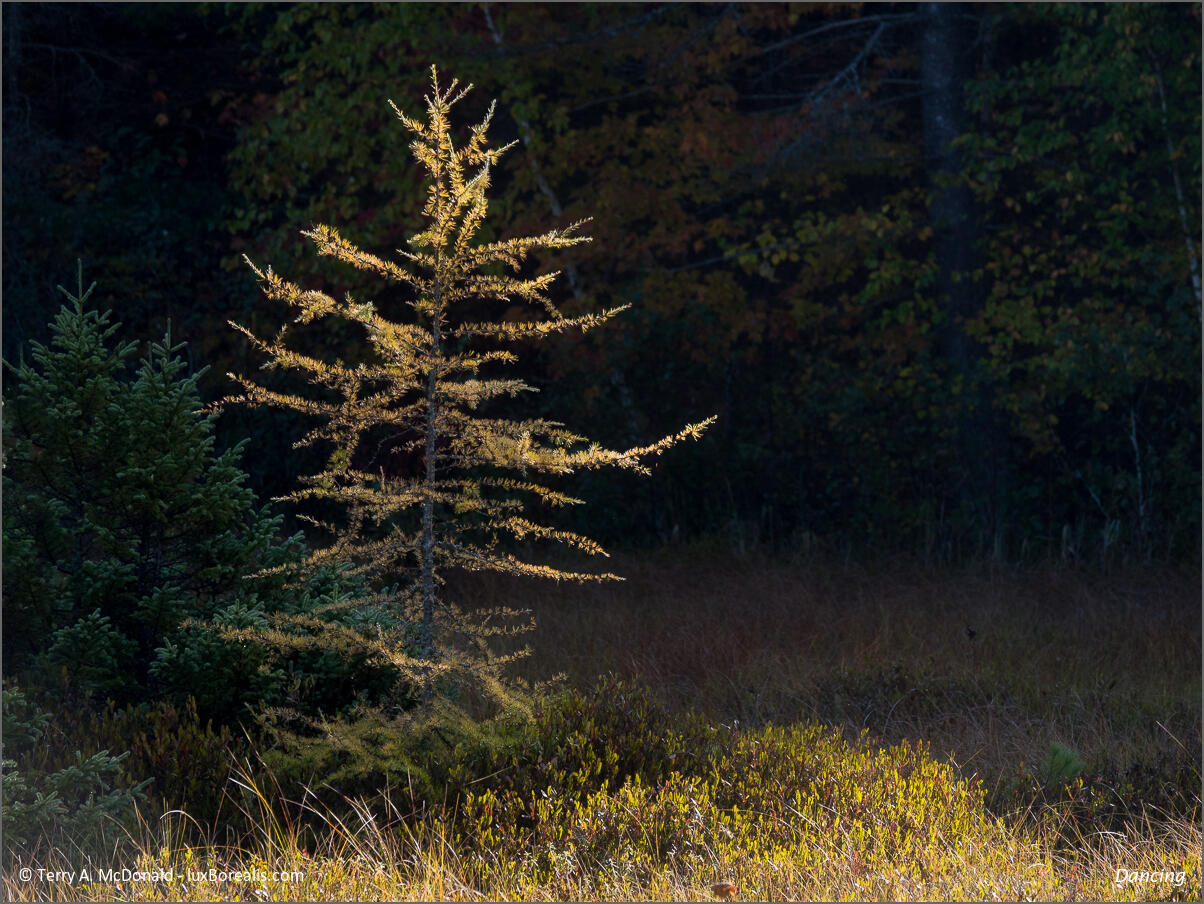
Sony RX-10iii w/7.7-220mm/2.4-4 Zeiss @ 75mm; ƒ4 @ 1/200; ISO 200; EV-2
A New Project
To this end, I am embarking on a new project. My goal is to create a curated website of nature and landscape photography locations, region by region, across Ontario. It’s something I’ve had in my back pocket for years now, with travel to the Ojibway Tallgrass Prairie of Windsor, cottaging on the Rideau system in eastern Ontario, and heading northwards for backcountry wilderness experiences in Algonquin, Killarney, Lake Superior and Pukaskwa.
These treasures are more easily accessed when photographers have the kind of information they are looking for: the what and when to photograph, but also, where to park? What are the fees? Is it open in winter? etc. etc. I don’t know how many times I’ve arrived at a parking lot, only to learn the parking machine/meter only takes coins or only takes plastic. Knowing ahead of time takes away some of the headaches.
So are you with me? If you’ve read this far – Hooray! Do you have a favourite haunt that I can include? – Let me know! Send me an email.
And, if you are finding what you are reading helpful, be sure to subscribe to my blog. I promise not to inundate you with verbiage, but I will keep you up-to-date with what’s happening in photography including upcoming workshops and evening presentations. If you are a member of a camera club, be sure to let your admin know that McDonald is back in the saddle again! Cheers and Happy Shooting!
Nikon D800E w/ Micro-Nikkor 105mm /2.8; ƒ16 @ 1/15 + Polarizing filter; ISO 100
Terry McDonald – www.luxborealis.com’s photostream


More autumn photos from Bark Lake, Ontario – I’ve just uploaded the last group. Enjoy!
Lightroom 5 Public Beta Announced
Last night I downloaded and started to “play” with LR5 Public Beta. It has some wonderful updates that will cause me to use Photoshop even less than I do now (about 1% of shots).
- Advanced Healing Brush – Yaaaaaaah! Finally a brush rather than a spotting tool. This will greatly speed up the clean up of unsightly branches, grasses, power lines, jet trails, etc. It’s not quite as effective as content aware fill, but that’s not what I’m after as a nature and outdoor photographer;
- Radial Graduated filter – a very helpful addition for when straight lines just don’t cut it
- Upright – now, when shooting building, perspective control has become much easier – it really works!
- Smart Previews – I keep all but my most recent files on an external HD. So if I am doing Develop module updates, I don’t need the external HD plugged in. Not earth-shattering, but helpful nonetheless.
- Faster? – I’m finding Previews are much faster at loading and when zooming in but my fan runs more and switching modules is not quite as fast
There are a few more minor changes that you may or may not find helpful, but these are the major updates. In fact, this seems like more of an update than a new version.
I am looking forward to the final release as who knows what else Adobe might include. For now though – DO NOT DOWNLOAD THE LR5 PUBLIC BETA unless you are willing to create a new, separate catalogue with a few folders of images for testing. Tis is essential – you do not want to be working on your original copies as the changes may not translate exactly from the Public Beta to the Final release.
If you want to play around with the public beta…
- read the Adobe release on the Lightroom Journal
- download the LR5 Public Beta from the Adobe Labs page
- create a new catalogue; I called mine LR5 Beta and put it in with my other LR catalogues in “Pictures” (WIN: My Pictures)
- LR5 will copy your preferences from LR4 although it may not pick up your ID Plate;
- when importing photos to this catalogue, be sure to COPY them (top middle) from folders that already exist in an LR4 catalogue with the Destination set to “Pictures > LR5 Beta”. I put them in a subfolder named for the year (e.g. 2013) and instruct LR5 to Organize “by original folders”
By following these instructions, you will now have a second copy of the original files: the original file is still in LR4; the second in the LR5 Beta folder. Tis protects your original just incase LR5 decides to hiccup or belch or worse.
To walk you through the updates, Julienne Kost has produced a few nice videos for Adobe. I can recommend them as great starting points.
Good luck and have fun!
April Art Show celebrating the Niagara Escarpment
For the month of April, I will be showing fine art photographs depicting various locations and scenes along the Niagara Escarpment in a show called Singular Moments. I have a number of 20×28″ and 16×20″ framed works, a folio of 12 photographs as well as ArtCards. All works are original, signed photographs numbered in Open Editions. Each is individually printed using pigment ink on the finest museum-quality natural rag watercolour paper.

Hope to see you there!
 luxBorealis Blog