OM-1 First Impressions

There’s been a lot of hype regarding the OM-1. For a glimpse of what I mean, have a look at Andy Rouse’s video: Out and About with the OM Systems OM1. Andy is quite a character and he makes it seem like the OM-1 has magical qualities though, given his extensive skills and dedication, he really is a wizard at bird photography.
As a recap, after weeks of discussions and research, I ordered the Olympus (OM Digital Solutions) OM-1 and lenses. My intent was to purchase from a bricks and mortar store, either Henry’s or Vistek, which are at least somewhat local. However, neither had stock. A quick call to OMDS confirmed they had everything, though with their fulfillment company in the US, I also wanted assurances that I would not pay Canadian import duties, which they confirmed. I placed my order on Monday and received everything Friday.
Full Disclosure: I am, in no way, affiliated with OM Digital Solutions. I am neither a Visionary, nor an Ambassador. In fact, up until two weeks ago, I was shooting full frame and APS-sensor Nikons and a Sony RX-10iii, though, in decades past, I have used both film and digital Olympus cameras and lenses.

First Impressions
I laughed when I saw the 292-page “Basic” manual, thinking, “Whoa, that’s a lot to learn!” But then I realized it included the basics in about 20 different languages. After downloading the PDF manual, I discovered the last laugh was on me, as it is 394 pages. I’m certainly not going to read it cover-to-cover, but will use it as a reference for looking up settings and options on an as-need basis. [Later: The manual is incredibly helpful. Being able to search for and find info about all the settings has been essential.]
What’s in the box(es): I knew there wouldn’t be a battery charger – a poor decision by OMDS, in my opinion. So, pardon me for being surprised to find a wee little hot shoe flash, about the size of my thumb, with bounce capability. What’s with that? Don’t get me wrong; I won’t look a gift horse in the mouth, but why a flash and not a battery charger? No one these days expects a flash with a pro-level camera, but a battery charger–you bet.
And another thing . . . Thanks OMDS for the lens bag for the 12-100 lens (read heavy sarcasm). Considering the 12-100 will be on the camera most of the time, it would have been more useful to have a bag for 100-400. Go figure!
On a positive note, the Fit and Finish is superbly professional in every regard. There is nothing “soft” about this body or the lenses. With no wobbles anywhere, it’s a sturdy piece of kit. Everything ‘clicks’ into place with a reassuring, well, ‘click’, even the lens hoods, which are often the weakest link. When I tap a lens or the camera with a fingernail, there are no hollow-sounding parts. I’ve handled dozens and dozens of cameras over the years and feel of the OM System body and lenses reminds me more of Leica of decades ago, rather than the cameras typical of today.
Viewfinder: OMG, am I looking through a full frame viewfinder? It ‘s big, it’s bright, it’s crisp, and it’s full of info. Best of all, one push of a button turns it all off to concentrate on just the scene, though I do leave on highlight and shadow clipping indicators to prevent blowouts and black holes.
Menus & Settings: Holy decision-making Batman! This is definitely a camera I can grow into. I may need to create one of those quarterback wrist playbooks so my feeble brain can keep it all straight! Thank goodness for the WWW. I found these suggestions particularly helpful for making the most of my limited experience:
- OM Digital Solutions – Getting to Know your OM-1 webpage
- Peter Forsgård Videos:
- Mike Lane Videos
- And, one more video: Subject Detection & AF Target
By the way, OM Digital Solutions has some excellent free resources for making the most of their systems through their Ambassadors’ site (one of whom is a Canadian – Peter Baumgarten up on Manitoulin Island), and their Learning Centre.
Through reading, watching and working through the menus, plus the guidance Tom Stirr gave me on our Day with Olympus, I managed to make a number of key setting decisions, as well as setting up two Custom modes, one for landscapes and one for birds, and assigning a few buttons for HighRes, Focus Stacking and Keystone correction.
So, I guess you can teach an old dog new tricks!

OM-1 w/100-400 ƒ5.0-6.3 @ 300mm; ƒ8 @ ⅕ (handheld); ISO 200
Remember, 300mm on M4/3s is equivalent to 600mm full frame. At ⅕ second, that’s some IBIS at work!
Thoughtfulness
Lens bags and flash/charger aside, I am encouraged by the thoughtfulness that went into the design of the system often, it’s the little things that represent the kind of people behind the equipment. For example:
- When I select B for Bulb (long exposures), the LCD automatically dims, exactly what you want in a dark situation. And the brightness level for that setting can be adjusted. Now, if only OMDS could display characters in red, that would be perfect. That being said, the remote control on the iPhone app uses red text and graphics, so as not to disrupt night vision.
- Dial Lock: The main P-A-S-M-B dial has a small push-button lock. Brilliant! For those who don’t want the extra step of releasing the dial, you can always leave it unlocked.
- Front and Rear Dial Mapping: I’m used to the front dial being used for aperture and the rear dial being used for +/- exposure compensation. Done!
- WiFi/Bluetooth: Wow!The few times I used the iPhone app for Nikon and Sony, I was surprised at how clunky they were. Reminded me of DOS or early Windows. I really made no use of either.
- The Olympus app? Easy-peasy. Connected. Saved Custom settings. Upgraded firmware. Uploaded photos to my iPhone. Connected to Live View. Connected to Remote Shutter. My phone is now my cable release. Amazing. It even geotags photos using my phone, though we are warned about battery drain on the phone if left on too long.

OM-1 w/ 100-400mm ƒ5.0-6.3 at 400mm; ƒ6.3 @ 1/60; ISO 200
Both this and the previous photo were downloaded to my iPhone as raw images for instant “sharing” as jpegs. It’s almost as convenient as using the iPhone, but with real” camera quality.
System Size & Weight
For me, this was a major reason for switching from full frame. I was betting on the OM-1 body and three lenses fitting into a LowePro sling bag I’ve had for years – the smaller of the two I have. The bigger one I bought for my full frame gear and it took my D800E, 24-85 walk-around zoom, 20mm, 105 Micro-Nikkor, and my 70-200/2.8. And it was heavy!
Much to my glee, it all fits, including the wee, little flash, a polarizer, a couple of ND filters, and a granola bar. The total package weighs in at 4kg. Hmmm, 9 pounds. Getting heavy . . . but let’s think on that a moment. The 8-25 covers 16-50mm; the 12-100 is a 24-200mm lens; and the 100-400 is equivalent to 200-800mm. So, in a 4kg package, 16mm to 800mm is covered at 20mp (or 50mp with Handheld High Res), near instant AF with excellent tracking up to 120fps, and ProCapture to nail the decisive moment. Not too bad when you consider the superb quality of each lens throughout its zoom range.
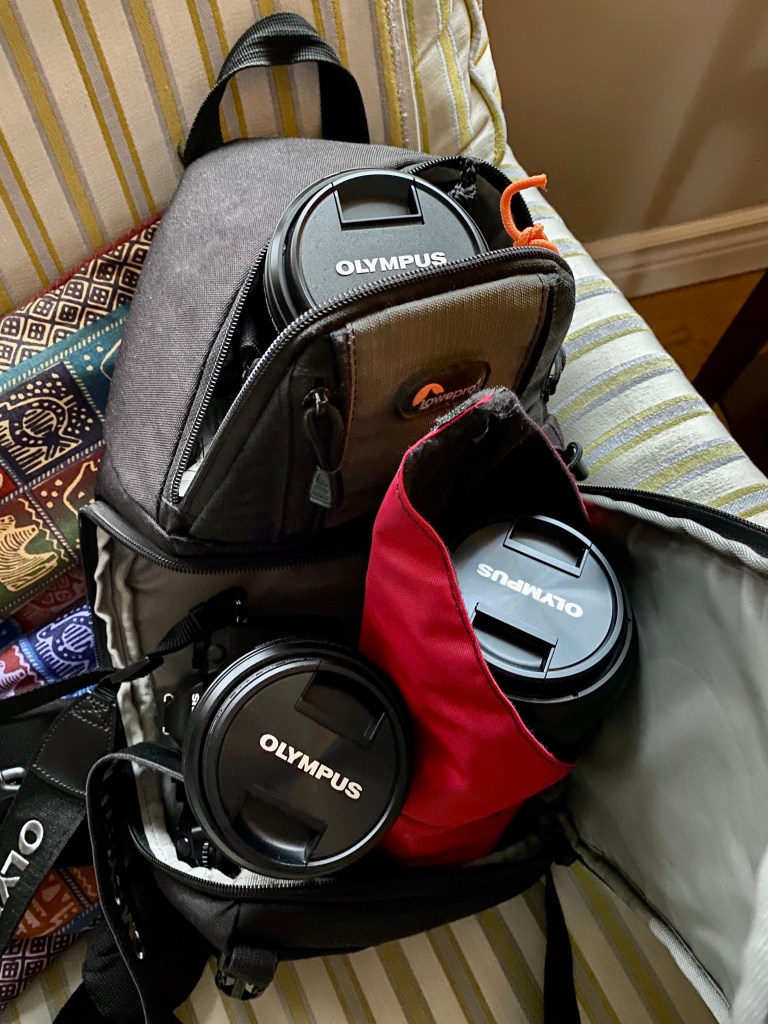
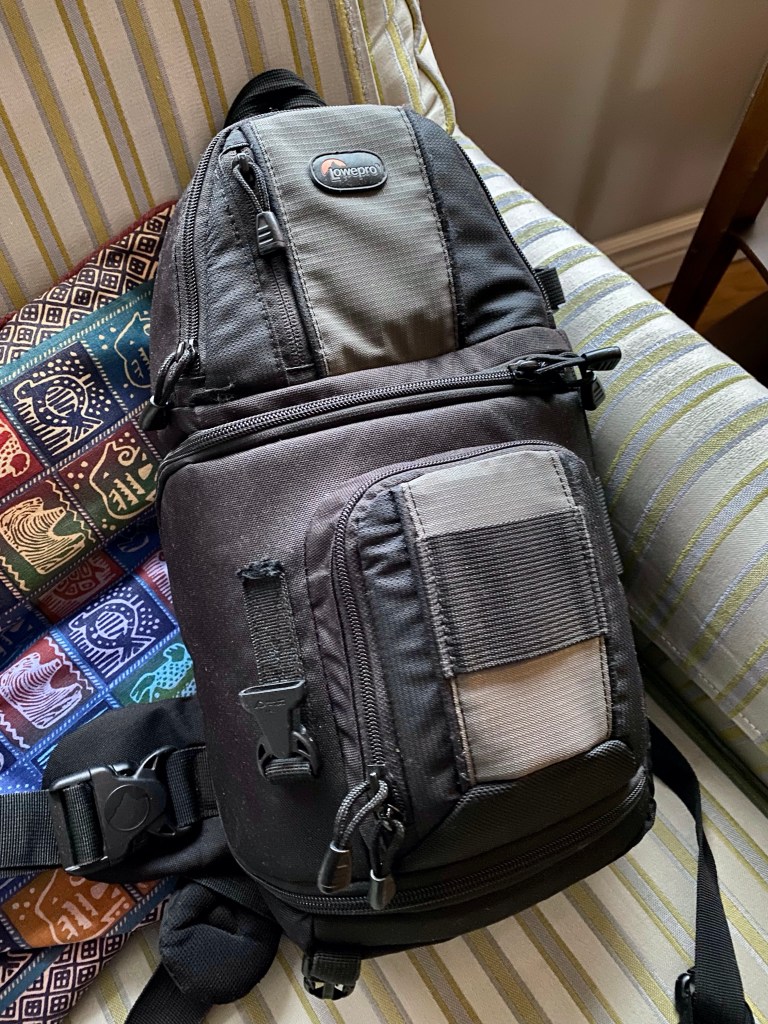
Now, all I need to do is get my a** outside a get shooting!
UPDATE: I was out shooting on Sunday in the glaring light of early spring. I will share a few images later this week.
I shot only raw images, so I’ll need to spend some time getting the right processing workflow. My go-to app is Lightroom Classic, but it may not be ideal for .ORF files. I’ve downloaded OM Workspace, but it may not be ideal either, since it only outputs TIFFs for use in Lightroom, and not DNGs. It may be that I turn to Topaz Photo AI or DxO Raw as part of my workflow. I would love to hear your recommendations!
Breaking News!
Aaarrggghhh! Never fails! No sooner do I buy a new computer or camera or whatever, and a newer model is announced. Here’s Peter Forsgård on the new OM-1v. Must Watch! 😉
Thanks for reading. If you have any questions or comments, please join the discussion below. And, if you haven’t yet subscribed – please do so!
Visit my photo galleries at luxBorealis.com and Follow and Like my page on Facebook.
Discover more from luxBorealis Blog
Subscribe to get the latest posts sent to your email.
 luxBorealis Blog
Trackbacks